Skip to content
View in the app

A better way to browse. Learn more.

Security Installer Community

A full-screen app on your home screen with push notifications, badges and more.

To install this app on iOS and iPadOS
  1. Tap the Share icon in Safari
  2. Scroll the menu and tap Add to Home Screen.
  3. Tap Add in the top-right corner.
To install this app on Android
  1. Tap the 3-dot menu (⋮) in the top-right corner of the browser.
  2. Tap Add to Home screen or Install app.
  3. Confirm by tapping Install.

!!..DIY Installers..!!

A place for queries from those DIY alarm, cctv, access control and fire installers.
Specify all your equipment when posting to get a more reliable diagnostic response.

  1. Started by jkno,

    I've finally gotten round to putting the recessed door contact (Knight A51MULTI G2) for the entry/exit rather than using the hallway PIR. I wired everything up and re-enabled zone 1 but it was displaying tamper. So I stripped back the contact and tested all the resistances 2.2 secure, 6.9 active, 1/0 tamper. I also checked the resistances at the alarm box to make sure I didn't have a break in the cable. To confirm I linked the contact circuit into Zone 6 which was spare and wintex diagnostics registers 2.2 secure (healthy). Finally to confirm Zone 1 I bridged and programmed zone 1 to always closed which returned an active state (unhealthy) Does it sound li…

    • 18 replies
    • 3.3k views
  2. Started by Bruce pearce,

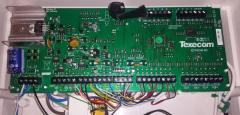
    Hi All I have managed to get my texecom elite alarm all configured with 6 zones of pir and 2 door contacts . My question is I have installed a com 2400 and I cant get it to do any thing . I have wired it into the phone line and the texecom tells me that it is there .I have inserted my mobile number but it just wont text me . Any ideas as to what I am doing wrong .Or will this unit not text me ? Any help will be appreciated as I have run out of ideas Many Thanks Bruce

  3. Hi All I am new to alarm systems, but find them interesting and currently upgrading my Old IDS system to a new Paradox MG5050 system. I was hoping that I could get some advice here, once complete I was thinking of creating a tutorial to help other DIY users. I have 3 x wired panic buttons that were in place from the previous system and 3 x Wireless REM101's I have added 3 x REM101's via Winload and made Button A/PGM Action 1 [8] Panic I have selected Zone1 as the panic zone (I assume I connect 3 x Wired Buttons to Zone1) I am then not sure what to select on PGM1 (For Panic) Do I select a Group and make all the wires panics belong to Group#8? And fo…

    • 1 reply
    • 23.6k views
  4. I have swapped out my panel for the new dimension and I'm working my way through the programming etc - slowly ... I've got a couple of problems that I would appreciate some help with. Its a new panel - possibly destined for an ADT install as the banner is preset with ADT etc. I cant seem to escape engineer mode as I have two line faults I cant clear or disable. Line Fail (1) is the fault and I think Line Fail (4) is the other one. Also (on my classic it used to say something like Manager Reset Required) now its saying "Call Alarm Co. Quote Code xxxxx".

    • 85 replies
    • 12.2k views
  5. Started by dwdave,

    I don't know if a power cut or a breaker tripping works the same way - electronically speaking ... but my breaker just tripped and my external box started singing. I was under the impression that the on board batteries in the panel and in bell box should take care of it for a while ?

  6. Started by dwdave,

    Can you set the tags to arm only?

  7. Started by dwdave,

    I'm not with the panel nor my meter but can anyone tell me what the voltage of the galaxies alarm circuits are? I might guess at 12v because everything else post ac is 12v dc but I'd rather check.

    • 13 replies
    • 3.2k views
  8. Started by Jcall,

    Hi all, I have just moved into a new house and want to install a wired alarm again. I installed a wired Eurosec CPX system 4-5 years ago, and used EOL, wired the dialer in etc. Can anyone suggest the best panel to use on a DIY budget of upto £300? It's a 3 bed mid terrace with access via front door and via back gate. I'm thinking a 5-6 pir system (possibly including 2 DT for kitchen and utility), contacts front and back. Keypad front, and possibly also at back if decide to enter house using back gate.Bellbox on the front of the house, maybe also at rear. Sound bombs inside the house. I will probably wire in the dialer if it has one. My initia…

  9. Started by ensecurity,

    Evening, few questions for you all I have a galaxy classic panel installed for an external building at home. It has auto set enabled for mon-fri mornings. Sometimes I don't need autoset so how can I turn autoset off without having to log into engineers everytime? Also, how can I unprogramme a link? I have a strobe on an o/p programmed as strobe but I also have a link programmed so the strobe pulses in autoset pre warning but it doesn't stop pulsing afterwards when the system is set. Hope to have a reply soon, thanks.

    • 1 reply
    • 1.5k views
  10. Started by dwdave,

    Hi All, Finally getting round to starting the install of the house alarm in prep for each room coming online as and when they are decorated etc. I have installed the main board and a smart psu with a local keypad for ease of programming etc. I already had a 12v strobe from my old installation but I cant figure out how to get it wired up to the strobes output. It looks like there are three terminals on output 2 (on the rearmost board) but I only have two wires. Can anyone help me out with this one please?

    • 10 replies
    • 2k views
  11. I've got the Galaxy 500 panel powered up and have hooked in the RS232 module for use alongside Galaxy Gold. I just cant seem to get the two to talk to each other. I set up the coms ports (on PC) but the option to "Dial" site is greyed out. Its been ages since ive used it but I must be overlooking something. Any ideas? Thanks.

    • 44 replies
    • 10.5k views
  12. I'm interested how professional installers hide the cable feeding contacts on patio and french doors. It's obviously possible to completely hide the cable without the use of trunking - though I can't decide how. Do you drill upwards through the lintel and hope your aim is good enough that the hole pops out under the floor upstairs? On a related note, how do you go about drilling behind PIRs? Presumably a very long 6mm or 8mm drill and use the flexibility to keep the chuck away from the wall? Any ideas where I can buy such a drill - Screwfix and similar only sell 300mm max.

  13. Started by Therealme,

    Hi all, I am new here and found you all when looking for some information, hopefully someone here can help me I currently have a Honeywell Accenta Gen 4 alarm with a Informa speech dialler connected, as I no longer have access to a fixed telephone line I was looking to replace my dialler with a Pyronix speech dialler GSM V2, can anyone tell me if it would be a direct replacement and I just need to disconnect existing wiring and reconnect to this dialler please? I assume the connections are as follows Informer V2GSM 12V ------ +12V 0V ------- 0V IP1 ------- IN1 (IP1 is connected to INT on my main panel) IP2 ------- IN2 (IP2 is connected to PA on my main pa…

  14. Hi guys, Has anyone got any advise regarding the Texecom wireless keypads? I have recently installed a Texecom Veritas R8 control panel and intended to have two LCD RKP's, hard wired into the system. One of these RKP's is working fine, but the wire to the second is damaged and now that the house is decorated I don't want to chop into the plaster. My best solution would be if I could use a wireless keypad at this location. I am guessing that I would need a wireless receiver to then run the signal down a wire into my R8 control panel. Has anyone got any experience of adding a Texecom wireless RKP to a wired Texecom system and do you have any advise to give…

  15. Started by dwdave,

    I have never used the speaker output on the Galaxy Panel. Only ever sounders etc. What is the difference between the two? Thanks,

Important Information

By using this site, you agree to our Terms of Use.

Account

Navigation

Search

Search

Configure browser push notifications

Chrome (Android)
  1. Tap the lock icon next to the address bar.
  2. Tap Permissions → Notifications.
  3. Adjust your preference.
Chrome (Desktop)
  1. Click the padlock icon in the address bar.
  2. Select Site settings.
  3. Find Notifications and adjust your preference.