Skip to content
View in the app

A better way to browse. Learn more.

Security Installer Community

A full-screen app on your home screen with push notifications, badges and more.

To install this app on iOS and iPadOS
  1. Tap the Share icon in Safari
  2. Scroll the menu and tap Add to Home Screen.
  3. Tap Add in the top-right corner.
To install this app on Android
  1. Tap the 3-dot menu (⋮) in the top-right corner of the browser.
  2. Tap Add to Home screen or Install app.
  3. Confirm by tapping Install.

Introduce Yourself

Just say "HELLO" or give us your life History, its up to you.

  1. Started by BertMcG,

    Hello everyone, I run the exclusive distributor for Satel in the UK and Ireland. Feel free to contact me if you would like to know more. Bert McGaughey

    • 2 replies
    • 1.3k views
  2. Started by Thehitman777,

    I have just joined up.

  3. Started by M8nj,

    Hi All, Im Manjit New addition to the forum Have a texecom 48 all fun and games

  4. Started by Ray phillips,

    Hi All New to the forum, been a cctv installer for around 10yrs and just getting into alarms with only a handful of installs to date. Looking forward to getting stuck in.

  5. Started by mrmonty,

    Hello all Just come across this forum and hoping for some advice. I have a Concept burglar alarm system which I installed around the early nineties. It has been absolutely fine, no issues but the remote keypad is starting to show its age. The buttons membrane is cracked and some buttons are taking quite a lot of pressure to operate. Is it easy/possible to replace the keypad with a modern one. I'm hoping someone can remember this system! Thanks Chris

  6. Started by Mikky321,

    Evening All, i have worked in electrical for 20 years with the last 15 in fire. starting to learn about intruder as your never to old to learn or so they say. kev

  7. Hi, I've been in the trade for 30 years. I've been running my company since 2004 under the NSI.

  8. Started by Longshanks,

    HI Everyone I have a problem with a bell box randomly making noises it happens at random times and there doesn't seem to be any issues do you think this could be a battery issue? Thanks in advance for your help

  9. Started by Nayan Patel,

    All servicing systems .

    • 3 replies
    • 1.3k views
  10. Started by Jack b,

    Does anyone know whats inside a securicor alarms?

  11. Started by Jack b,

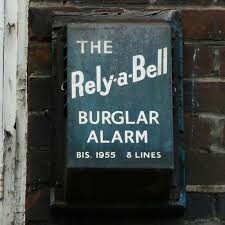
    I bought this rely a bell and while ago and I've wanted to make a panel for. I know how to make the coffin panel from the 50s rely a bell system but not the 60s rely a bell system. If anyone has info on the 60s or 70s rely a bell coffin panels or picture then notify me.

  12. Started by Bananaman Eric,

    Good evening all, I'v joined to seek advice and info on going self employed and becoming a sub contractor. Im currently working in a small firm as a Service engineer/days works. My question is, If I get my own van/insurance etc Do companies seek for the same role (days/service engineers) ? Is there any good Agency that can provide work ? Regards Eric

  13. Started by captain-midnight,

    I'm just a seasoned Network Security Engineer that's branched out into the world of premises alarm systems - if your physical environment isn't secure, what's the point of securing your network as any highly secure network is vulnerable when the attacker has physical access.

  14. Started by EC53,

    Hello

  15. Started by briso,

    HI ALL I HAVE A HONEYWELL ACCORD HOME ALARM THAT I GOT INSTALLED IN 2007 THAT HAS NEVER GIVEN ME ANY PROBLEMS UNTIL THE OTHER DAY THERE WHEN THE TRANSFORMER GAVE UP ON ME I WENT TO MY LOCAL ALARM SHOP WITH NO HELP COMEING FROM THEM WHEAR TO GET A REPLACEMENT TRANSFOMER HOPE SOMEONE ON HEAR CAN HELP

Important Information

By using this site, you agree to our Terms of Use.

Account

Navigation

Search

Search

Configure browser push notifications

Chrome (Android)
  1. Tap the lock icon next to the address bar.
  2. Tap Permissions → Notifications.
  3. Adjust your preference.
Chrome (Desktop)
  1. Click the padlock icon in the address bar.
  2. Select Site settings.
  3. Find Notifications and adjust your preference.