


_2d2230.png)
_5a42ce.png)

JB_
Trade Full Member
-
Joined
-
Last visited
-
Longshot, but try disabling Smart Setup on the Bt Hub and then reboot NVR.
-
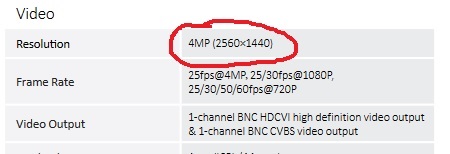
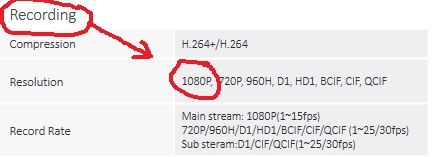
Im a man of few words so........ CAMERA: DVR: Try it in CVBS mode? See if you pictures ok, whcih should prove connections and bnc's etc.
-
Meh..... it almost sounds like the PIR's are staying active for way too long after you have walked past them, which kinda brings some obscure things up. Are the PIR's fed directly from the AUX 12volt supply? Neither 12v or 0v wire is fed from any of the panel outputs? Do the sensors operate correctly when you view them in engineer mode. (Engineer utils....View zone status), do they go active and then back to secure reasonably quickly when you walk past them? Your exit mode is definately TIMED? I.e the exit sound continues AFTER you shut the door behind you, couldn't be youve set 'Exit settle time' to zero and its arming when you shut the door? (with the pir's still active)
-
Check in..... Global options....... system config...... 15 - Hide Exit Errors Sounds more like that is set to 'view exit error' which would prevent the arming even starting if you had zones open.
-
Dimension all the way, shed loads on ebay for a really decent price. Just make sure you get one with a recent software version. 2x System Armed / Disarmed (Set output) 2x Intruder Alert (intruder output) 2x Duress / PA (Pa output) 1x Motion, even when the system is disarmed (ready output)
-
FYI: Com 1 = Internal Telecom module (built in) Com 2 = External RS232 box Com 3 = Isdn Module Com 4 = Ethernet module Com 5 = External Telecom module Com 6 = Internal RS232 module
-
Good sturdy panel bentley's are, very rarely do we replace one due to a failure, most of the time it's due to an upgrade.