


_2d2230.png)
_5a42ce.png)

MrHappy
Global Moderator
-
Joined
-
Last visited
Everything posted by MrHappy
-
Every time I see this I think must share it as somewhere

-
4700(496383_iss_1).pd Gotham postcode ?? oh noun..... attached appear to be from the grey workshop manual.... download it quick before the evil mod team remove it 😉
-
Ankle tag & 7too7 curfew ? is it listed in the grey "workshop" manual, as the product is much older than pdf files ?
-
**adjust veil & looks into his crystal ball** Client won't manged the sim & should he get robbed or something silly happen like the place flood & the ceiling falls down & sets the alarm off when he's a 3 week cruise....... you'll be right **** for not selling him proper monitoring. 3 yrs signalling via wifi to an ARC will be cheaper than speech dialler ?
-
can't think of any controls which chimes on change of state ? 12v buzzer on circuit mimic is something I've done before which produces a buzz until the door is closed, kinda "state penitentiary"
-
-
-
all staff are superstars who should be paid 80k all subscribers think an alarm is £300
-
One day I'm going to sell up & get a proper job on the tools. I reckon I could walk into just about anywhere working with just about anything (fire/security) & be the equal of anyone already working there ?
-
Guard Access ?
-
program circuits 1-8 as "Normally Closed" (from zone menu) Out the box the panel is expecting an "End of Line" circuit
-
you have programmed the zones to suit your wiring ?
-
Ebay ?
-
the battery has been fitted the wrong way, replace the item
-
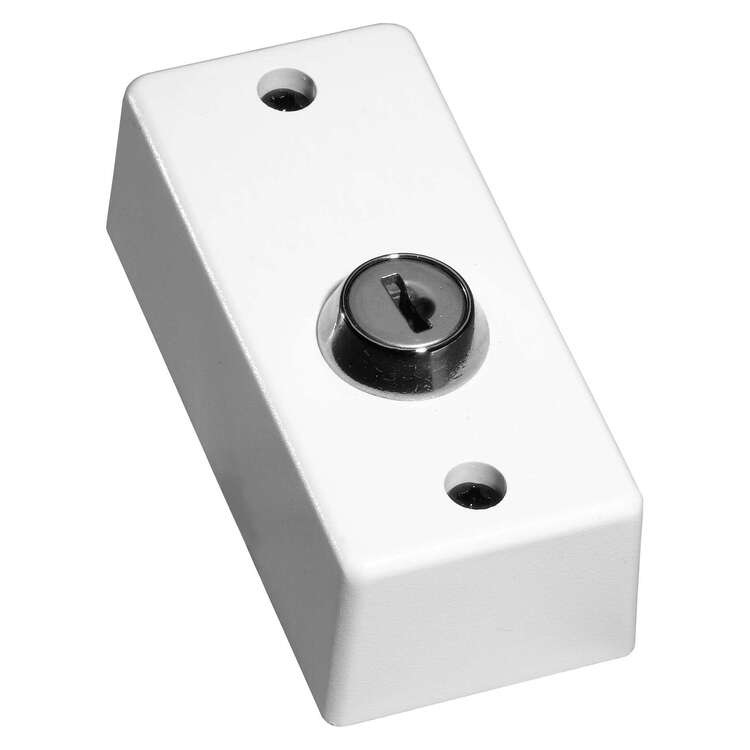
shunt as in a chubb lock ? or- or
-
open then then close the door after replacing the lid (if you have the lid on properly?)
-
dementia, quite common at your age....
-
cqr used to have clear plastic & you could see them inside I use to find them inside cables upto 1m or so, I reckon they crawled in, & each time one crawled in behind the they;d move up more ? battery in sounder will last 2yrs or 20 yrs....
-
pizeo's vibrate, thrips / thunder bugs or whatever climb inside stuff & don;t vibrate no more...
-
your document appears to have a requirement for the installation work to be undertaken by an electrical contractor with nic eic or similar ?
-
looking at purchase history- https://www.ebay.co.uk/itm/363360731149?_skw=Adams+Rite+1354&itmmeta=01JS6WAVX1WTH6WYZATKQ5XTAR&hash=item5499fcc00d:g:xF4AAOSwvulgeEoc&itmprp=enc%3AAQAKAAAA8FkggFvd1GGDu0w3yXCmi1ckQ16os1X414xU7swkyhcrz%2FDiEflFcYti0S7mm2SnTCK0uc%2FMj7t7LS6hVmRs5Zjn2J1pEsxUY27lby%2B8YUwuG2eqYZ6gZRLLysCXUjkJUzJgbfH4yX%2BHf1fFGehnytkoMIvwSZaMR8y3He0%2BfmyvYM2q5297H65xkRzyZZ0H%2FqdFMwlBrMxHTvNHYgaaYfGYX%2BRs5zcq3mRZaBFhL%2B2NA4yVs6Z0WEk2U%2FSRa9LSMb0AKQdFySAqGMV4IdrsQjmihTzU2Mi%2BpKjPr3yoA%2BRSv8zGBGlRxulJspGWWRELqA%3D%3D|tkp%3ABk9SR-i-q9zJZQ adi want £630+vat I reckon all the magnetic locks come from the same chinses factory's- An RGL MSL-2600 is best I can do outside of fleabay is £91.12+vat
-
At work I replaced the Adams right shear lock, Item came from eBay as adi what £500rim releases normally fall to bit by the machine screws falling out thread lock helps its either the door slamming or cnuts braying the door... a shear lock is very dear !Not found it....




Important Information
By using this site, you agree to our Terms of Use.