
Skip to content
View in the app

A better way to browse. Learn more.

Security Installer Community

A full-screen app on your home screen with push notifications, badges and more.

To install this app on iOS and iPadOS
  1. Tap the Share icon in Safari
  2. Scroll the menu and tap Add to Home Screen.
  3. Tap Add in the top-right corner.
To install this app on Android
  1. Tap the 3-dot menu (⋮) in the top-right corner of the browser.
  2. Tap Add to Home screen or Install app.
  3. Confirm by tapping Install.

Hello From Jim Lovett At Pyronix And Castle Caretech
Featured Replies

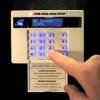
Can't be as bad as Gardtec. Fitted a 600 today and their nice new blue backlight keypads.

It looks terrible with the blue as the keypad colour is cream with a bit of green decal.

If only you jock cnuts could work a camera :P

Mr th2.jpg Veritas God

  • Replies 37
  • Views 5.7k
  • Created
  • Last Reply

So do I and I'm English, we are shlte

The opinions I express are mine and are usually correct!

(Except when I'm wrong)(which I'm not)

I hope us jock cnuts kick yer erse on Wednesday night ya rasper!

Can't say I care much for 22 coke fiends chasing a pig bladder,

However should I wake up giving a toss for the "beautiful game" on Wednesday one us is is going to sporting a full on cross of St George custom signature & don't think it's going to be me ;)

Mr th2.jpg Veritas God

Can't say I care much for 22 coke fiends chasing a pig bladder,


Too right, I can't stand that Big Brother *****.

So, I've decided to take my work back underground.... to stop it falling into the wrong hands


is that still on ?

Yeah man,


I dont agree with violence to women, but that gina could do with a slap or 2.

I really can't be ar**** with it anymore.

You're Actually Watching It Then!?

So, I've decided to take my work back underground.... to stop it falling into the wrong hands


Archived

This topic is now archived and is closed to further replies.

Recently Browsing 0

  • No registered users viewing this page.

Important Information

By using this site, you agree to our Terms of Use.

Account

Navigation

Search

Search

Configure browser push notifications

Chrome (Android)
  1. Tap the lock icon next to the address bar.
  2. Tap Permissions → Notifications.
  3. Adjust your preference.
Chrome (Desktop)
  1. Click the padlock icon in the address bar.
  2. Select Site settings.
  3. Find Notifications and adjust your preference.