


_2d2230.png)
_5a42ce.png)

Amps
Trade Full Member
-
Joined
-
Last visited
Everything posted by Amps
-
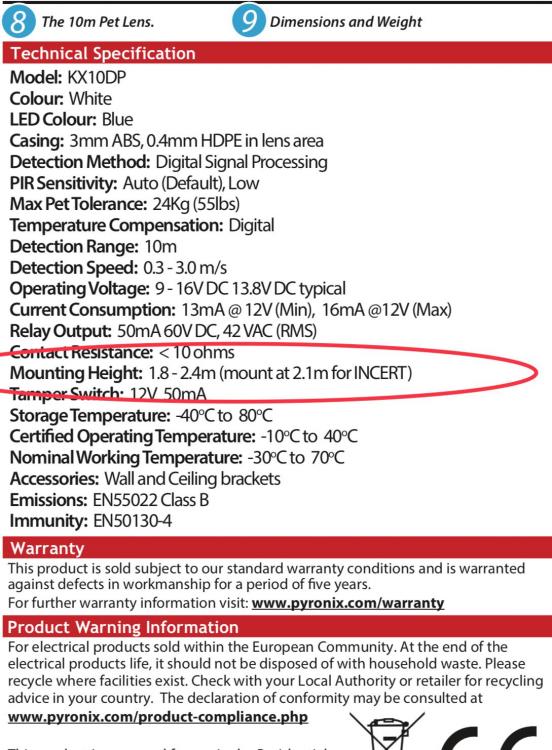
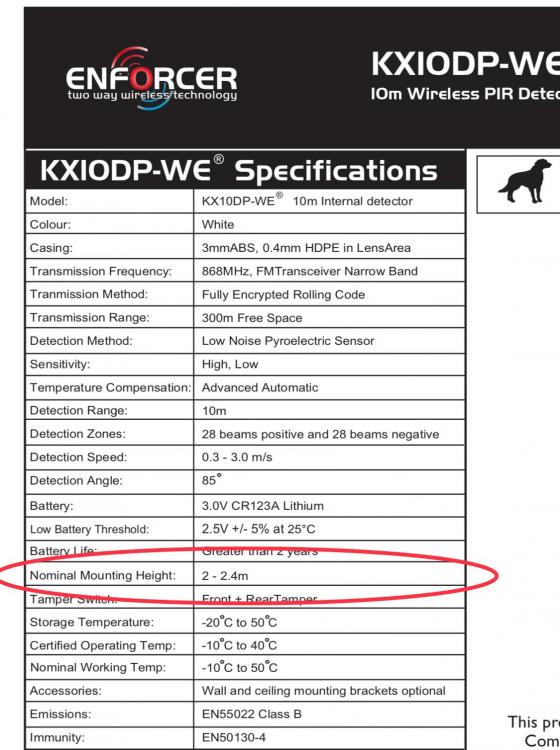
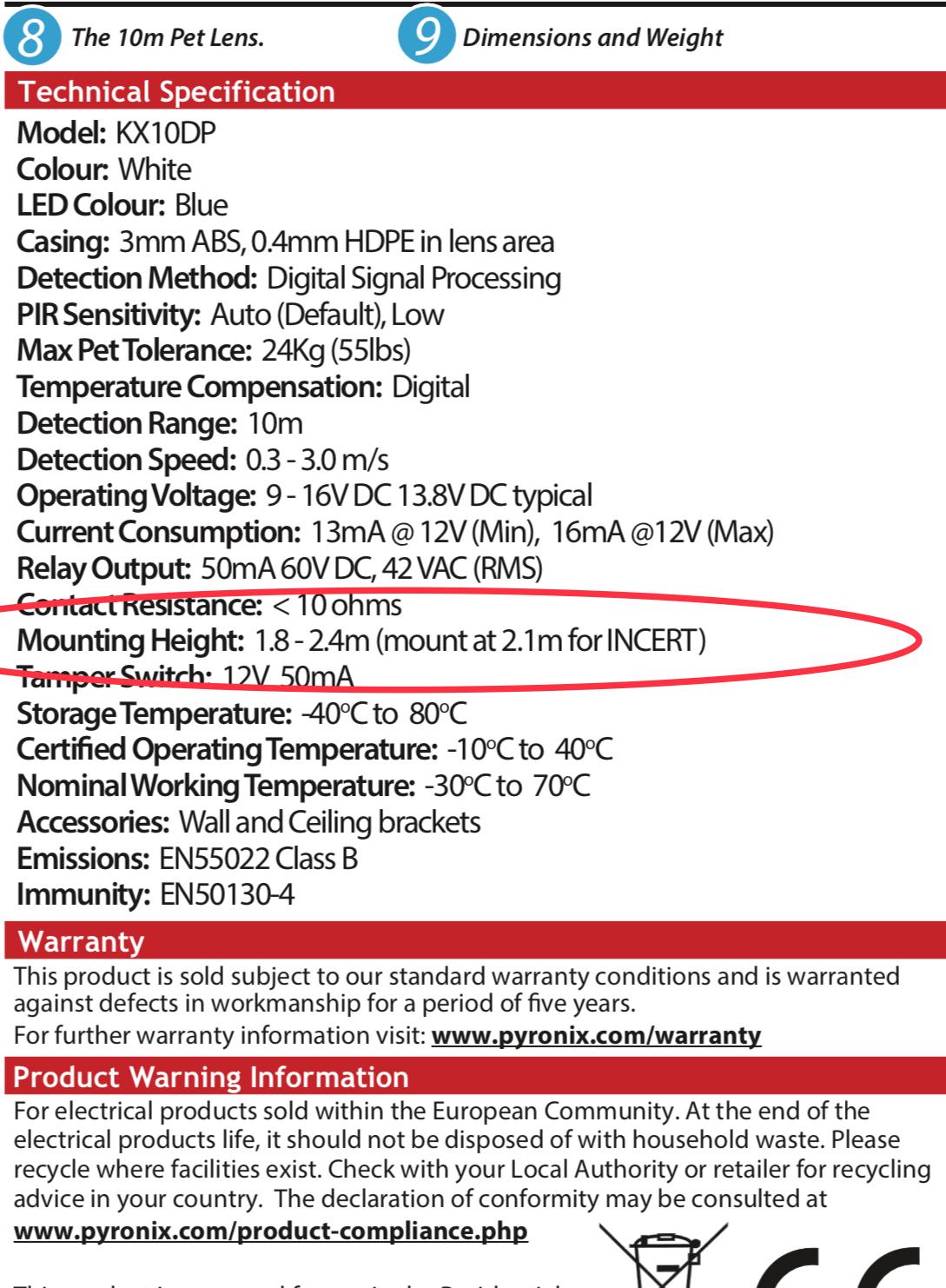
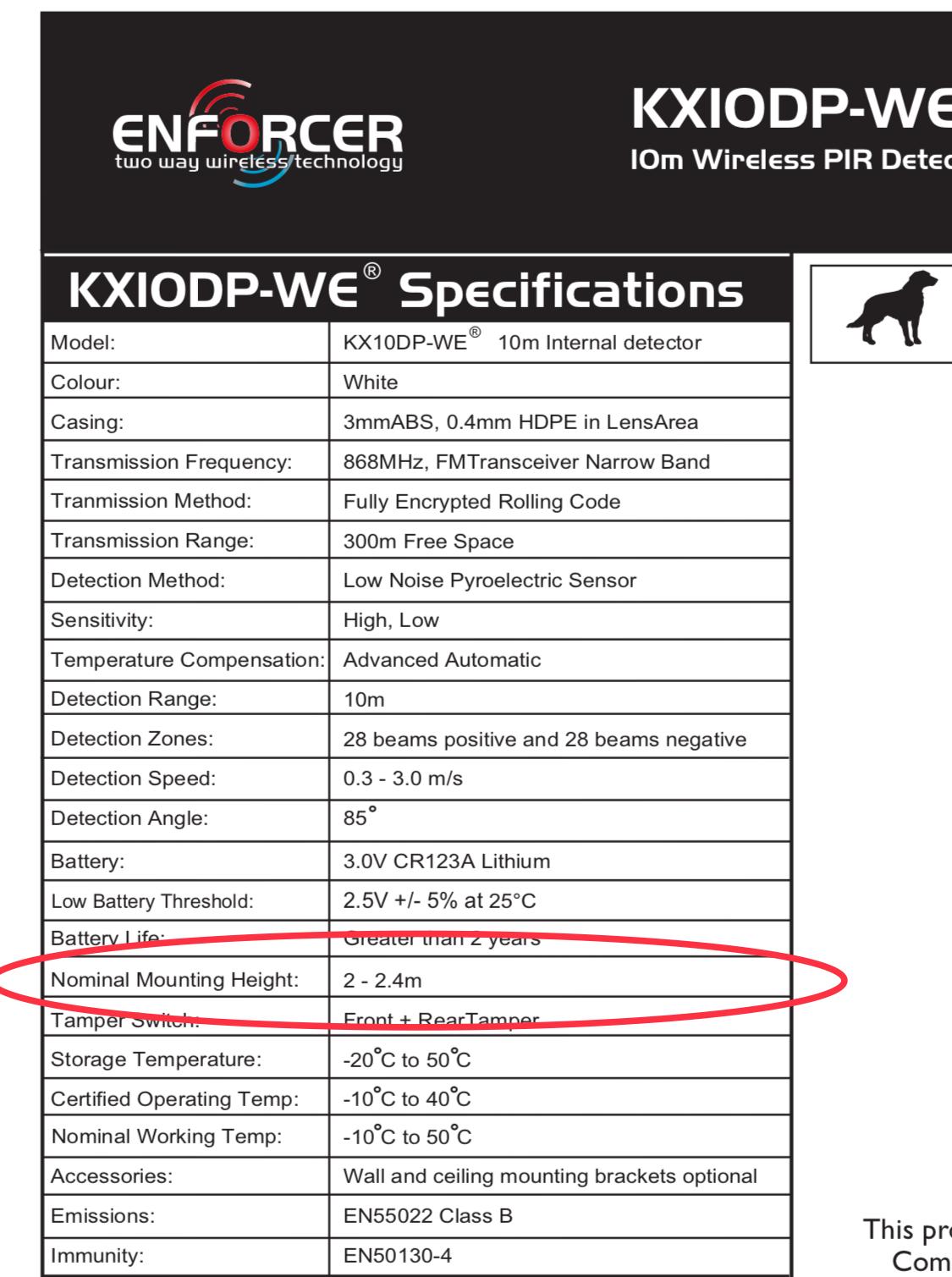
Yeah I agree. Far from perfect. Stupid thing is for the wireless version there is no mention of the 2.1m height
-
They need to be installed at 2.1 meters rather than 2.4 meters for the standard pir’s.
-
-
Apologies for the quality reset procedure.pdf
-
Gotta luv these wind up threads
-
Lol please give me free adviceWhat the hell is corridor mode!Dunno.The Pyronix wireless bell box has the option to enable/disable ‘comfort’ flashing LED’s.There was a discussion on a Facebook security group about tampers being engineer reset on grade 2 systems. The standards say grade 2 tampers are user rest but some were saying they programme tampers for engineer reset as they do not like the end user to interfere with the control panel.The comfort LEDS are either enabled or disabled and that’s it. There is no input to trigger them. The status is determined by a link on the siren pcb.Live view is either main stream or sub stream. Playback is always main stream.Can Hikvision Dvr/Nvr’s do this?Not sure about the latest Visonic panels but the original panels only had a 9v output.Using Hik-Connect I sometimes find that playback is not possible with 8Mp cameras @ 12fps. The network becomes unstable. Normally I’d suggest scaling down to 1080p or reducing the fps if the app is the preferred playback method.You need to be connected to the cloud in order to be able to use the app. I find the app excellent and very reliable. For a diy Install the app is free for the first twelve months then £36 a year after. Break this down to £3 a month and it really is excellent value. Registered Installers can also use the cloud to connect to systems using the Pyronix insite software. This allows full programming of a system. Again another excellent product but is only available to registered installers, cough.I do aspire to learn more. In this industry it seems one is constantly learning. Your answer was very informative and clear but I still need to get my head around it. By ignorance is bliss I meant sometimes it better just to fit the stuff you know works and don’t bother too much about the technology.Ok cheers. A little confusing but I guess ignorance is bliss sometimesWhen it comes to fobs and readers I’m out of my depth. What exactly is the difference between Wiegand & Clock/Data?LOL I'm still doing that 20+ years on. And still irritating the missusPyronix Euro 46 is the perfect panel for you. The app is free for the first 12 months and £36 a year thereafter. Good things cost money.It would be sooooo boring.You would think Betty that the customer would get some kind of notification if their security system was being access by a remote device but NO there is no notification. The security industry is very cheap and tacky as sadly that is what sells. Be careful, be VERY careful who you choose to install the products that protect you and your family.


Important Information
By using this site, you agree to our Terms of Use.