

Skip to content
View in the app

A better way to browse. Learn more.

Security Installer Community

A full-screen app on your home screen with push notifications, badges and more.

To install this app on iOS and iPadOS
  1. Tap the Share icon in Safari
  2. Scroll the menu and tap Add to Home Screen.
  3. Tap Add in the top-right corner.
To install this app on Android
  1. Tap the 3-dot menu (⋮) in the top-right corner of the browser.
  2. Tap Add to Home screen or Install app.
  3. Confirm by tapping Install.

RevolvingSteve

Member
  • Joined

  • Last visited

Everything posted by RevolvingSteve

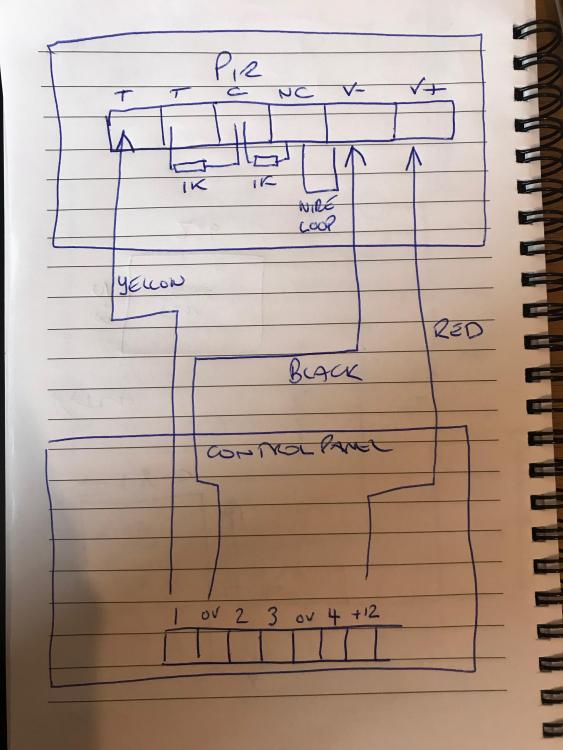
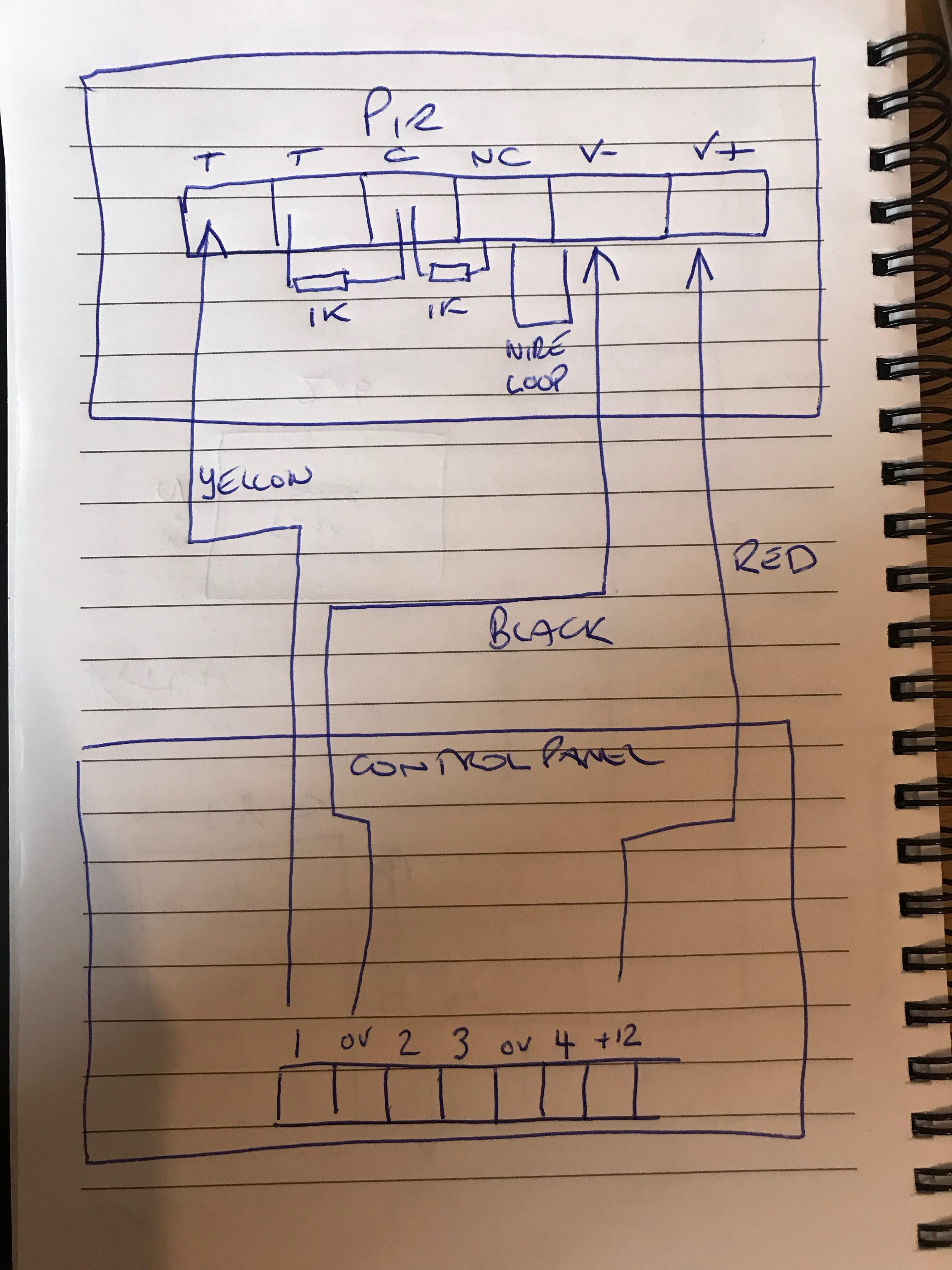
  1. Hi All,Hoping someone is familiar with the Honeywell Galaxy Flex 20 System?Ive purchased one to fit at the new house as its something I have had an interest in..... However, I might have bitten off more than I can chew!I have 3 different wiring instructions from the panel instructions, PIR instructions and general alarm fitting guide. Im trying to validate I have the correct PIR wiring method before wiring up the 10 PIR's! The PIR's are DT8012F5's with 6 terminals.From what I can work out the PIR's should be wired as the image I have drawn. Can someone just confirm before I spend the day wiring them up wrong!
Important Information

By using this site, you agree to our Terms of Use.

Account

Navigation

Search

Search

Configure browser push notifications

Chrome (Android)
  1. Tap the lock icon next to the address bar.
  2. Tap Permissions → Notifications.
  3. Adjust your preference.
Chrome (Desktop)
  1. Click the padlock icon in the address bar.
  2. Select Site settings.
  3. Find Notifications and adjust your preference.