Skip to content
View in the app

A better way to browse. Learn more.

Security Installer Community

A full-screen app on your home screen with push notifications, badges and more.

To install this app on iOS and iPadOS
  1. Tap the Share icon in Safari
  2. Scroll the menu and tap Add to Home Screen.
  3. Tap Add in the top-right corner.
To install this app on Android
  1. Tap the 3-dot menu (⋮) in the top-right corner of the browser.
  2. Tap Add to Home screen or Install app.
  3. Confirm by tapping Install.

RichL

Trade Full Member
  • Joined

  • Last visited

Everything posted by RichL

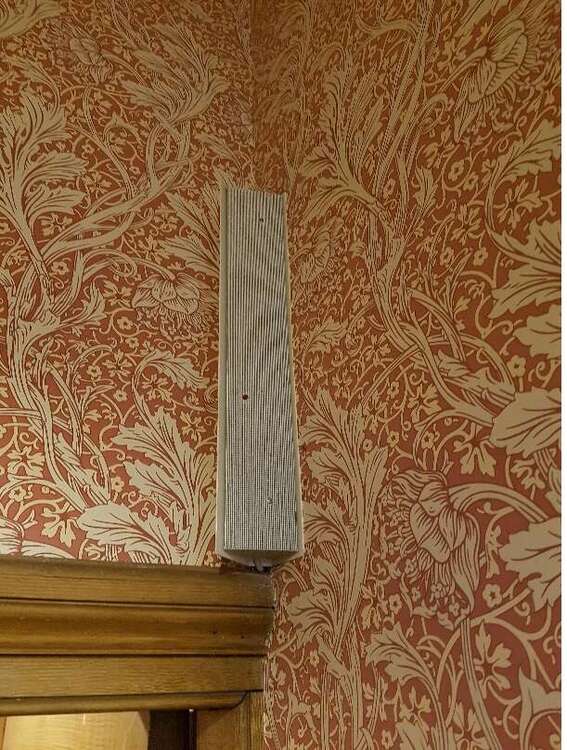
  1. I haven't seen anything like this for a long time, vaguely remember something about these being ultrsonics?
  2. Christ I hate "gotten", but yes to both above.
  3. only the most tax-efficient homeless.
  4. Everything I've worn for the last 15+years has come from either Screwfix or ARCO and I noticed recently that most of my mates are the same, no wonder the high streets are dying.
  5. I heard recently about Dr Martens floating on the stock market, and put ARCOs lack of stock down to BS from above. Rest assured, next time I'm in there I will get to the bottom of this.
  6. Hello sugar-plum, how are you? What type of boots was he wearing?
  7. I tried to buy Dr Martens from ARCO recently and was told they dont stock them any more? Ended up with ARCO's own brand alternative, which are *****, already falling apart and all I do these days is walk the dog.
  8. RichL replied to Kate Scorey's topic in Electrics
    Probably in case any part of the circuit is buried beneath plaster.
  9. True, despite being "an institution" it was long overdue a change in format. I still bought the mug though: http://www.moretvicar.com/collection/viz-magazine-shop/product/viz-the-top-gear-presenter-of-hearts-mug

Important Information

By using this site, you agree to our Terms of Use.

Account

Navigation

Search

Search

Configure browser push notifications

Chrome (Android)
  1. Tap the lock icon next to the address bar.
  2. Tap Permissions → Notifications.
  3. Adjust your preference.
Chrome (Desktop)
  1. Click the padlock icon in the address bar.
  2. Select Site settings.
  3. Find Notifications and adjust your preference.