





jmeader43
Member
-
Joined
-
Last visited
Everything posted by jmeader43
-
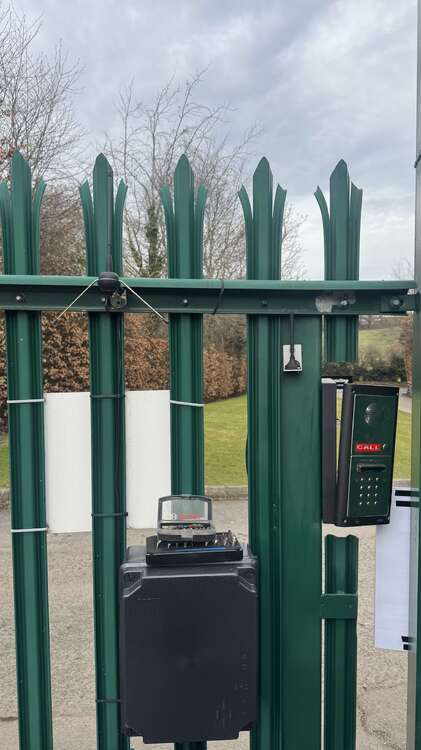
Second gate keypad
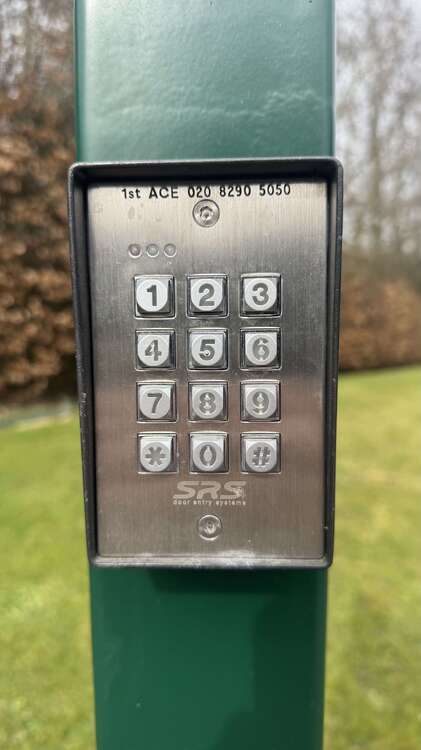
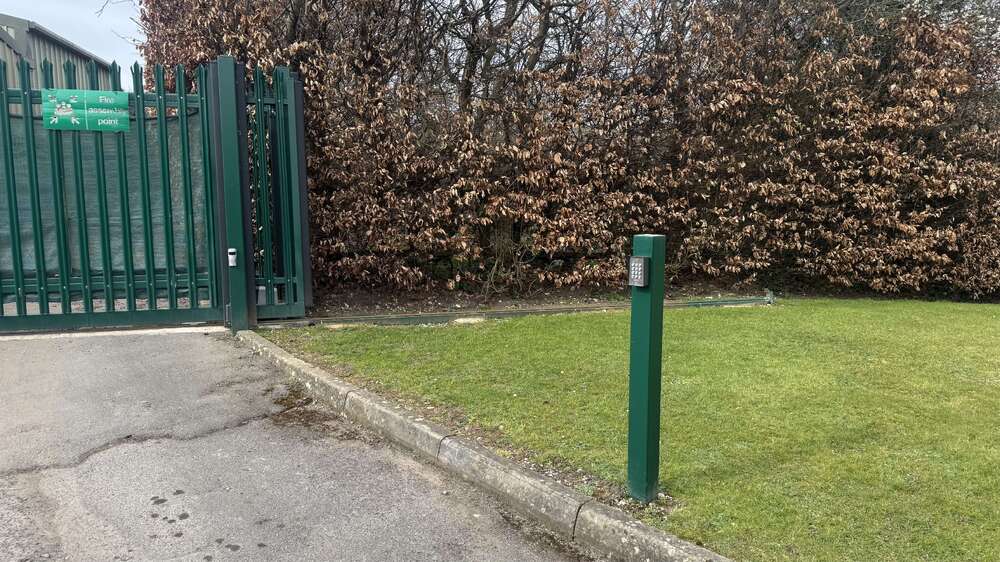
-
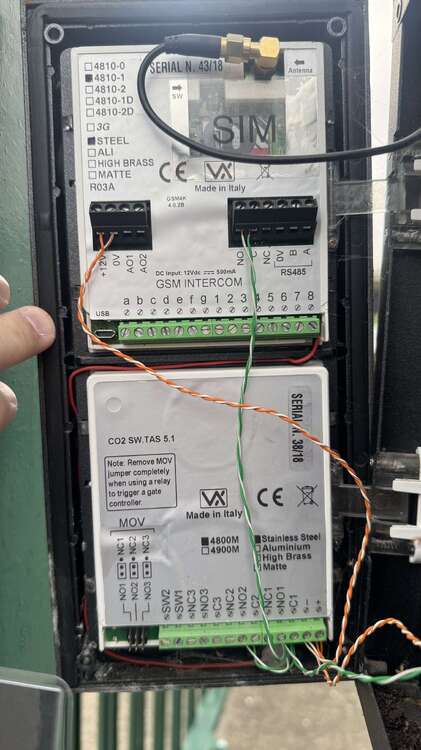
Some photos of a relay and FAAC
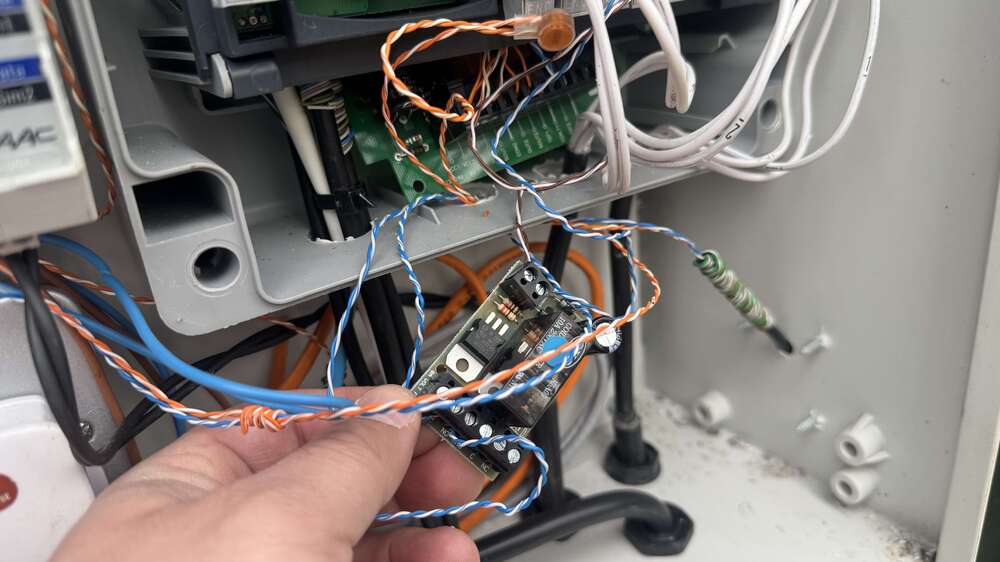
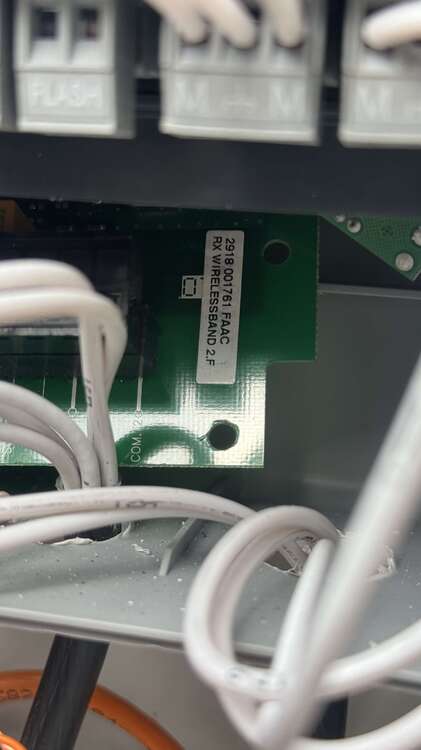
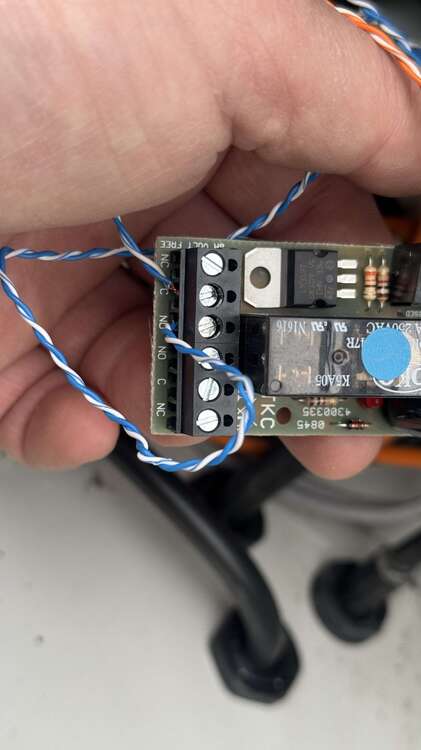
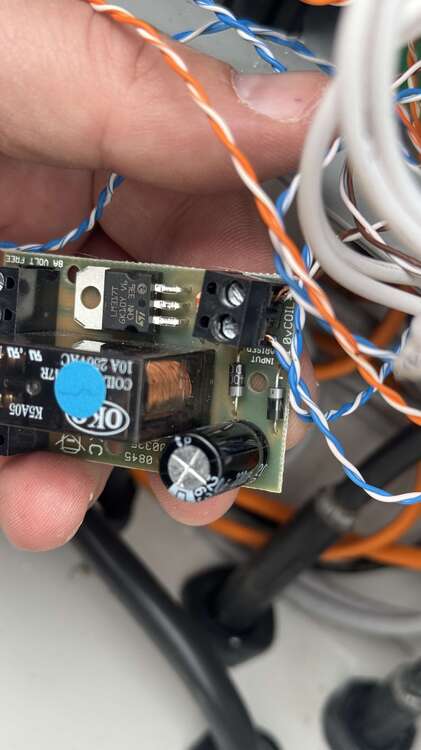
-
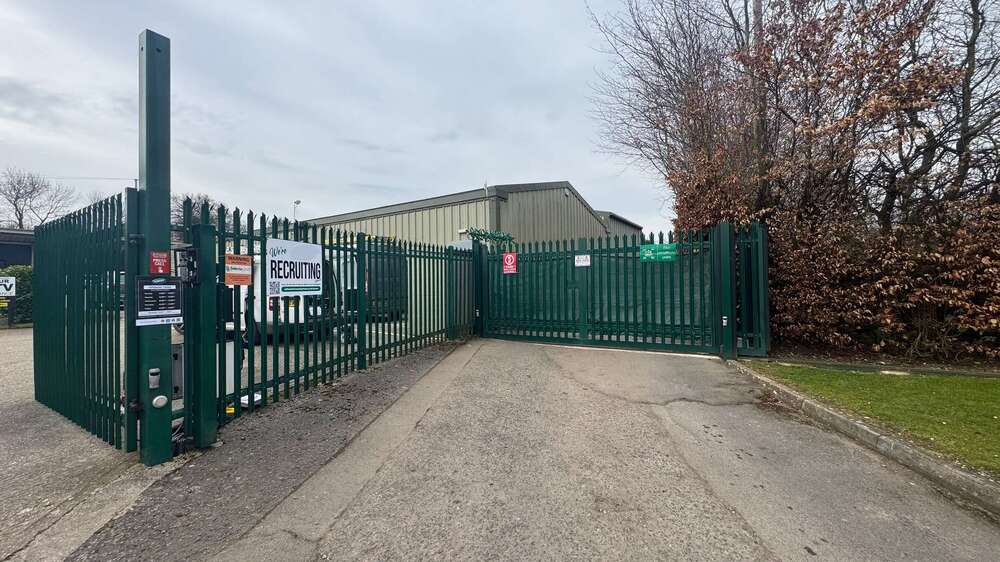
2 gates, main one on the left and the other on the right There are 2 antennas that receive fob inputs
-
Possible replacement using the newer model as this one appears obsolete https://www.securitywarehouse.co.uk/catalog/access-control-c-27/digital-keypads-c-27_29/videx-4000-series-codelock-module-4901-p-5756.html
-
Manual looks like this one https://www.videxuk.com/wp-content/uploads/2016/12/66250070-4800-4800M-EN-V1-5.pdf
-
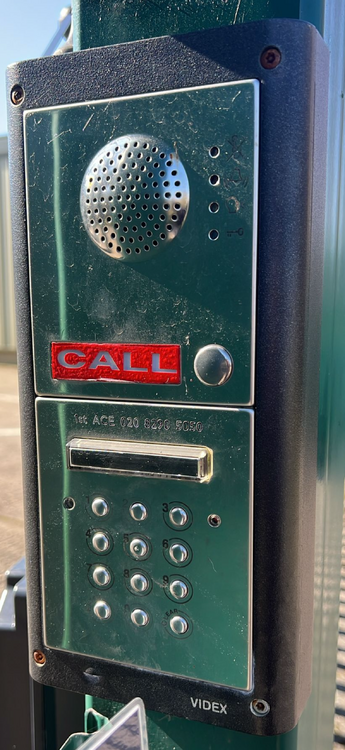
I was wondering if it’s possible to replace a faulty Videx keypad rather than the whole intercom as just 2 of the buttons which are part of the code have worn down over time It’s a GSM model as the customer tells me it calls their mobile phone I’ve attached a photo for reference and any help greatly appreciated I can go there and remove the keypad if an exact model number is needed to look up a suitable replacement
-
Yeah I think they are using a FAAC one
-
There are 2 aerials but it could be for each gate. I’ll take a photo of this on Friday and check if there is another gate controller or not thanks
-
I was thinking to implement a solution I’ve done on another gate recently which I posted on this forum using a WiFi relay called a Shelly Plus 1 which works by any number of users having their app and tapping on a button In addition a replacement keypad so there are 2 methods of opening the gate I think the remotes will end up being expensive as they may need to buy a new kit whereas the Shelly relay is about £18.00
-
A site I look after is being overcharged each time they request a new remote for their electric gate The controller is a Nice MCA1 I have looked into the possibility of installing a Nice universal receiver that can support low cost remotes if there is such a thing It would also need to support 50+ remotes if possible for all staff and tenants I took some photos if anyone wants to have a look and let me know please. I am having trouble uploading them from my phone at the moment thoughOr how how simply muffling the speaker with some foam as they just suggested ?I have 2 of these run in series and the customer is saying they are too loud They are connected to a Texecom Premier Elite 24 and being used with the Chime facility Is it possible to dial down the volume by wiring in something that’s adjustable so they can fiddle with it themselves and then I don’t have to keep adjusting it myself The product is this one: Pyronix Enforcer wireless kit 3I’ve also asked her if it only happens when they get into one of their cars as I’m wondering if it’s a Wi-Fi permitting from one of those they are all high-performance cars so maybe there’s something affecting the signalThanks I will take a WiFi range extender and boost it to the far corner of the house by the camera. It’s quite a wide plot of land and likely to be weak signal. I’ll update this post once I’ve tried thatA friend our mine feels their neighbour could be jamming the audio of her Ring camera whenever they are outside on the driveway nextdoor Video records fine and playback with audio works at all other times when anyone triggers the motion recording except Nextdoor I am wondering if it could be a setting on the app rather than something actually jamming the audio Has anyone heard of such a thing before?Haha yeah I know, it allows the person to turn off the banshee when it stays on due to a vehicle blocking the beam instead of using a single pole switch in the room where the alarm panel is. They can now operate the relay on the Shelly using the appAnyone reading this in the future here is the wiring diagram to get this working with a Shelly Plus 1 relay instead of the PE24 panel
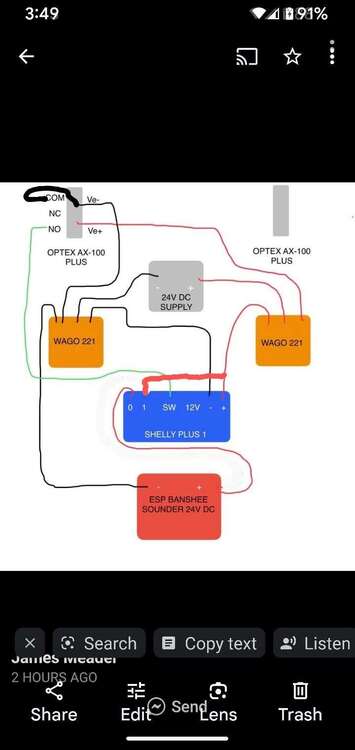 looking at this diagram it suggests I need to use the NO output to run to the SW on the Shelly?
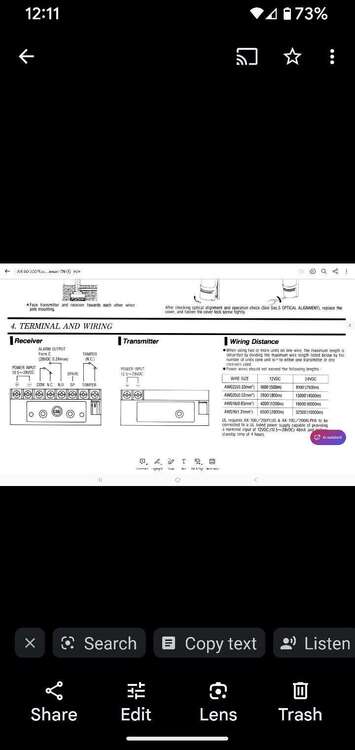
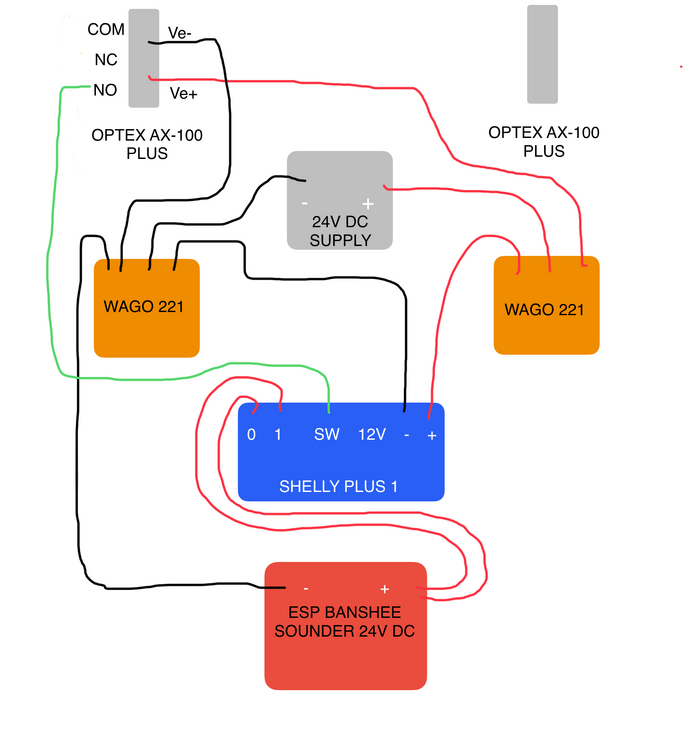 Shelly relay is another option but stuck on how to wire the SW, NC and COM
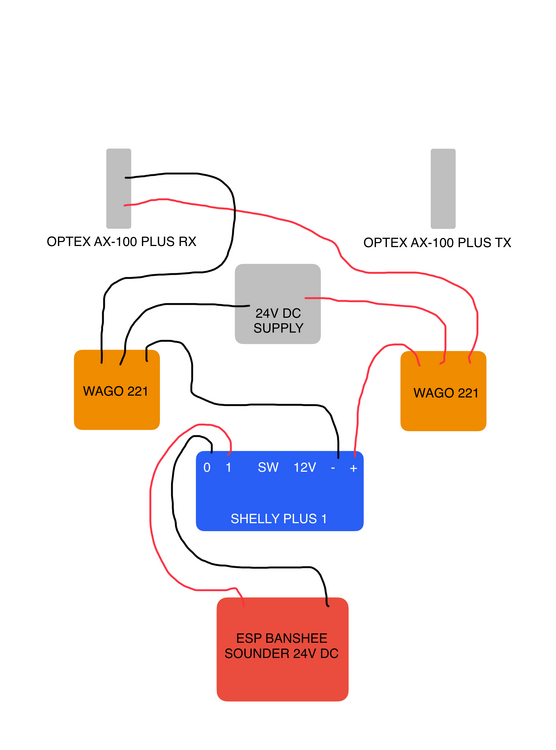 Yes it looks like it can run on 12V DC. Texecom said use Moment Key and change Attribute 1 to Keytube which I’ve set but haven’t tried yet as I was stuck on thinking it could only run on 24V DC I also have a Shelly Plus 1 WiFi relay which I could use instead. I’ll post the wiring diagram of how far I’ve got with it Another option is to use a Shelly Plus 1 WiFi relay I have made a wiring diagram but I am struggling to work out where the Shelly SW terminal and the Optex RX NC and COM terminals fit in to this
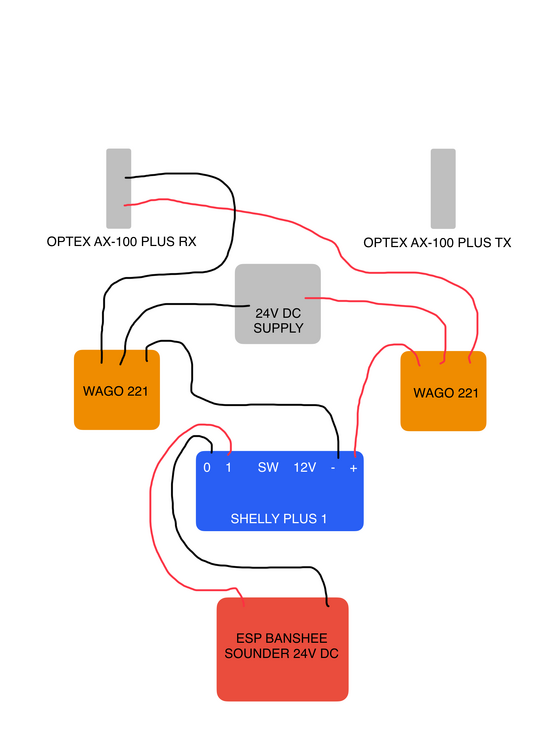 That’s good I see it can work as 12V DC. I’ve only got it set to -20db which is more than enough so the lower voltage should be fineI have made a wiring diagram but I am struggling to work out where the Shelly SW terminal and the Optex RX NC and COM terminals fit in to this
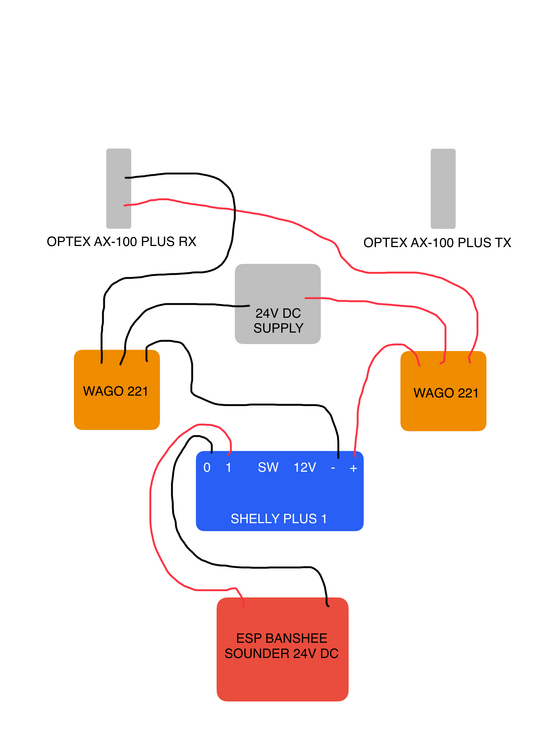 I have got an ESP Banshee Sounder that runs on 24V DC to see if it can be used when the Optex beam (which is now in NC rather than NO) sends an signal to one of the Zones on the PE24 which is set to "Moment Key" unless that is wrong and needs a different option I also have the option of using a Shelly Plus 1 relay which can run on 24V DC if that is a better way or even the only way of achieving this I have posted this on a separate forum post here so apolgies if I've doubled up on the posts and delete if need beI would like if possible to have an Optex wired beam running on 24V DC trigger a Zone on the PE24 using Moment Key (if that is the right option) and then output it to the ESP Banshee Sounder Problem I see if the PE24 is 12V DC and the Banshee needs 24V DC I also have the option of a Shelly Plus 1 relay which I have queried on their FB support group to see if it can do the job as well If I just need to get a 12V DC Sounder then I may have to do that if using the PE24 and not the Shelly





Important Information
By using this site, you agree to our Terms of Use.