_2d2230.png)
_5a42ce.png)

Naeem ahmed
Member
-
Joined
-
Last visited
Everything posted by Naeem ahmed
-
Ok thanks for getting back I will try them what is the best place to buy them from Kind regards Naeem
-
Hi what is a good make battery for CR2 for scantronic wireless window contacts and where can I buy original ones from I keep buying from Amazon GP ones but they run low after 6 months Kind regards Naeem
-
Hi James the the battery in it is CR2 will the CR123A fit in it please let me know Kind regards Naeem
-
Hi James I bought them from Amazon can I buy from you instead
-
Hi James thanks for getting back I alsi replaced the window contact with a new 1 still giving me low batt after 6 months Di you think I need to change the battery in the main panel Kind regards Naeem
-
Hi I have to keep changing my wireless window battery every 6 months keeps saying battery low I bought good ones still every 6 months my other wireless contacts never do that any idear please Kind regards Naeem
-
Hi am in the installation menu and in panel options devices
-
Hi I would just like to delete zone 17 contact Kind regards Naeem
-
Hi am on that screen but can't delete it any idears please I press tick and it went straight to add not delete Kind regards Naeem
-
Hi I bought a new 1 can you tell me how to add it in
-
I tried but still nojoy how do I delete it and add it again please
-
Hi I did but keeps saying that there is something wrong with the tamper in the unit the model is DET-RDC-W
-
Hi I got I I on 40 h scantronic been working fine but today the alarm activated by it self and on the keypad it was saying the wireless window contact had a tamper but I checked it but it was still ok no tamper issues that I can see but every time I go to arm the system the keypad is displayed with the same message bathroom tamper fault any idears please
-
Hi I just loaded the visonic go app but when I enter the serial number and the correct master code it says incorrect any idears please Kind regards Naeem
-
I have loaded the visonic go app but it keeps saying serial number of master code is wrong but it's not I defaulted the system and started from fresh
-
Hi am trying to help a disable family out they have a visonic powermax complete working fine they have a powerlink 3.1 module fitted already to it but never had it setup due to cost of broadband but now they have fast internet installed I have entered the host IP In the panel is there anything else to setup as no GSM telephone line required Kind regards Naeem
-
Hi I programmed it again and it's all working great now thankyou for all your help Kind regards Naeem
-
It's a brand new panel will check again the programing thanks
-
Hi thanks sorry for getting back late the bell is working now but I can't get the strobe to work when I do a test between the negative and strobe it works but it doesn't work when alarm is ringing I got it in ou2 and program it in outputs but still nojoy
-
Hi thanks for getting back ok will give it a try but what is ho+ please
-
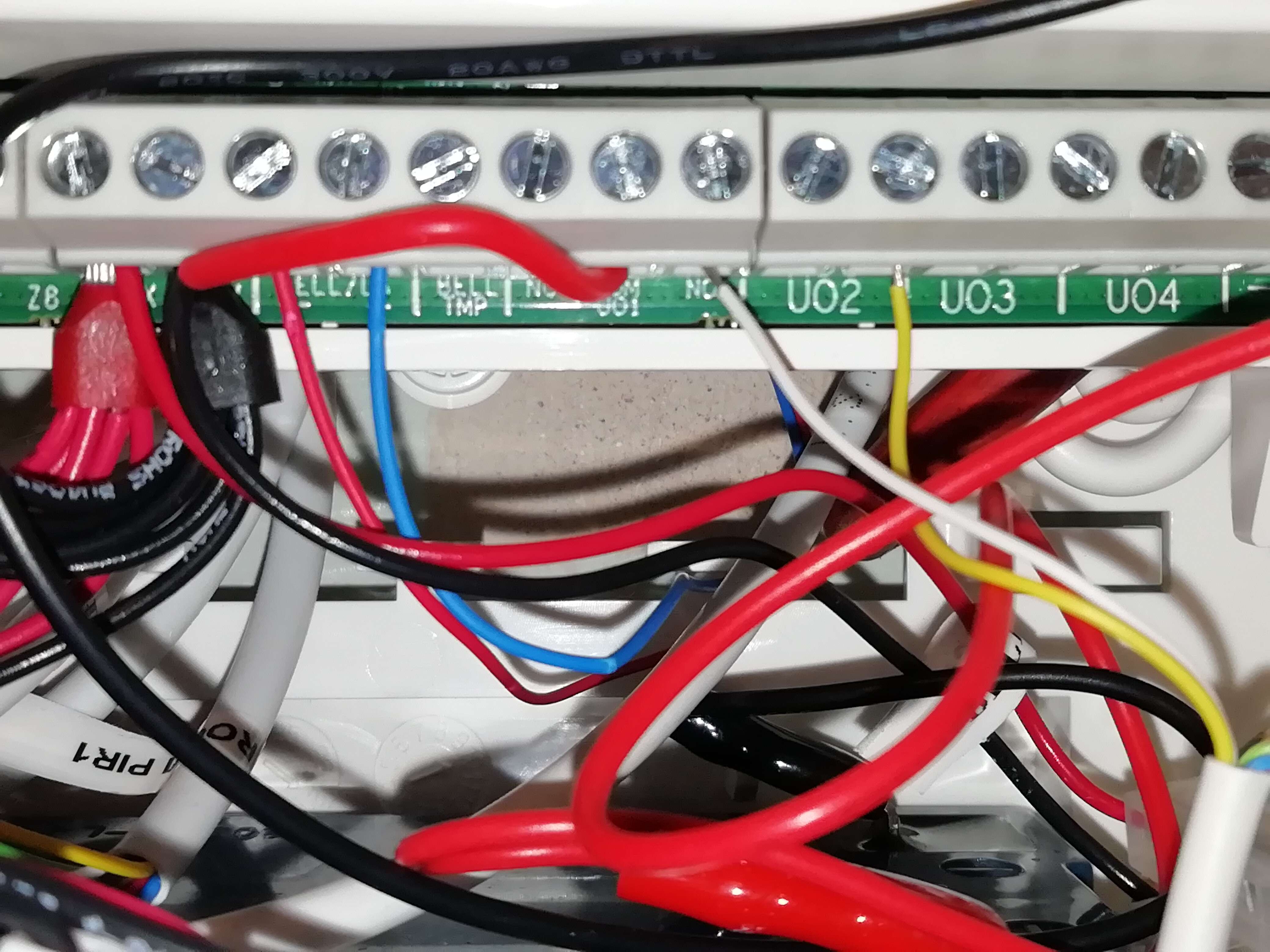
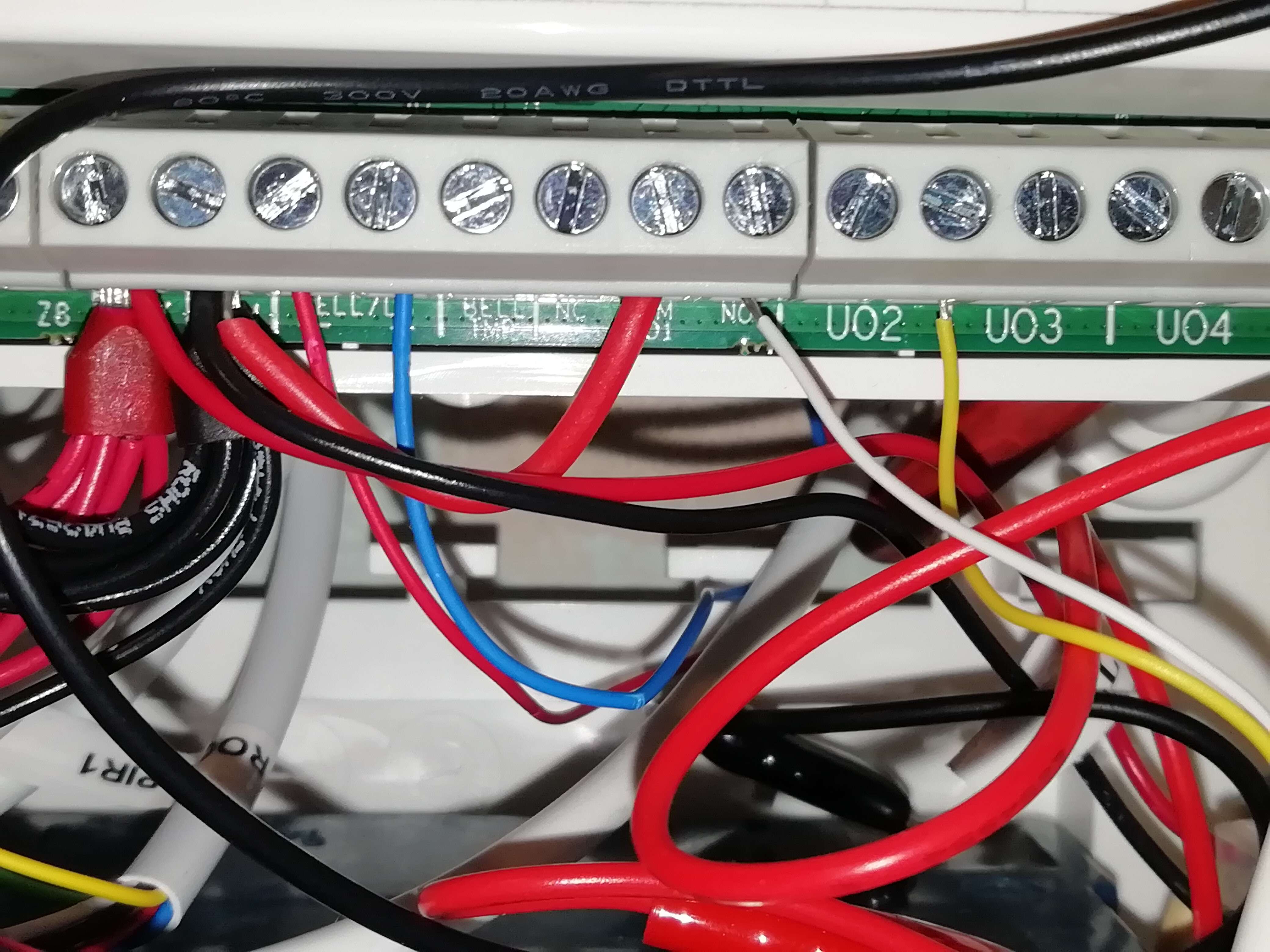
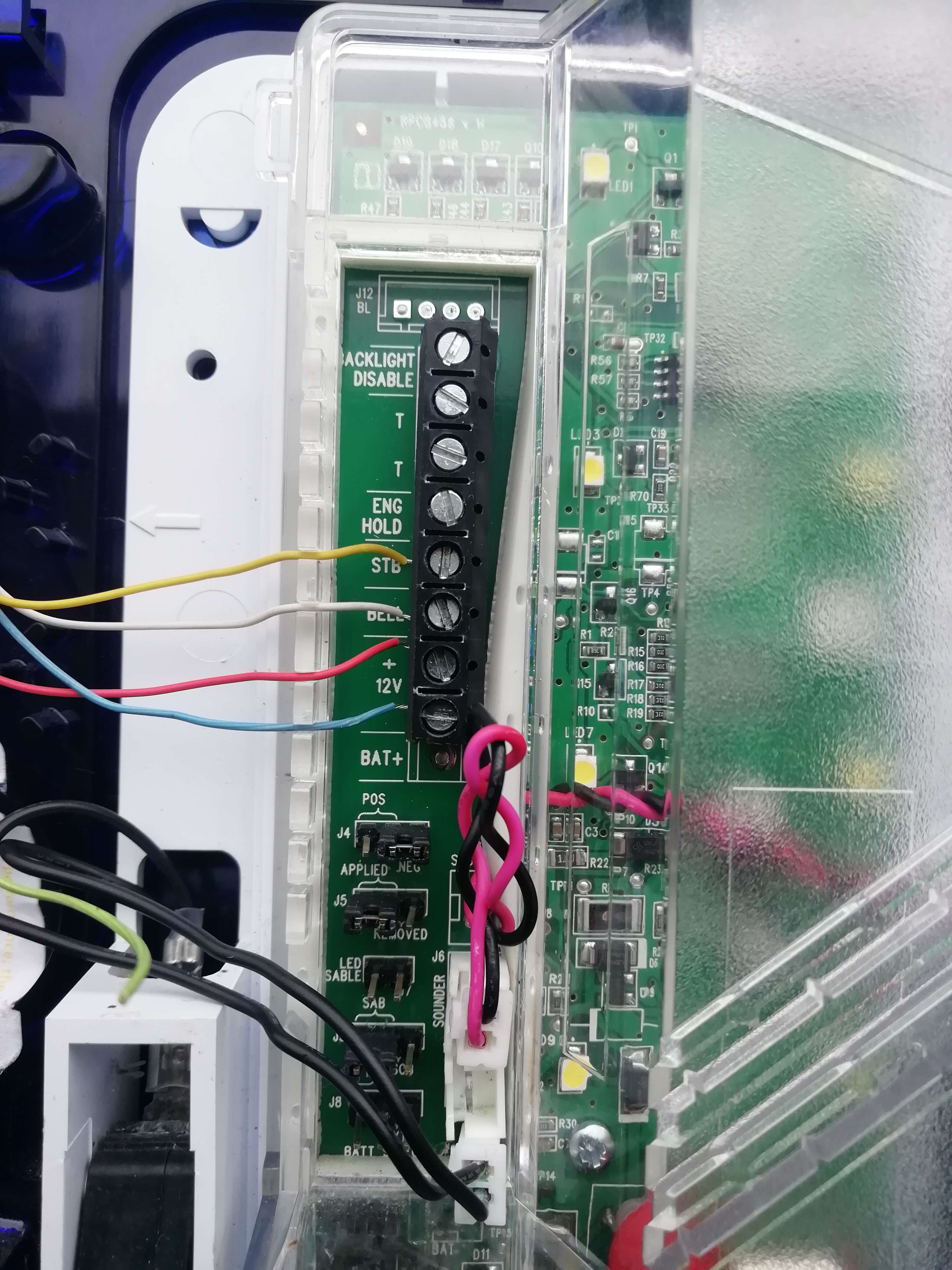
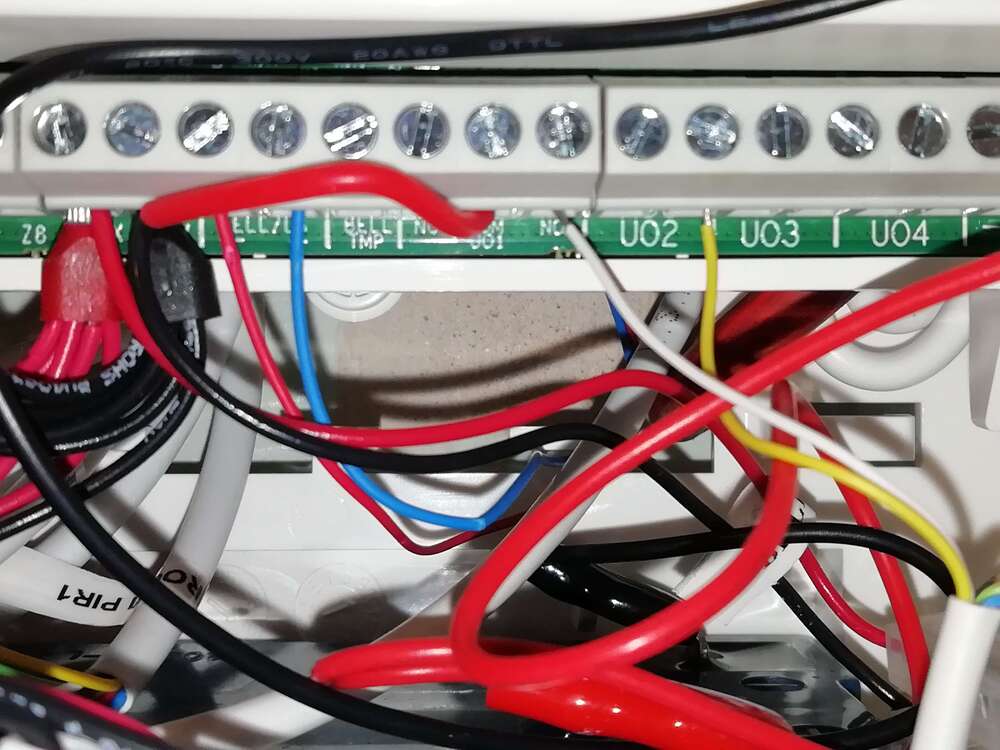
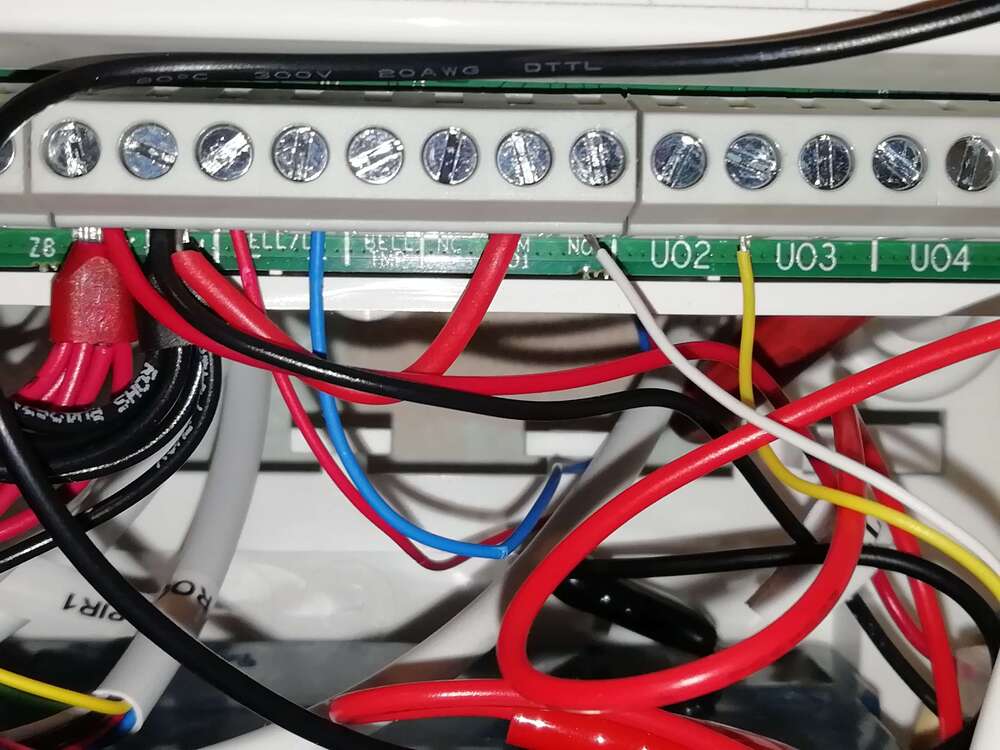
Hi here is a pic of the panel wiring Hi here is a picture of panel wiring bell trigger is in white and yellow is strobe
-
Hi thanks for getting back to me I will send picture of panel and wiring when I get home thankyou Kind regards Naeem
-
Hi thanks for getting back yes it's on the panel
-
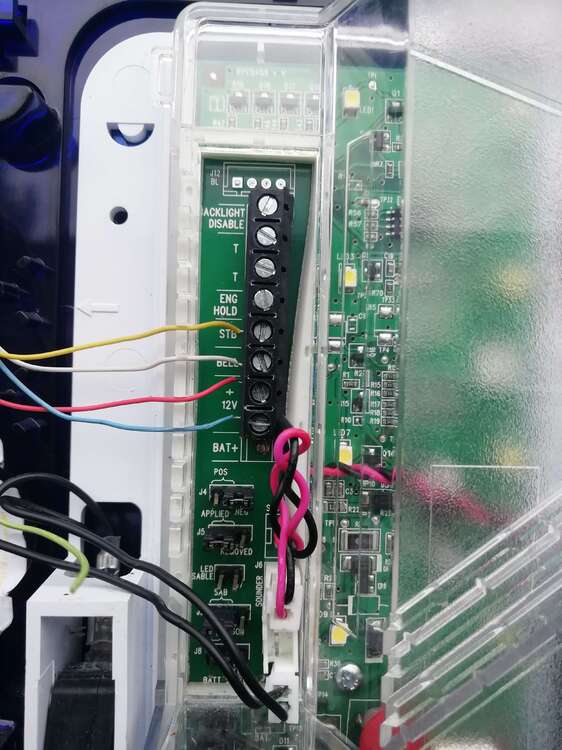
Hi thanks for getting back to me where do I place the jumper on the bell PCB please as I can't see a option to disable the tamper Kind regards Naeem
-
Is that why the bell does not ring when alarm is activated Kind regards Naeem