_2d2230.png)
_5a42ce.png)

Service Engineer
Global Moderator
-
Joined
-
Last visited
Everything posted by Service Engineer
-
Hows about doin an iphone version james ?
-
 No way lol, we have recently taken over a large contract. This greeted me on my first fault finding expedition.
 -
 Really narks me, you open up the lid and get covered in Spaghetti.
 -
 Hate to see installs like this..
 -
Birds got to this Galaxy Access section of the IAS.
-
 Some Installers want sacking then shooting. How NOT to wire a Control Panel.
© © Dave Partridge
-
 A good example of a neatly wired Galaxy Alarm panel.
 -
 They managed to chop the bell cable - go figure.?
 -
-
If simillar to the one above (That's a Challenger VIII), then it's Code then # key to reset.

-
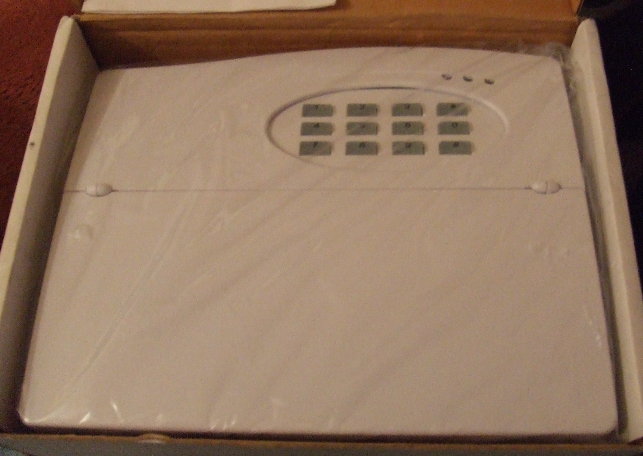
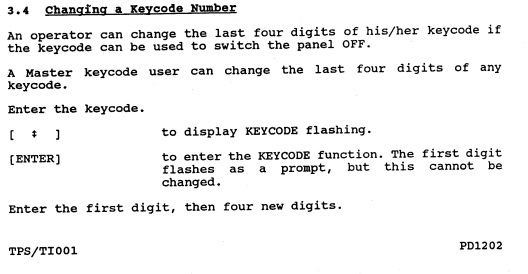
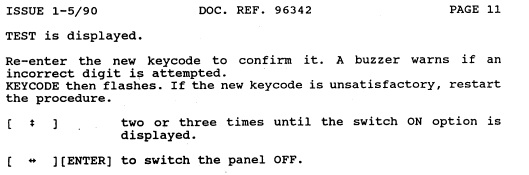
I only have the 1000 and 1600 manuals, dunno if they'd be of any use.? 1600 Code change Instructions: If anyone does have the 1500 manual(s) please upload them.?
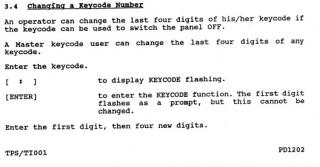
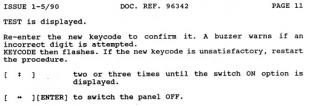
-
My 1st install was an early Gardtec 580..??? The 1st type with the hard round buttons.
-
Added and Stickied..
-
Application Recieved & Installer manual sent via email.. Welcome to the Forums Peter.
-
Looks like 4.36 is possibly a step backwards. They did I believe have confirmation problems with 4.36, hense issuing thousands of updated chips to ADT with a version of 4.37.
-
Allso
-
Send it me: dave@dlp-1.com and ill do it..
-
Here are the 1st points of reference for all those DIY alarm installers out there. This 1st page is a brief guide explaining considerations prior to commencing an installation. DIY Install Guide And this page is a quick guide to servicing your DIY installed system. A Guide to Self-Servicing your Home Alarm System A Glossary of common abbreviations used in our Security Industry. Security - Glossary of Abbreviations Please do not attempt any work you are not competent to undertake.
-
Thats a Great story.....
-
The cable you cut must have been to a powered detector, so you have blown the control panels 1A 20mm fast blow fuse, this is why the panel wont reset and still shows a tamper fault. Youll need to replace the AUX fuse to get the panel working again, or call an engineer to get the system serviced (He`ll sort out the problem while servicing the system) and advise you of any other causes for concern, such as a dead battery. etc etc.
-
The old Bently 133 and Symphony are two panels im quite fond of, my old employer had fitted hundreds of these before i started and he swore by them. Ive only ever replaced one because it was faulty, any others ive replaced have been due to upgrading. The build quality of these Bentleys was great, its no wonder they seem to last forever.
-
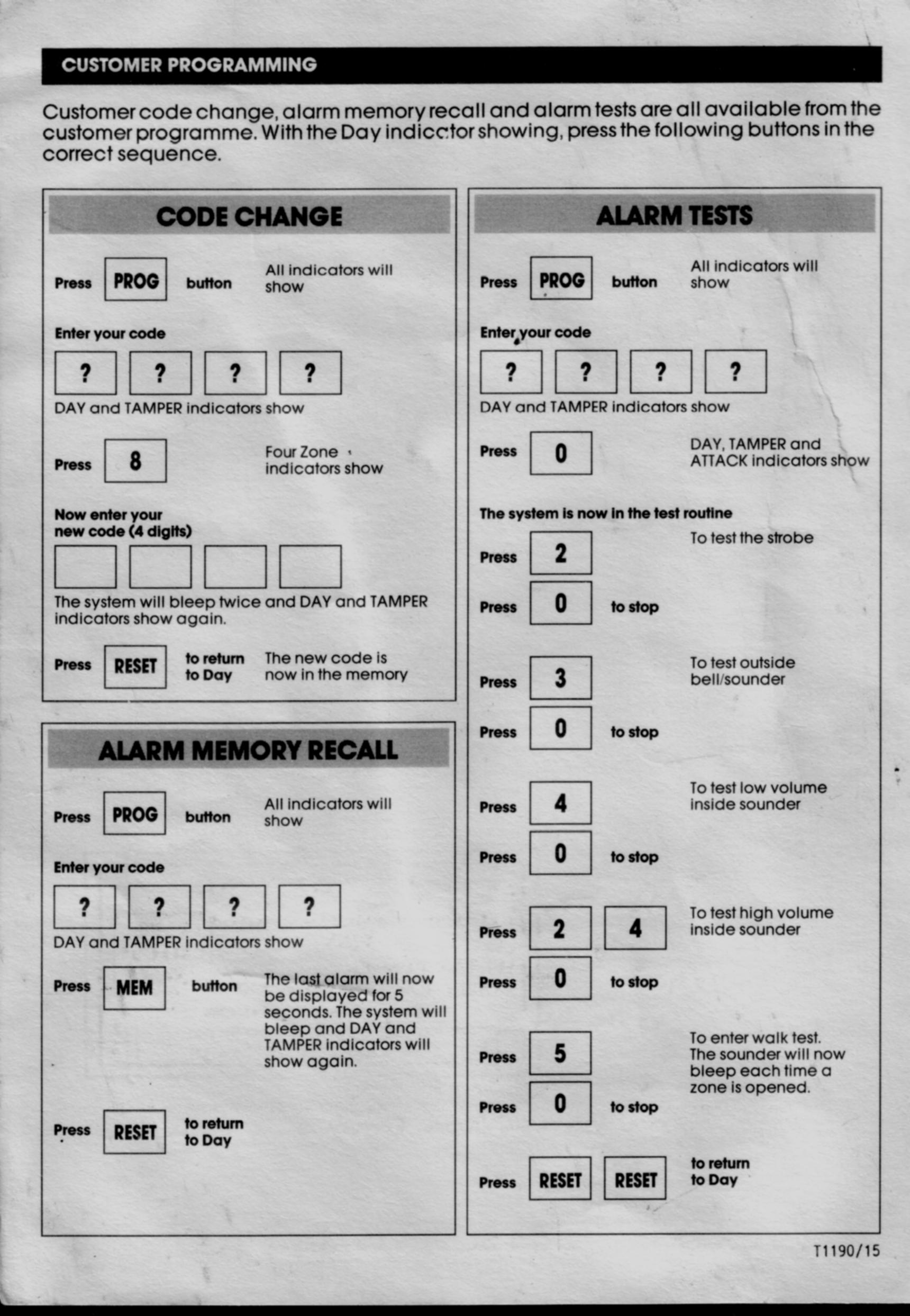
The attached user instructions below should help you out, allthough they are for the old Optima XM, the features are the same.

-
Seems Novor Electronic Devices have purchased ADE. HERES THERE DETAILS: Contact Details Novar Electrical Devices and Systems, The Arnold Centre, Paycocke Road, Basildon, Essex, SS14 3EA Tel: +44 (0) 1268 563000 Fax: +44 (0) 1268 563563 EMail: more@novar-eds.com For literature requests call: Ackermann 0870 240 3391 ADE 0870 240 3387 Bardic 0870 240 3389 Friedland 0870 240 3390 MK Electric 0870 240 3385
-
Just emailed you some manuals, let me know if there the right ones.
-
ADE, Southgate Way, Orton Southgate, Peterborough, PE2 6YG. Telephone: 01733 452 000 Technical Support 0151 549 1550