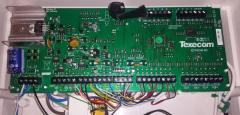
February 12, 20179 yr comment_458731 Does the galaxy G3 have a zone type similar to the keyswitch zone type where it only sets the system when the keyswitch zone is open? I need to be able to set a G3 from a panel in another building but the keyswitch zone type isn't ideal as it would also unset it when the main building is unset. Any ideas on if I can use the keyswitch zone type or if I should be using a custom zone? Link to comment https://www.thesecurityinstaller.co.uk/community/topic/40948-galaxy-set-input/ Share on other sites Share on LinkedIn Share on X Share on Facebook {lang="reddit_text" Share via email Share on Pinterest More sharing options... Share this post
February 12, 20179 yr comment_458738 set the input keyswitch and pulse type (enable the * modifier), then just use the switch dc output type on the source panel it will only then arm the other system not disarm securitywarehouse Security Supplies from Security Warehouse Trade Members please contact us for your TSI vetted trade discount. Link to comment https://www.thesecurityinstaller.co.uk/community/topic/40948-galaxy-set-input/#findComment-458738 Share on other sites Share on LinkedIn Share on X Share on Facebook {lang="reddit_text" Share via email Share on Pinterest More sharing options... Share this post
February 12, 20179 yr Author comment_458740 Thanks James. How do I enable the star modifier? Link to comment https://www.thesecurityinstaller.co.uk/community/topic/40948-galaxy-set-input/#findComment-458740 Share on other sites Share on LinkedIn Share on X Share on Facebook {lang="reddit_text" Share via email Share on Pinterest More sharing options... Share this post
February 12, 20179 yr comment_458741 press * when selecting the zone type securitywarehouse Security Supplies from Security Warehouse Trade Members please contact us for your TSI vetted trade discount. Link to comment https://www.thesecurityinstaller.co.uk/community/topic/40948-galaxy-set-input/#findComment-458741 Share on other sites Share on LinkedIn Share on X Share on Facebook {lang="reddit_text" Share via email Share on Pinterest More sharing options... Share this post
Create an account or sign in to comment