Skip to content
View in the app

A better way to browse. Learn more.

Security Installer Community

A full-screen app on your home screen with push notifications, badges and more.

To install this app on iOS and iPadOS
  1. Tap the Share icon in Safari
  2. Scroll the menu and tap Add to Home Screen.
  3. Tap Add in the top-right corner.
To install this app on Android
  1. Tap the 3-dot menu (⋮) in the top-right corner of the browser.
  2. Tap Add to Home screen or Install app.
  3. Confirm by tapping Install.

Dallmeier Dis-2M Streamer Pro

Featured Replies

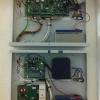
Hello chaps,I've taken out one of these little units from a site,and would like to get it going. Unfortunately I haven't got the IP addy that the unit was assigned before I removed it. I've got the manual from Dallmeier,but does anyone know of a program that would be able to find out the units current IP? I've tried removing the button cell battery on the pcb to revert it to default but no luck.

  • Author

No I haven't Kevin,I'll give it a google now and have a go. Thank you for your reply.

Give it a go and try the more common ranges and you should get it. Also check dhcp isnt enabled don't know if it supports it or not. Good luck

Archived

This topic is now archived and is closed to further replies.

Recently Browsing 0

  • No registered users viewing this page.

Important Information

By using this site, you agree to our Terms of Use.

Account

Navigation

Search

Search

Configure browser push notifications

Chrome (Android)
  1. Tap the lock icon next to the address bar.
  2. Tap Permissions → Notifications.
  3. Adjust your preference.
Chrome (Desktop)
  1. Click the padlock icon in the address bar.
  2. Select Site settings.
  3. Find Notifications and adjust your preference.