



Eugene's DIY Den
Member
-
Joined
-
Last visited
Everything posted by Eugene's DIY Den
-
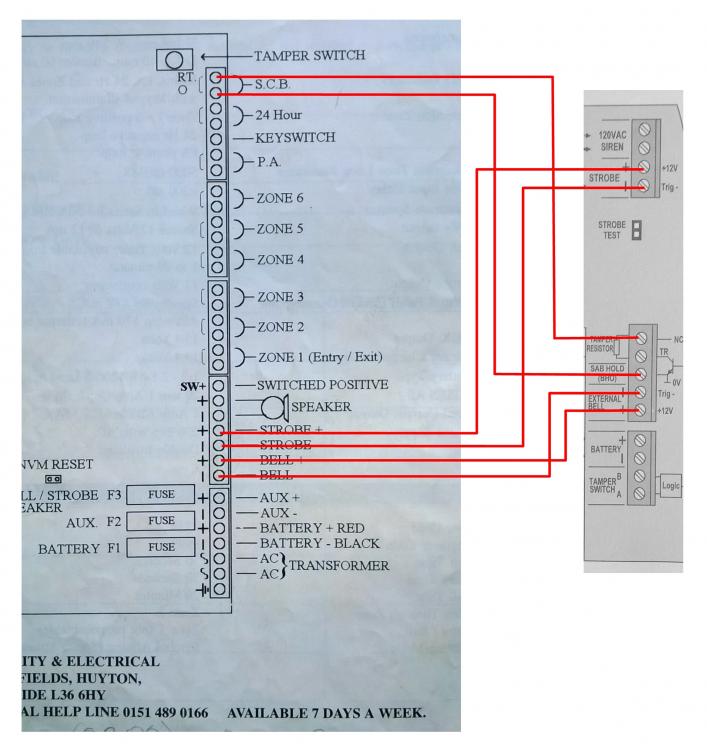
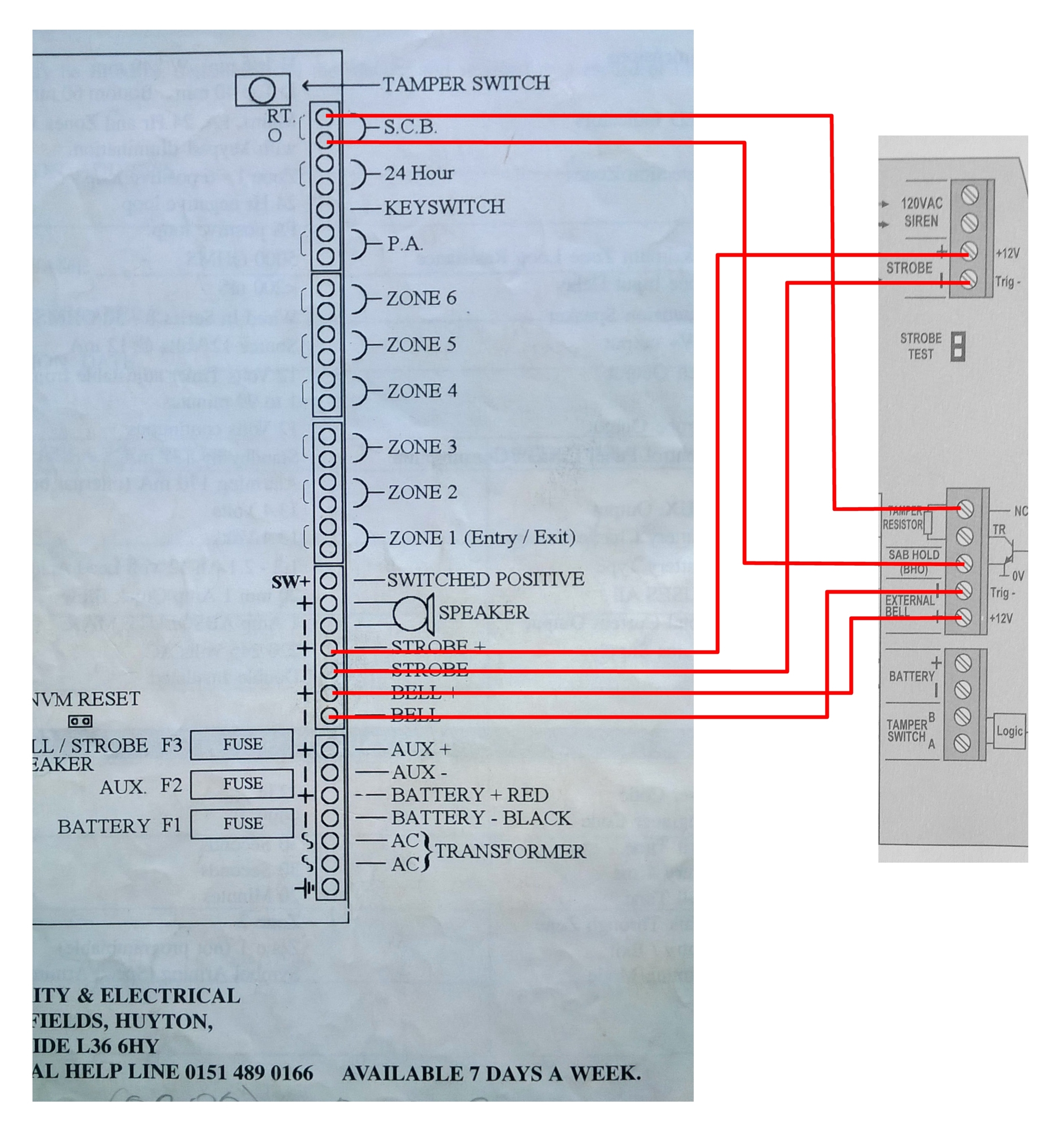
Ok, so I'm a bit confused about how the internal circuitry works for zone o/ps, switched negative o/ps and tamper o/ps. Terminology and o/p descriptions vary a bit on different panels and sounders, so I'm trying to get my head around it. 1) Bell/strobe switched negative - Is this o/p on a panel just an open collector transistor whose collector is pulled low when the base is driven, providing a ground for the strobe and sounder? 2) Zone inputs - Is one leg of the input connected high via a pull up resistor to the 5v supply, and the other leg tied to ground? When contacts are closed, voltage i/p is pulled low, then goes high when a contact opens 3) SCB0 and tamper return - Is SCB0 a permanent, nonn-switched 0 volt supply for powering a sounder? On some panels this is hard wired to tamper feed which is sort of a misnomer because it's a feed of 0 volts, rather than positive voltage.. Is tamper return a 5 volt o/p pulled high by a resistor internally or a fixed 5 volt supply? I'm trying to wire up an old A1 security and Electrical Advantage SX6 panel to a new HKC SABB sounder. This is the way I think the connections should be made.