


_2d2230.png)
_5a42ce.png)

Mad Man Dyson
Trade Full Member
-
Joined
-
Last visited
Everything posted by Mad Man Dyson
-
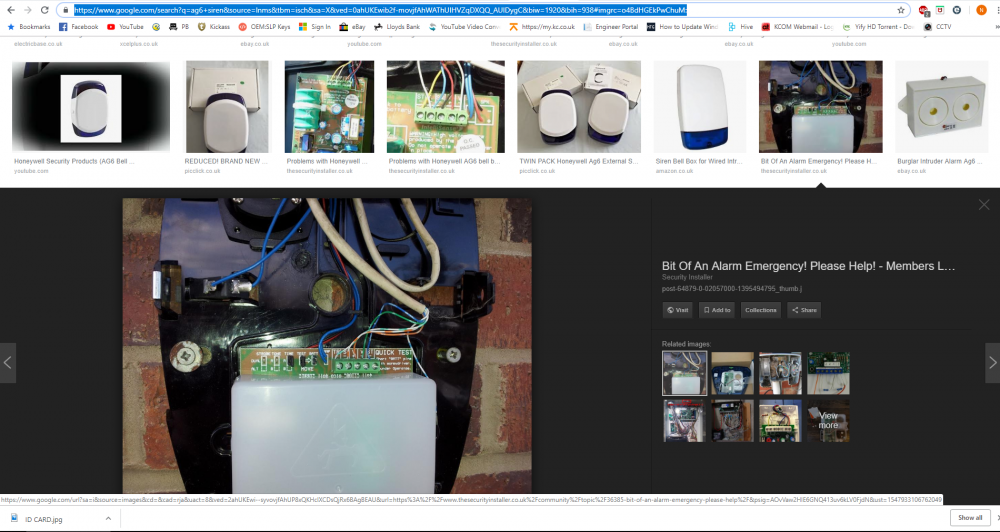
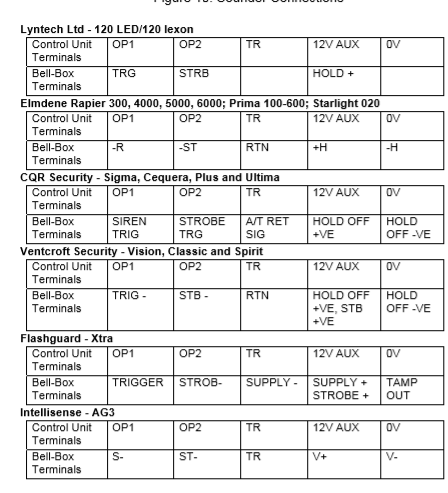
Picture Is not mine haha, I would not embarass myself, picture stolen from google!
-
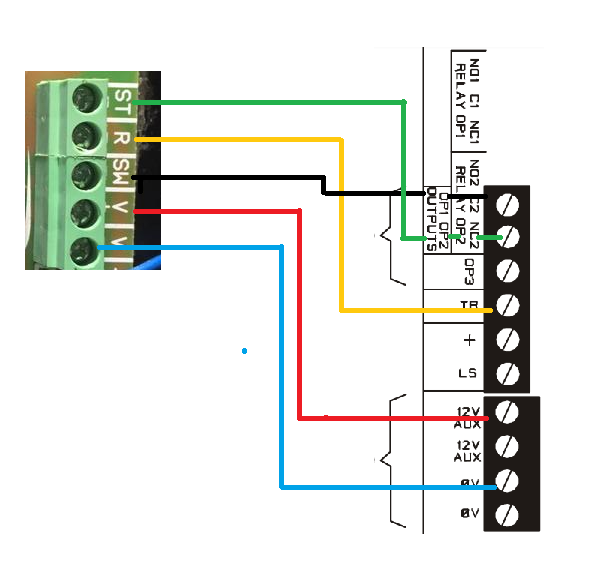
Handy little image for you there matey
-
Yes buddy that should be the ticket, bell tamper should clear when you close the bell lid, just make sure you addjust the tamper switch to make it close as you fit the lid.
-
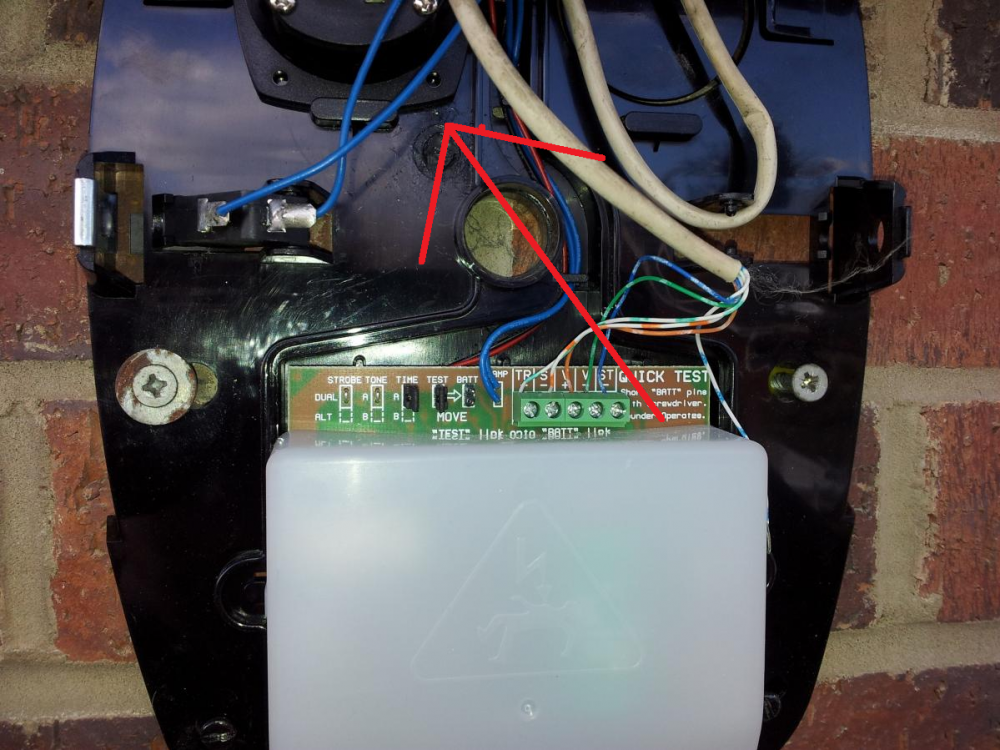
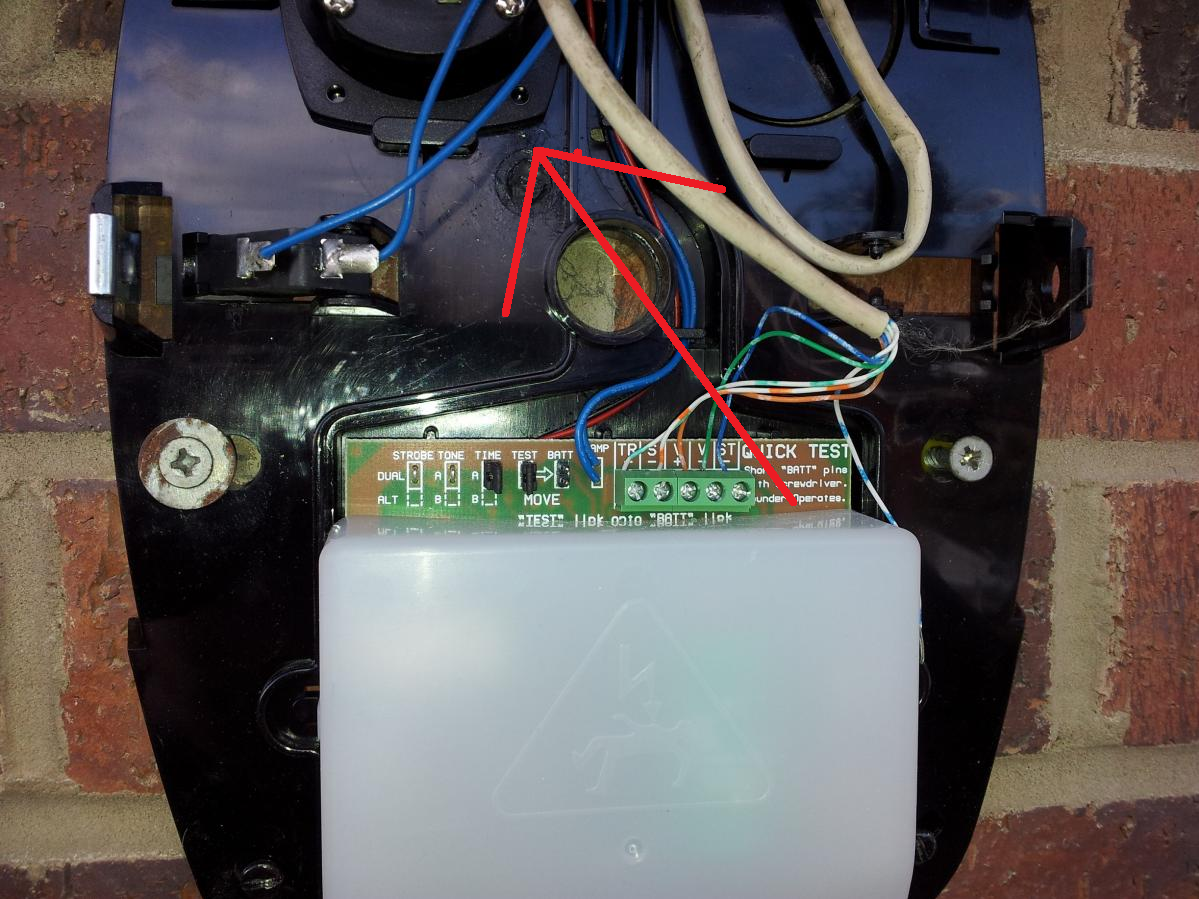
This is the piezo that delivers the siren tone, driven from the pcb, have the cables and piezo been ripped out in an attempt to silence the unit??
-
I do appolagise, Its along time since i've worked on a Scanny! Actually @Carlos12, I'd be more looking at replacing the sounder, looks as though the actual piezo siren is missing from the bell box itself !
-
By any chance is an ION Panel you have ? If so which model?

Important Information
By using this site, you agree to our Terms of Use.