_2d2230.png)
_5a42ce.png)

Williambelow
Newbie
-
Joined
-
Last visited
-
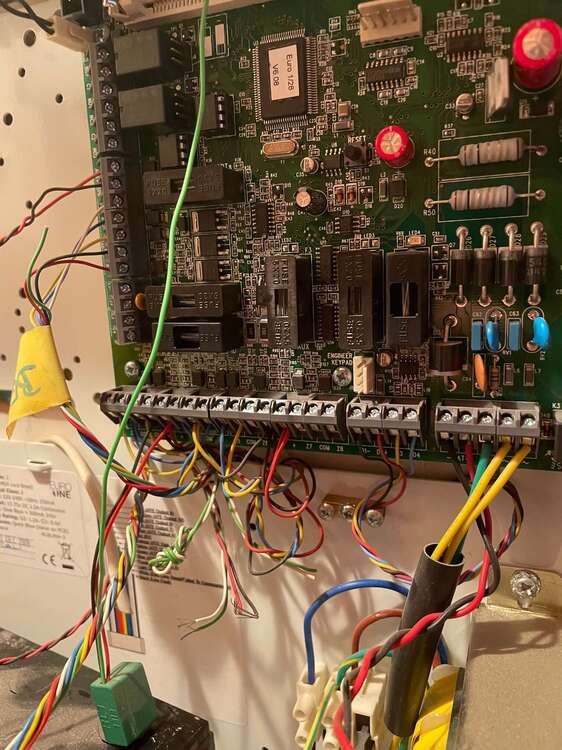
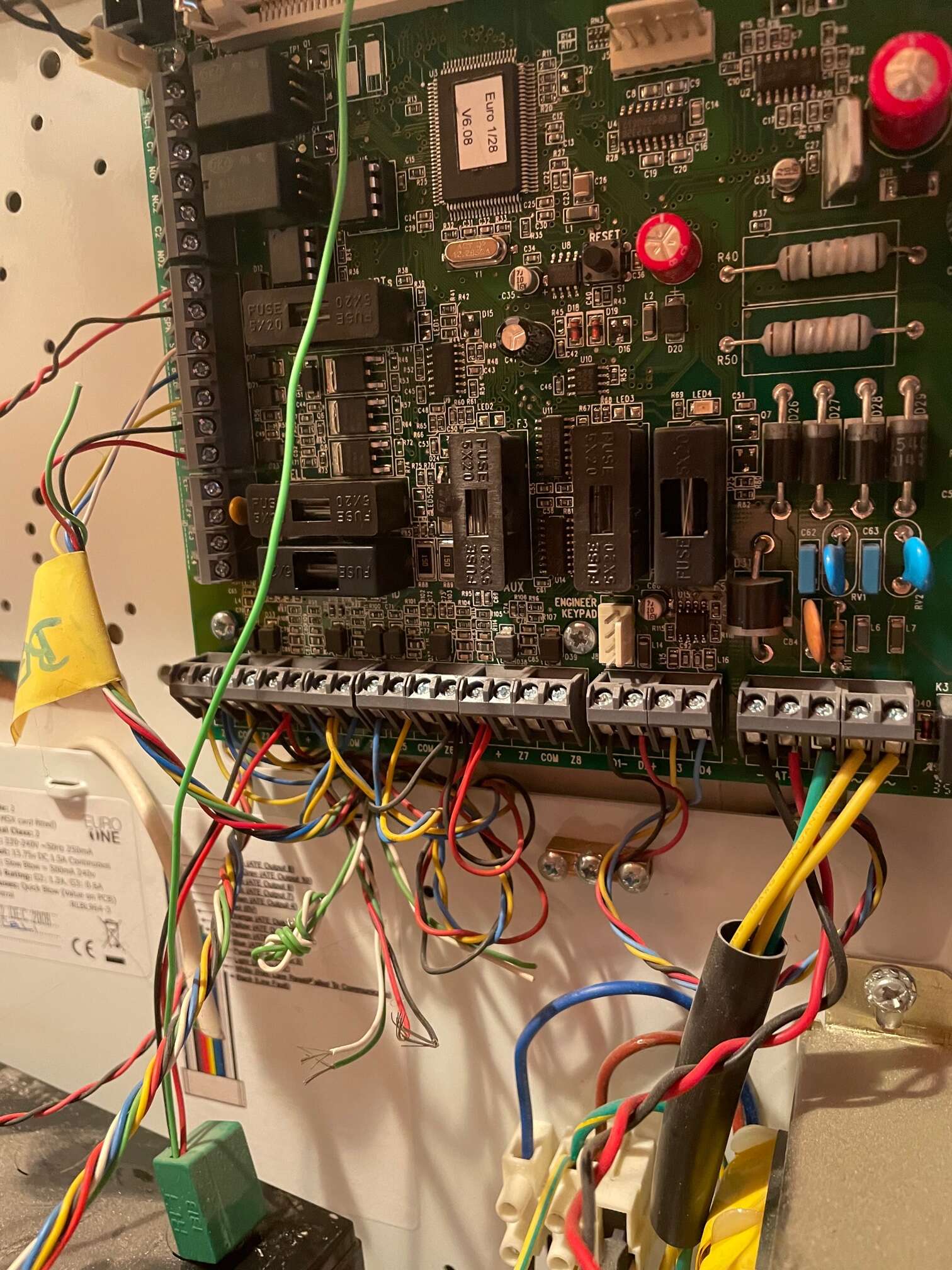
Hi - hoping for a bit of help, as I am worried I may have bitten off a bit more than I can chew! I currently have an old Pyronix Euro46 box (v6 - about 13 years old) - with 1 x wired keypad, 1 x wired door sensor, 4 x wired PIRs, 1 x wired bell. I want to upgrade the panel - and for budget reasons was hoping to do it myself, as I’m usually a fairly competent DIY’er. I have bought a Pyronix Enforcer V11 + Expander ZEM8 and have been working through the wiring diagrams to make sure I understand everything. My current system wiring is pictured. I think I understand most of it, but wanted to see if anybody could give me a steer on a couple of points. Expander - pretty straightforward. D1-, D2+, D3 and D4 all get connected directly to the I/O board on the V11. Wired keypad - I think simple also - gets connected to the Bus Output - D1-, D2+, D3 and D4 on the Expander. Wired Bell - looks straightforward - wire to STRB, BELL, Z1, 12V+ and 0V. (It looks to me like I don’t have a tamper circuit on the bell here?) PIR’s - these each seem to have 4 wires on my system - I can see that the red and black go to the 0V and 12V on the Expander. Then I think the blue wires go to the T - Com for the relevant input on the Expander and the yellow wires go to the A - Input for the relevant input on the Expander (I haven’t got round to checking inside the PIRs to see if resistors have been put in place for the tamper - from what I can see of the wiring this looks like DEOL??) 1 x door sensor - I think that wiring would be installed the same way as the PIRs. Would be extremely grateful for any help. I’m absolutely aware that once these are in, I need to program the settings of the Enforcer - but that’s my next challenge! Still hoping that I can manage to work through this myself - as my missus will be furious if I need to call somebody in to do it - but hey ho, will see where I get to! Thanks in advance.