

Skip to content
View in the app

A better way to browse. Learn more.

Security Installer Community

A full-screen app on your home screen with push notifications, badges and more.

To install this app on iOS and iPadOS
  1. Tap the Share icon in Safari
  2. Scroll the menu and tap Add to Home Screen.
  3. Tap Add in the top-right corner.
To install this app on Android
  1. Tap the 3-dot menu (⋮) in the top-right corner of the browser.
  2. Tap Add to Home screen or Install app.
  3. Confirm by tapping Install.

CM Security

Newbie
  • Joined

  • Last visited

Everything posted by CM Security

  1. Sounds like a faulty panel or damaged wiring Have you done any building work or drilling?
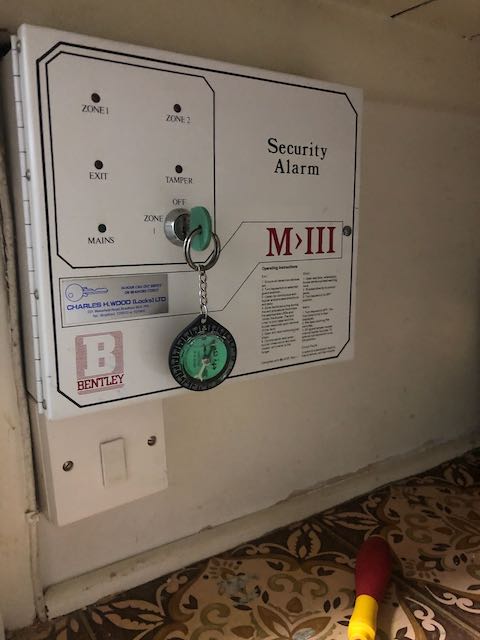
  2. Came across this very old Bentley panel last week that hadn't been serviced since 87 apparently and still in good working order. Anyone had anything older that's still going strong or maybe something you installed many moons ago?
  3. Speakers are use to amplify any sounds from the control panel or keypad such as entry exit tones & chimes where a sounder will just make a noise when power is applied like a external bell box

Important Information

By using this site, you agree to our Terms of Use.

Account

Navigation

Search

Search

Configure browser push notifications

Chrome (Android)
  1. Tap the lock icon next to the address bar.
  2. Tap Permissions → Notifications.
  3. Adjust your preference.
Chrome (Desktop)
  1. Click the padlock icon in the address bar.
  2. Select Site settings.
  3. Find Notifications and adjust your preference.