

Skip to content
View in the app

A better way to browse. Learn more.

Security Installer Community

A full-screen app on your home screen with push notifications, badges and more.

To install this app on iOS and iPadOS
  1. Tap the Share icon in Safari
  2. Scroll the menu and tap Add to Home Screen.
  3. Tap Add in the top-right corner.
To install this app on Android
  1. Tap the 3-dot menu (⋮) in the top-right corner of the browser.
  2. Tap Add to Home screen or Install app.
  3. Confirm by tapping Install.

nunosga

Member
  • Joined

  • Last visited

  1. I did just that and found the problem. Solved!! Thanks a lot!! Back on track.
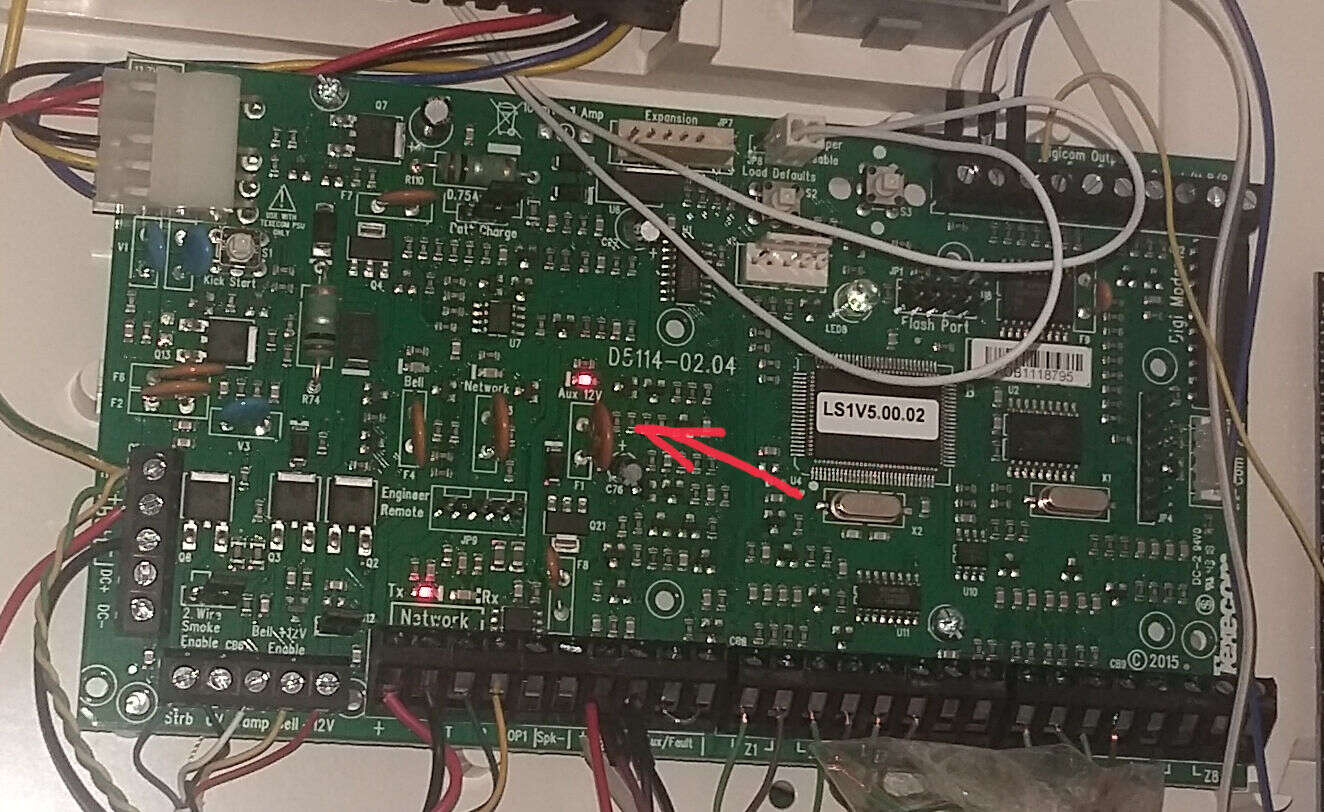
  2. I mean, a poly fuse is hot inside the control panel. See picture:
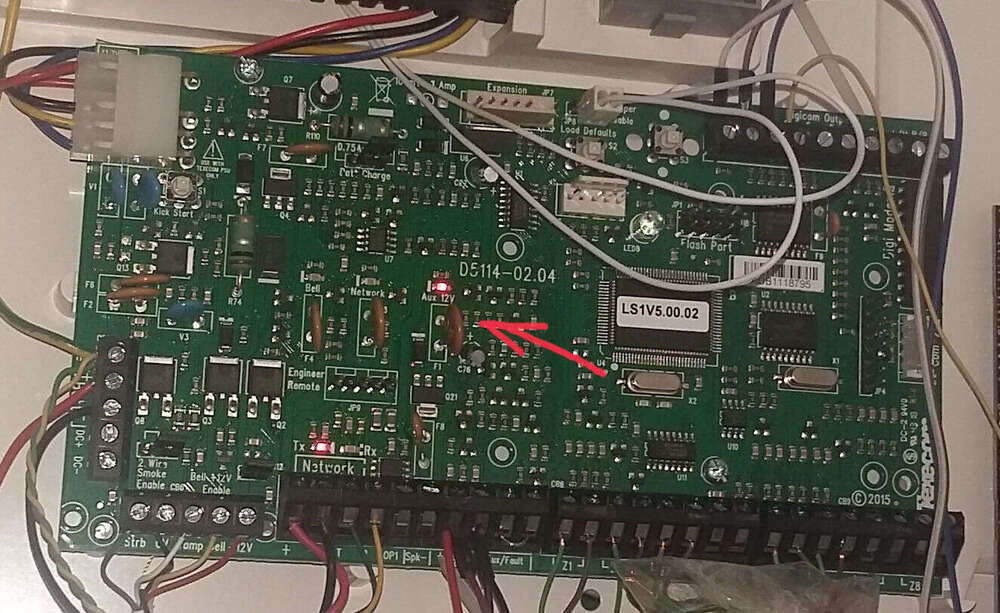
  3. Corret, one is hot! What now?
  4. Hi, 6 months ago I installed a Texecom Premier Elite with 6 Texecom Pirs, in my house. Everything worked fine until last week. All of the sudden when trying to arm I get a fault message for every zone: they're all active. But It worked fine until then... There were not other faults or problems I remember. Any ideas on how to solve this?
Important Information

By using this site, you agree to our Terms of Use.

Account

Navigation

Search

Search

Configure browser push notifications

Chrome (Android)
  1. Tap the lock icon next to the address bar.
  2. Tap Permissions → Notifications.
  3. Adjust your preference.
Chrome (Desktop)
  1. Click the padlock icon in the address bar.
  2. Select Site settings.
  3. Find Notifications and adjust your preference.