_2d2230.png)
_5a42ce.png)

Marko2123
Newbie
-
Joined
-
Last visited
Everything posted by Marko2123
-
This is now resolved. It was the cable that was at fault, I tested with a fresh piece and all worked so replaced the old and now up and running. Thanks for the help, much appreciated.
-
Many thanks for your reply sixwheeledbeast, I will change the cable in the hope of resolving this, is there any other reason that you know of why this may occur?
-
Admin, apologies, please can this post be moved to the correct area.
-
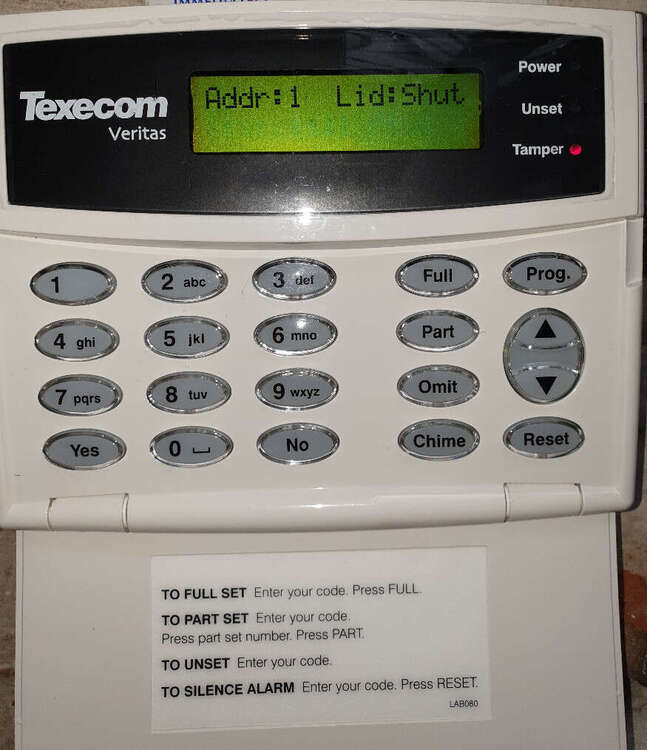
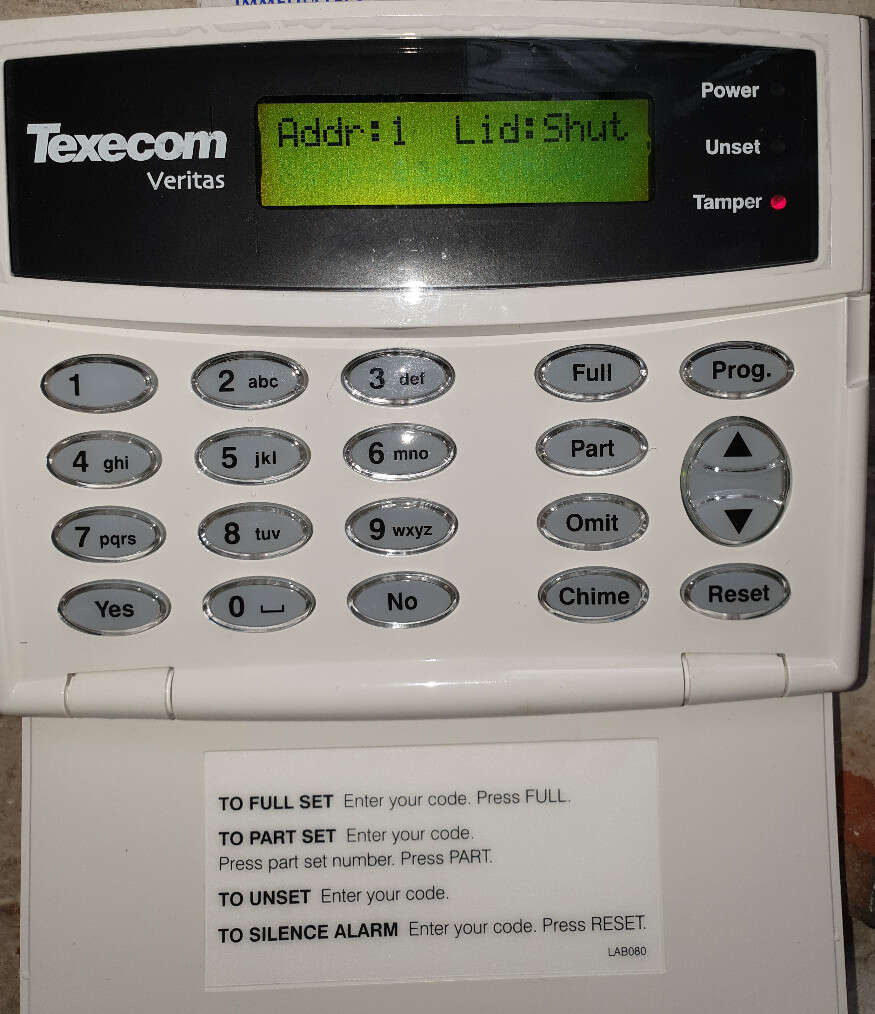
Hi, hope someone can advise on my issue, I have a problem with my Texacom Veritas Excel alarm. I have installed 2 texacom PIR's to the system for now, with a view to adding more later. I am using EOL technology. When powering up the system there is an error shown on the keypad display which reads Addr:1 Lid:Shut. I have added an image of this to this post. This appears to be an issue with the keypad which I cannot move on from or porgramme the system. When remove the keypad from the back plate the LCD then shows Addr:1 Lid:Open but again this does not alow me to move on. Is this going to be a keypad fault or am I missing something. I have tried looking on the internet with no luck.