_2d2230.png)
_5a42ce.png)

CyberSurfer666
Newbie
-
Joined
-
Last visited
-
Hi, thanks for your reply. I got these sounders as my understanding is that they will mimic the sounds of the Enforcer main panel, e.g, the entry/exit sounds (as I am installing the two sounds in two detatached garages) and also to keep the brands the same, the Enforcer is Pyronix and so are the Twin Sounders. I'm not really fussed about the tamper for these as the will be in high places and unreachable anyway. Thanks
-
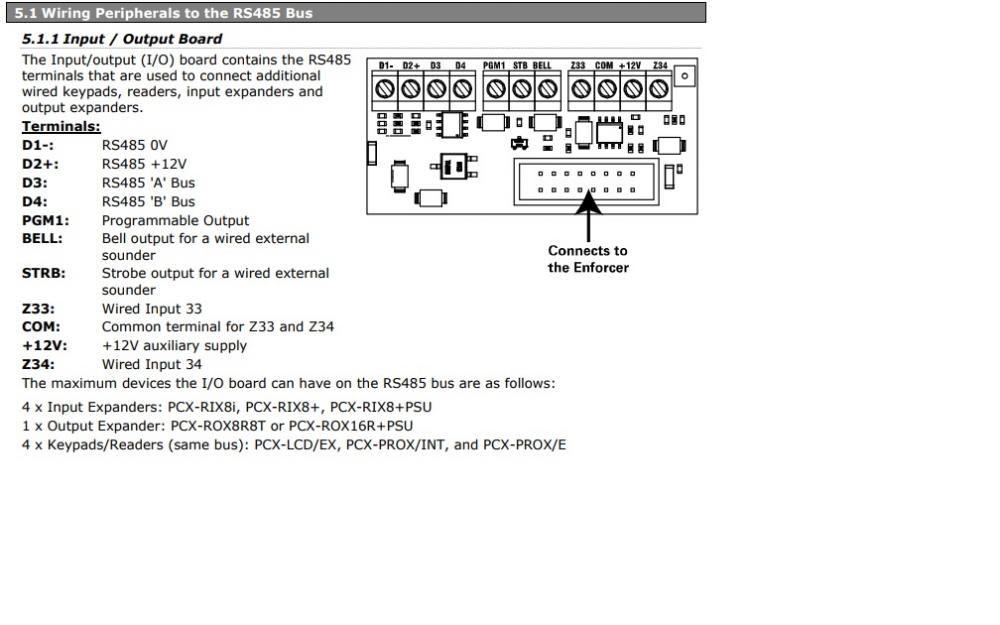
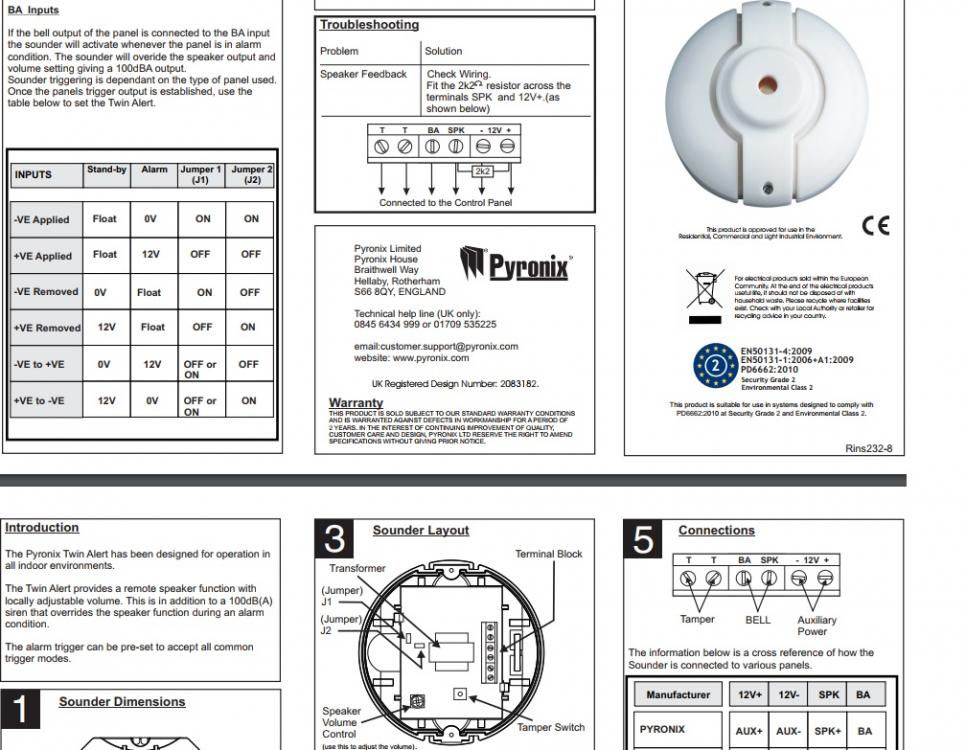
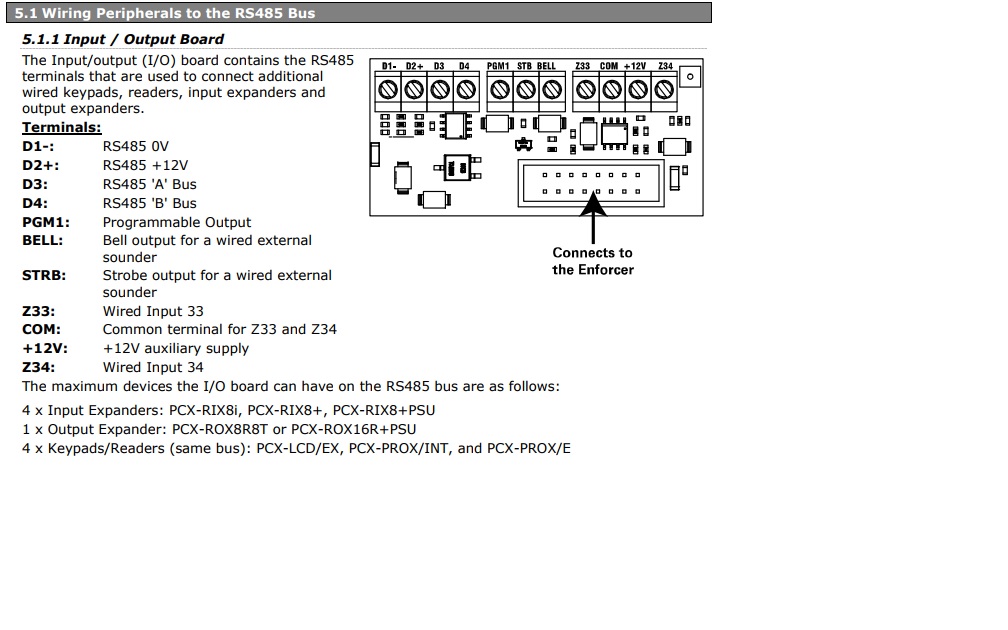
Hi guys, I was wondering if someone could help me, I have a Pyronix Enforcer V10, and I would like to connect TWO internal Pyronix Sounders to the system but I am unsure how to connect to the internal IO board, or if to connect any resistors? I do not currecly have any other item connected to the IO board. I've attached a couple of pictures of the twin alert connections aswell as the IO board in the Enforcer. Thanks for your help
-
Hi guys, I was wondering if someone could help me, I have a Pyronix Enforcer V10, and I would like to connect TWO internal Pyronix Sounders to the system but I am unsure how to connect to the internal IO board, or if to connect any resistors? I do not currecly have any other item connected to the IO board. I've attached a couple of pictures of the twin alert connections aswell as the IO board in the Enforcer. Thanks for your help