_2d2230.png)
_5a42ce.png)

Arron
Member
-
Joined
-
Last visited
-
Thank you for your information. About Brivo's feature, being in local wifi network for high security, I don't think it's convenient. Because when you need to open the door remotely, most of time you are on the street, some place random. If there is any reason that I don't know, please help me understand it. Personally, I think the security level mainly depends on encrypted communication and user authentication, so our APP will request password before conducting remote control, and fingerprint password is a convenient option. I believe Apple's NFC will be open to public in the future, the bluetooth pairing process is a big disadvantage for spontaneous and non-persistent application. At last, YOTI and CallSign, I don't know the exact technology inside, if you have information about it, please tell me, I'm very interested.
-
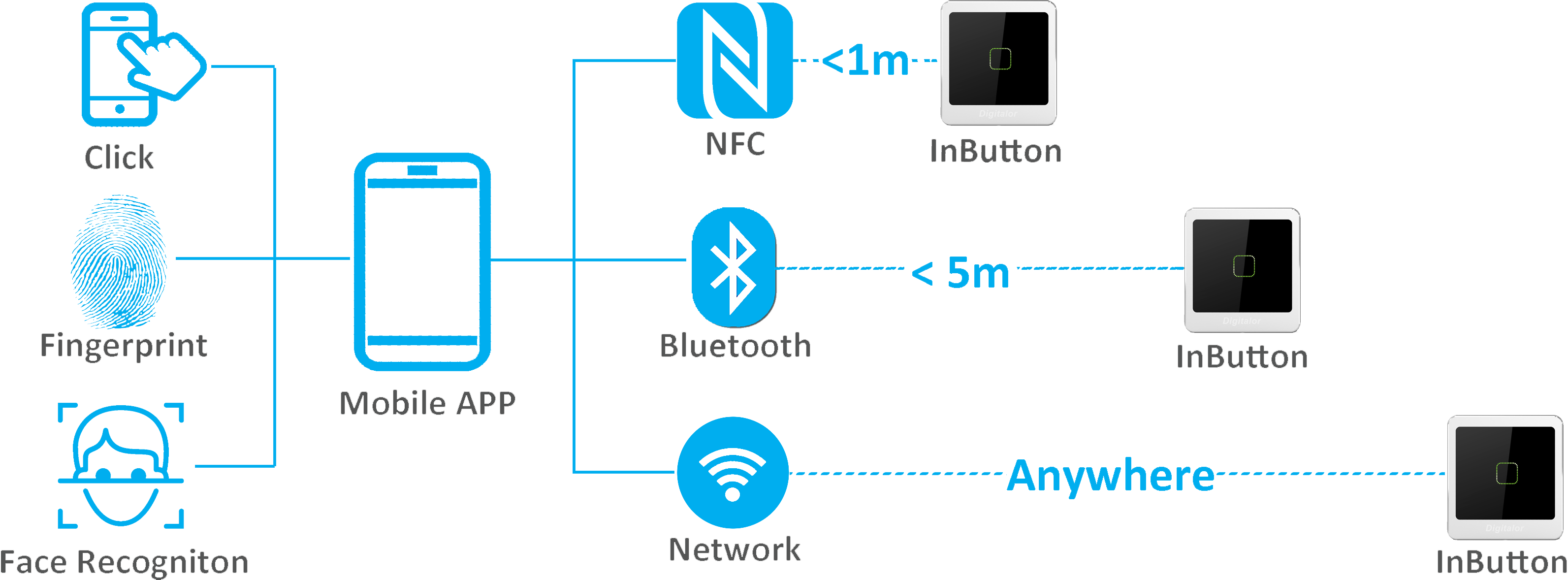
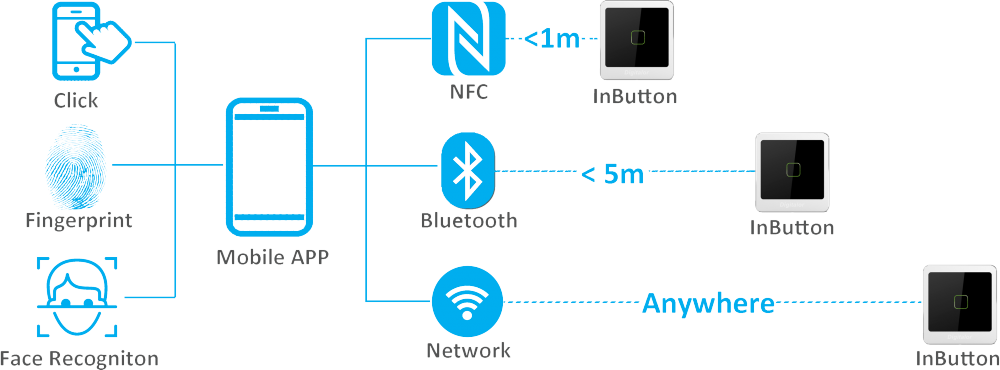
All the product you listed focus on using smartphone as credential, or using mobile APP as managing tool. While our system is more than that, besides all the functions they have, we add biometrics in our APP, you could use the fingerprint module on the smartphone for identification, just like fingerprint access control. And our system support multiple communication technology, user could open the door from anywhere. The products you listed are for either proximity access control or remote control.
-
-
-
Are you still using traditional proximity card and fingerprint for access control? My company has a new product may change the future of access control. You can own multiple identification technologies, and control the door from anywhere now. We make use of cloud service and smartphone, to let you spend less, but own more. You don't need to buy other devices, the only thing you need is a smartphone. Almost everybody has a smartphone now, so I think it's very potential. The picture shows how it works, are you guys interested in it?
-
Many of HID's products are proprietary, if you use Mifare or Desfire, or CPU card, there will be countless choices