

Skip to content
View in the app

A better way to browse. Learn more.

Security Installer Community

A full-screen app on your home screen with push notifications, badges and more.

To install this app on iOS and iPadOS
  1. Tap the Share icon in Safari
  2. Scroll the menu and tap Add to Home Screen.
  3. Tap Add in the top-right corner.
To install this app on Android
  1. Tap the 3-dot menu (⋮) in the top-right corner of the browser.
  2. Tap Add to Home screen or Install app.
  3. Confirm by tapping Install.

AllyS

Newbie
  • Joined

  • Last visited

  1. AllyS joined the community
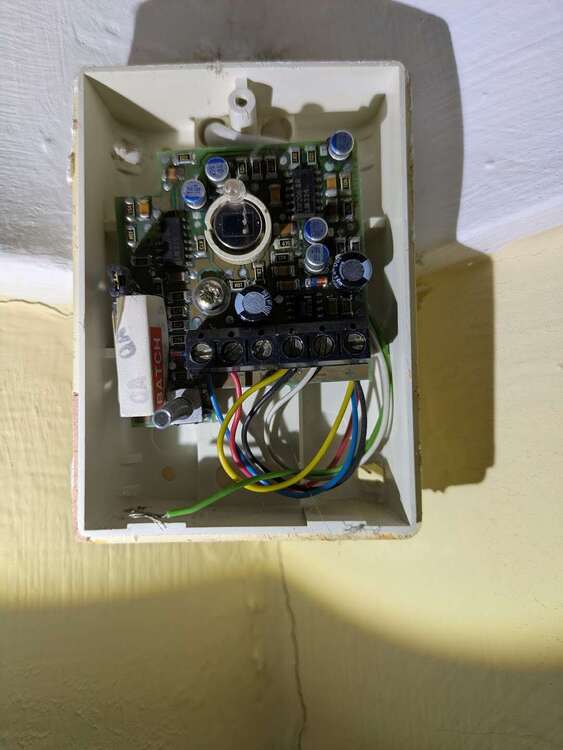
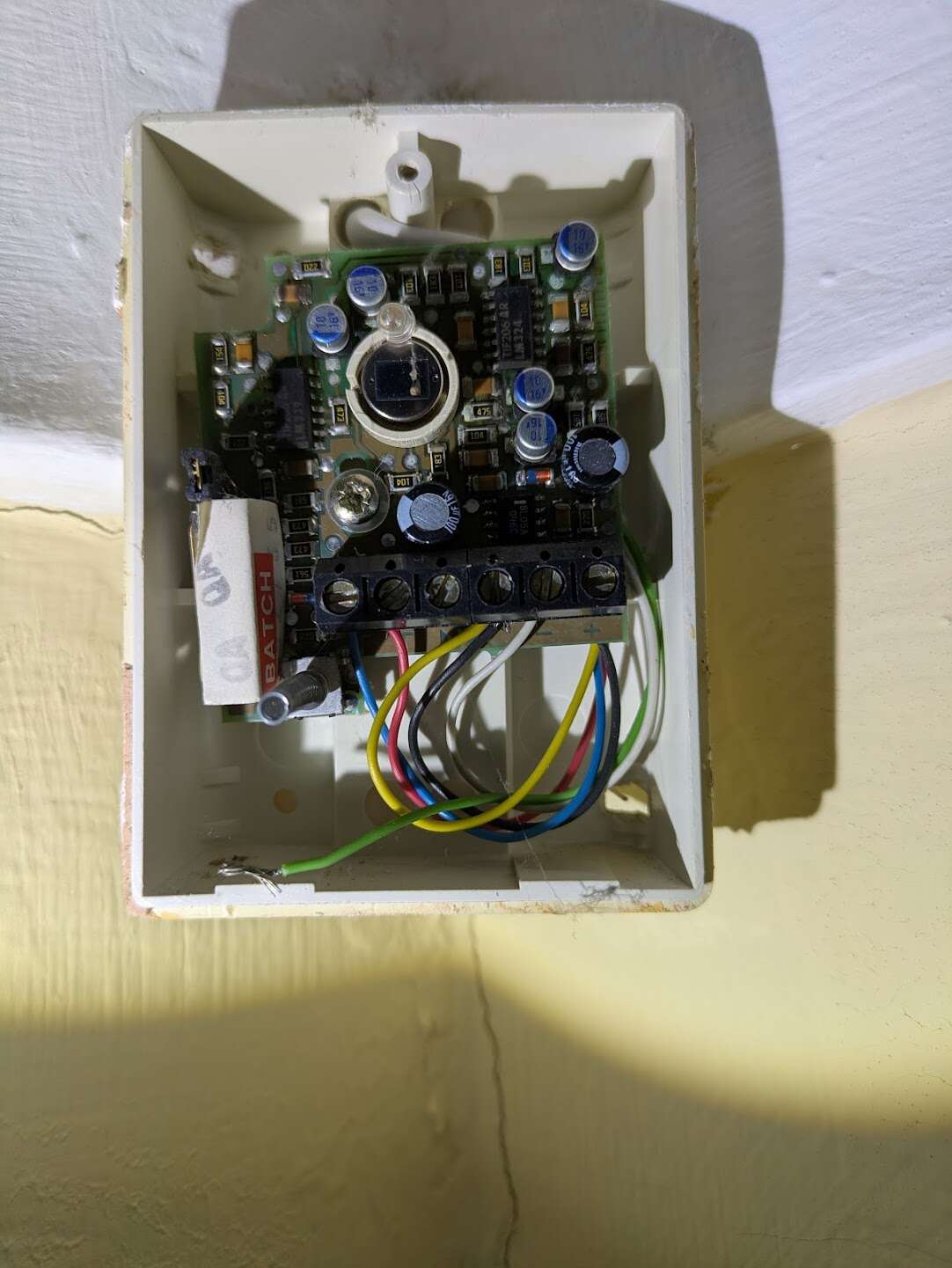
  2. I'm trying to work out the wiring of an ancient PIR sensor that's been disabled. I don't know if it's been disabled because it's faulty or for another reason. I've got a replacement PIR sensor but I thought it would be good to work out the wiring and test the existing sensor before attempting to replace it. It's currently wired like this: Blue & Red: tamper detection (T2 & T1). This is working. Yellow & Black: Wired together in (C) White: Negative (V-) I guessed that Green might be V+ and the PIR circuit wired together, so I tried wiring Green to V+ and Yellow to the unused NC. This resulted in the PIR LED always being on and triggering the alarm. I also tried Black to V+ and Green to NC, which resulted in no PIR led but always triggering the alarm. Can anyone help?
Important Information

By using this site, you agree to our Terms of Use.

Account

Navigation

Search

Search

Configure browser push notifications

Chrome (Android)
  1. Tap the lock icon next to the address bar.
  2. Tap Permissions → Notifications.
  3. Adjust your preference.
Chrome (Desktop)
  1. Click the padlock icon in the address bar.
  2. Select Site settings.
  3. Find Notifications and adjust your preference.