


_2d2230.png)
_5a42ce.png)

Honda3
Member
-
Joined
-
Last visited
Everything posted by Honda3
-
Am i being thick. I thought it would be the keypad because that keeps loosing power and its the aux fuse that blows
-
It blew again!!. I realy want to change it over but think i should at least check with a multimeter 1st to try and find out why. Not 100% sure how though any suggestions would be great. Thanks
-
K thanks
-
Hi thanks for the replies. I did that because the keypad was next to cellar door and it kept hitting it when opening, not ideal but was like that when i moved in. Its been ok since i cut wire but most of the time the fuse last months so not sure if thats fixed it. I Do realy want to replace the kepad because some buttons have become unresponsive. Any suggestions just for the keypad would be great thanks.
-
Thanks for all the replies. Ive cut 4 inches of the kepad wire and reconnected it. Lets see what happens. I defo dont want to go wireless.
-
keypad one because that keeps going blank but than also the bell one gos i think because that stops working
-
Thanks for the reply. But nothing has changed as in no one has touched wiring or anything. And it doesn't blow straight after changing.??
-
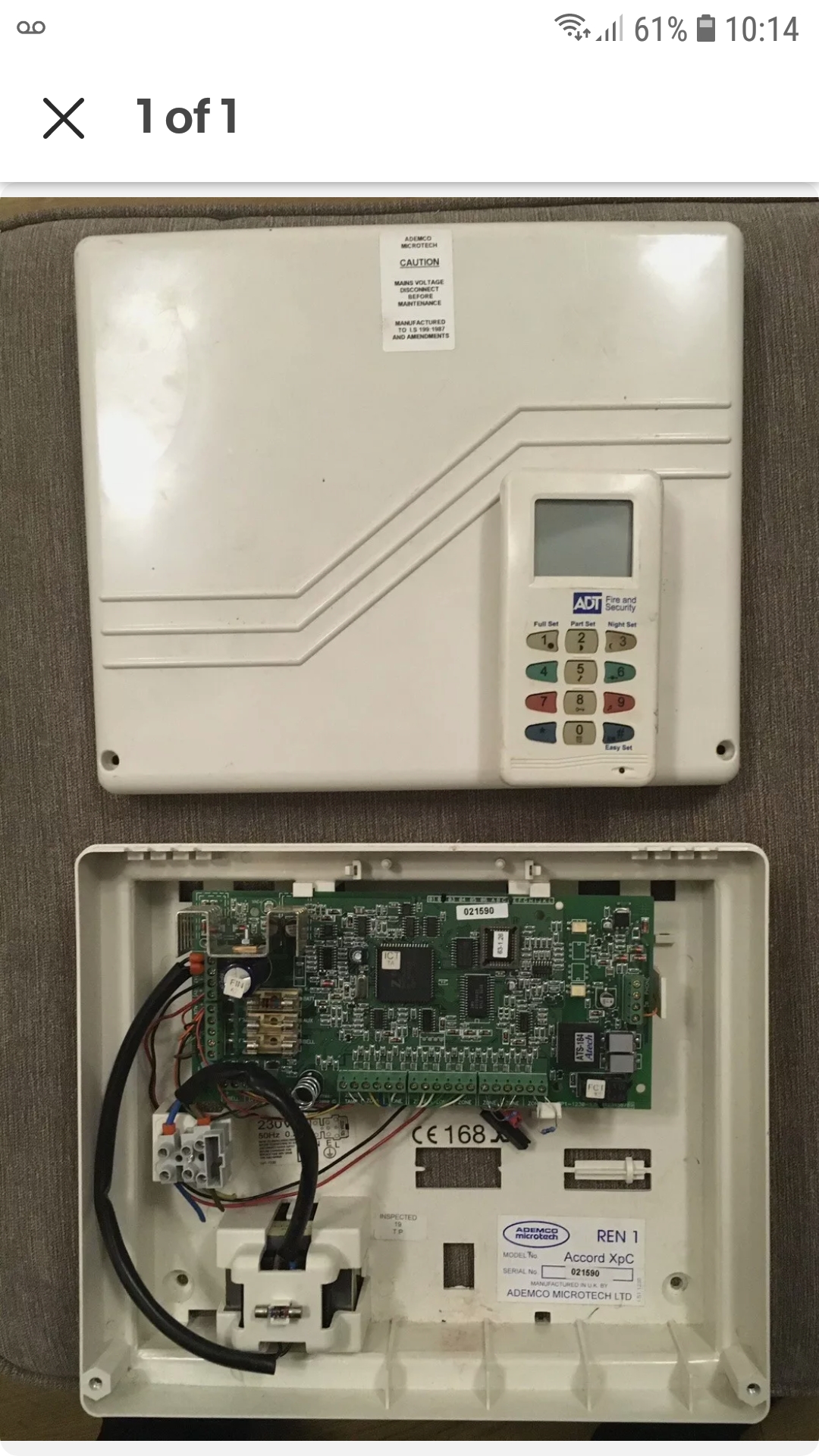
Hi i have a ademco microtech accord xpc i believe and want to replace it wirh new keypad and control board. Would like to keep the existing sensors and wiring. The keypad on this one is not responding properly and the fuse is blowing on the panel every 6 months or so. Thanks
Important Information
By using this site, you agree to our Terms of Use.