_2d2230.png)
_5a42ce.png)

cdf
Newbie
-
Joined
-
Last visited
Everything posted by cdf
-
That's great, thanks for confirming Peter. I'd have liked to have kept the old wires and stuck with a wired alarm, but either this wasn't professionally installed 25 years ago or the standards were lower back then. This is an example of the cable to the first PIR sensor from the panel in the hall. Amazing that they left it like this all these years, lol. I'm planning on replacing with a Pyronix wireless system as soon as I've worked out the combination of sensors etc. that works out the best value.
-
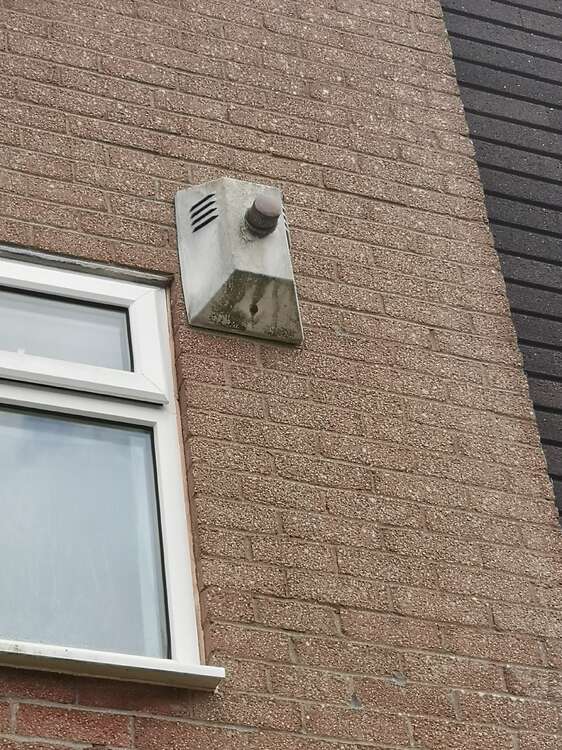
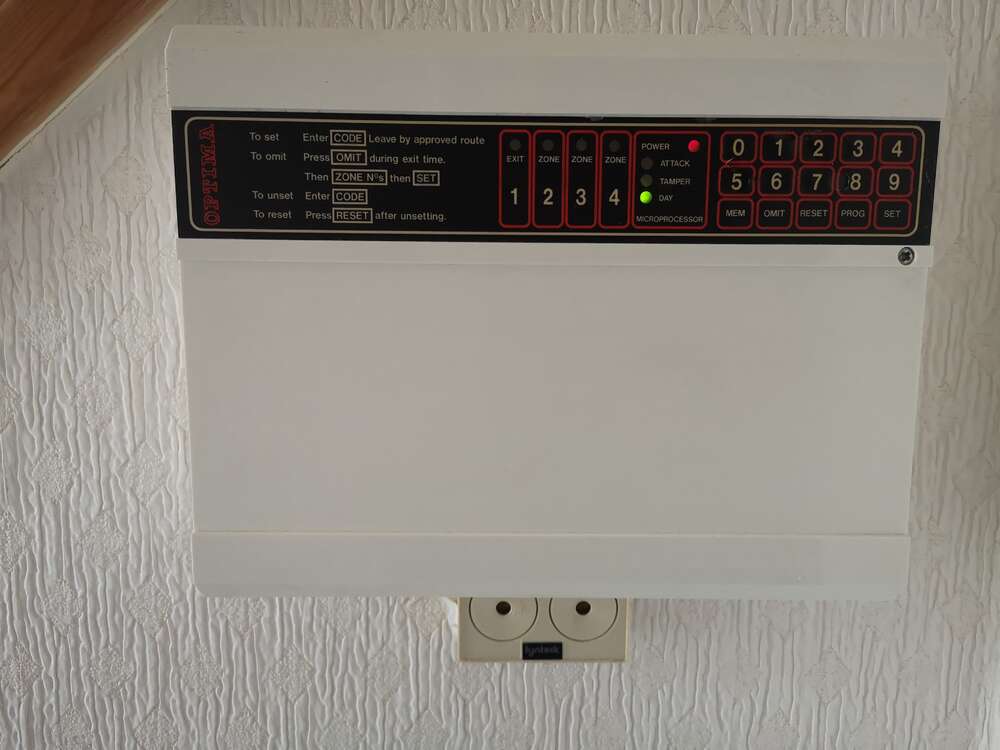
Hello We've got an Opima alarm system on our house which was probably installed 25+ years ago and we're going to replace is for something a bit newer. It actually still works well so I've got some questions about the process for safely removing it. I've got the instruction book which shows the customer code but not the engineer code unfortuantely so I'm trying to work out how to remove it with minimal noise. As far as I can tell, the process will be - Isolate power to the main control panel (it's wired alongside the upstairs lighting circuit). The 12v battery inside does still operate the panel when isolated. I had it turned off all last Sunday while decorating and it stayed alight for about 8 hours. Put my ear defenders on, get on a ladder and carefully take the lid off the bell box. I assume this will trigger the tamper (if there is one) so my wife can input the code on the panel to silence. I don't know if there is a battery in the bell box. It's not that accessible and if there is, I question if it still works. Disconnect the battery in the bell box (if there is one) and carefully remove the box from the wall. There is a cable running to it which I can cut with insulated side cutters. I assume that as the main power is off, it'll just be 12v. As the bell box has a strobe, be really careful around this as I know the voltages they carry can be quite 'reasonable'. Once I've removed the bell box and filled in the holes in the wall etc. the internal panel can be dealt with. Remove the cover, disconnect the battery and disconnect all the cables. Wired sensors will no longer work so they can be removed now also. When I lay it out, it doesn't seem that difficult but I just wanted to check if there is anything I'm missing before I proceed. Any help would be greatly appreciated. Pictures of control panel and (terrible!) bell box here for reference - https://imgur.com/a/gxcIhx2