

Skip to content
View in the app

A better way to browse. Learn more.

Security Installer Community

A full-screen app on your home screen with push notifications, badges and more.

To install this app on iOS and iPadOS
  1. Tap the Share icon in Safari
  2. Scroll the menu and tap Add to Home Screen.
  3. Tap Add in the top-right corner.
To install this app on Android
  1. Tap the 3-dot menu (⋮) in the top-right corner of the browser.
  2. Tap Add to Home screen or Install app.
  3. Confirm by tapping Install.

Mattchu

Newbie
  • Joined

  • Last visited

  1. Nope it was not, plus the flat was unfurnished, the landlord did say prior though due to signing the tenants they were installed by tenants but others with the same alarm has reset them online. Issue is I don’t want to mess with it
  2. Issue is the landlord is saying it’s not their problem as an housing association as a tenant installed it.
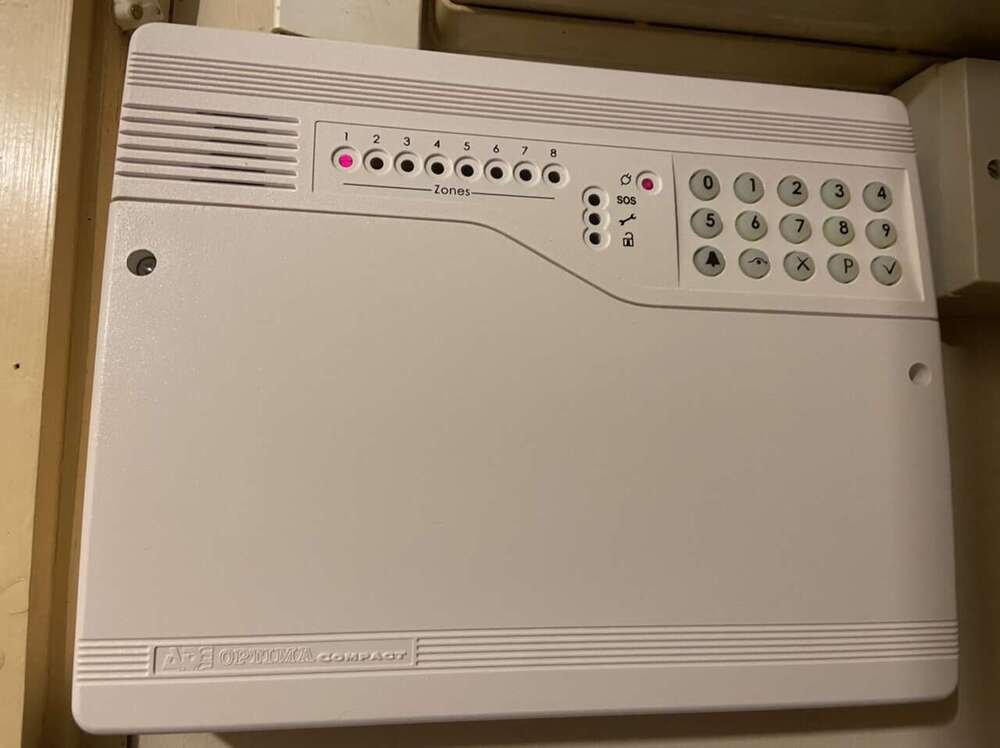
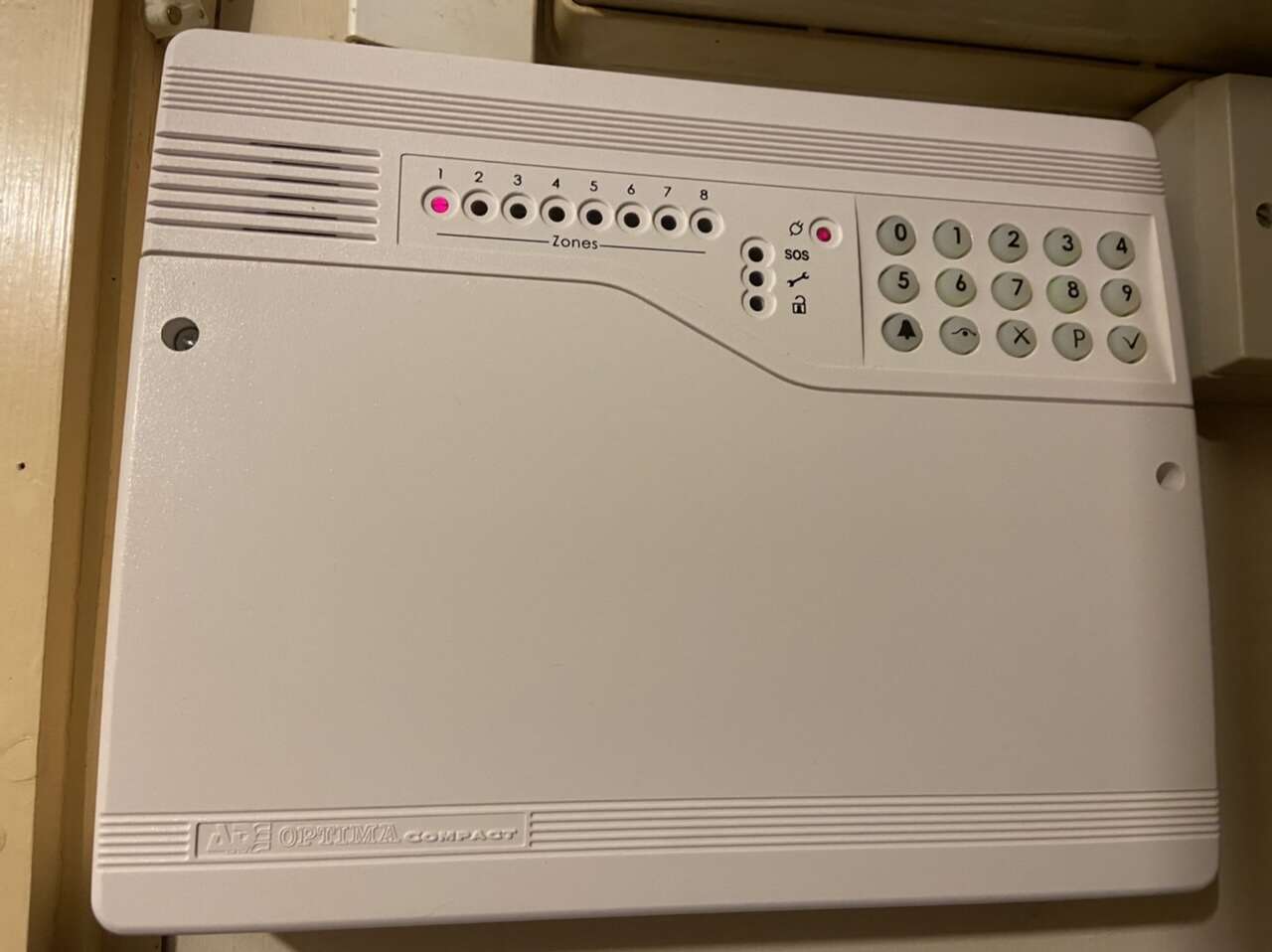
  3. I recently moved into a flat which is provided by a housing association, it came with an alarm but the landlord did not know the code as it was not installed via them can you find the reset codes online or do you need a registered engineer to reset it from what I can see the alarm is obsolete, but I seen a 4gen version guide is this the 4th gen version?
Important Information

By using this site, you agree to our Terms of Use.

Account

Navigation

Search

Search

Configure browser push notifications

Chrome (Android)
  1. Tap the lock icon next to the address bar.
  2. Tap Permissions → Notifications.
  3. Adjust your preference.
Chrome (Desktop)
  1. Click the padlock icon in the address bar.
  2. Select Site settings.
  3. Find Notifications and adjust your preference.