_2d2230.png)
_5a42ce.png)

jetfitz
Newbie
-
Joined
-
Last visited
Everything posted by jetfitz
-
thanks James much appreciated
-
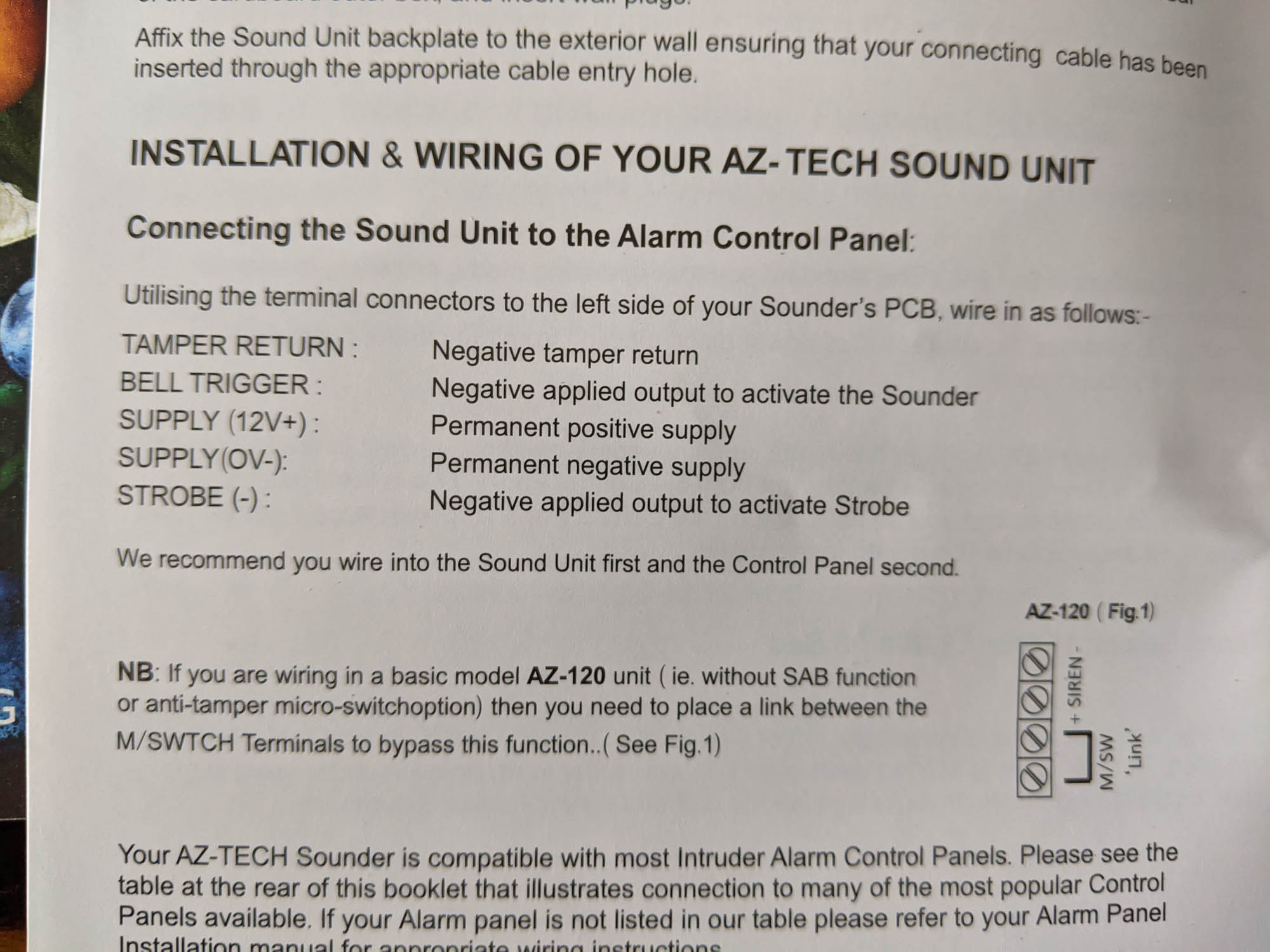
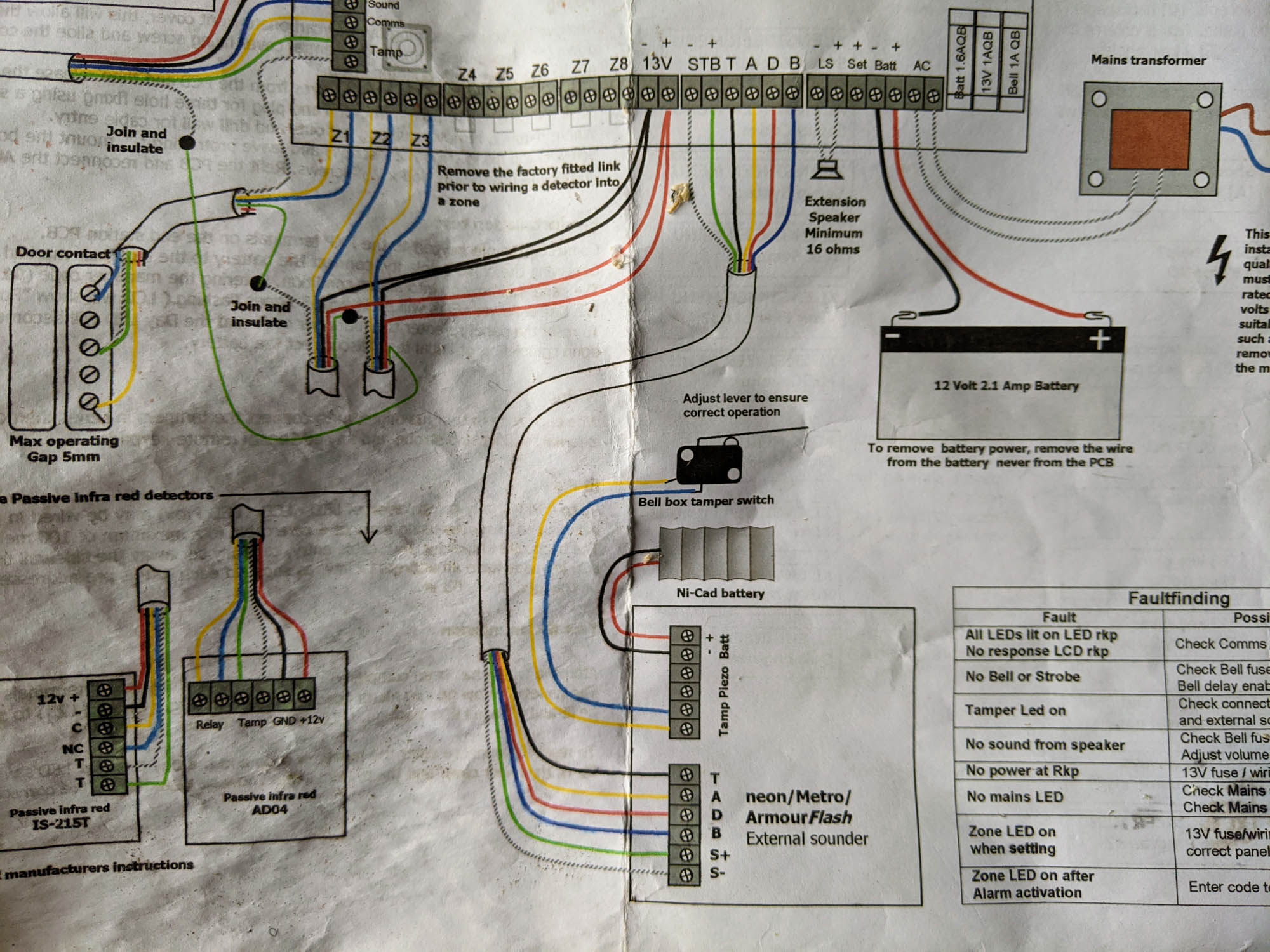
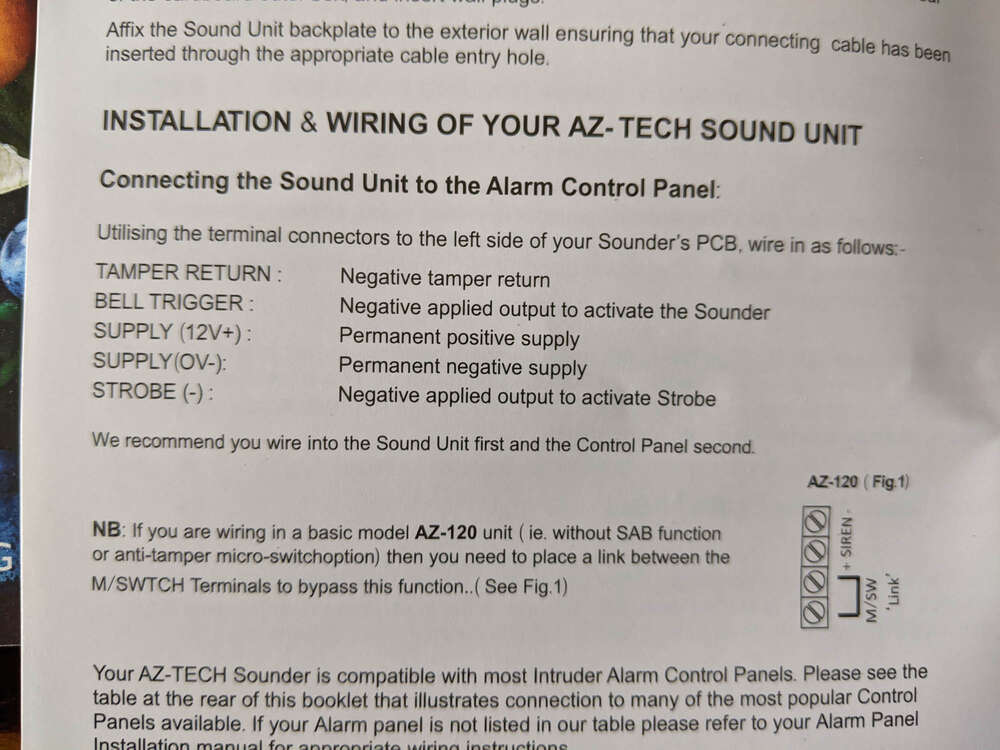
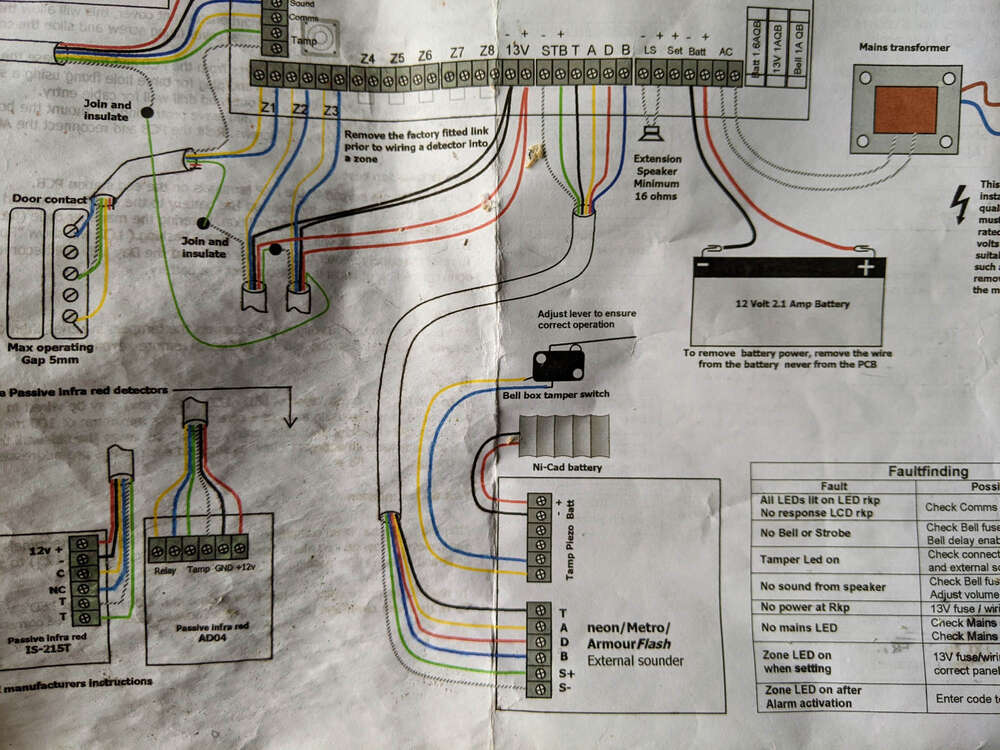
Hi, could anyone help me wiring this bellbox to my alarm panel. The panel is an MDT Avanti and the bell box is an AZ tech, I have both wiring diagrams (see below) but the markings dont match up and while I could make an educated guess a more practised eye or two would be really helpful. Cheers James
-
hi, thanks for the fast reply, if I wanted to add an internet connection to the system what would I need to do, I'm guessing that would be a different panel again?
-
Hi, I have a wired alarm system based around an Avanti LC panel with a range of sensors and currently 2 keypads. I would like to add a third keypad so I can set the alarm from the garage door but I understand my system is now obsolete. Is there a suitable replacement for the MDT alarm keypad? or is it a case of replacing the panel and the keypads but retaining the sensors I have? Any help would be much appreciated James