Skip to content
View in the app

A better way to browse. Learn more.

Security Installer Community

A full-screen app on your home screen with push notifications, badges and more.

To install this app on iOS and iPadOS
  1. Tap the Share icon in Safari
  2. Scroll the menu and tap Add to Home Screen.
  3. Tap Add in the top-right corner.
To install this app on Android
  1. Tap the 3-dot menu (⋮) in the top-right corner of the browser.
  2. Tap Add to Home screen or Install app.
  3. Confirm by tapping Install.

DCC Kid

Newbie
  • Joined

  • Last visited

Everything posted by DCC Kid

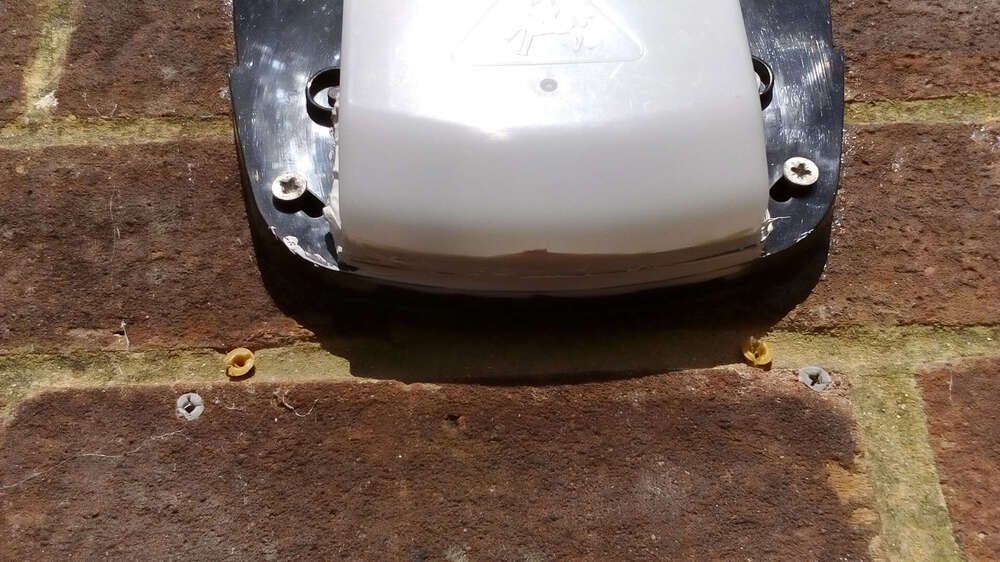
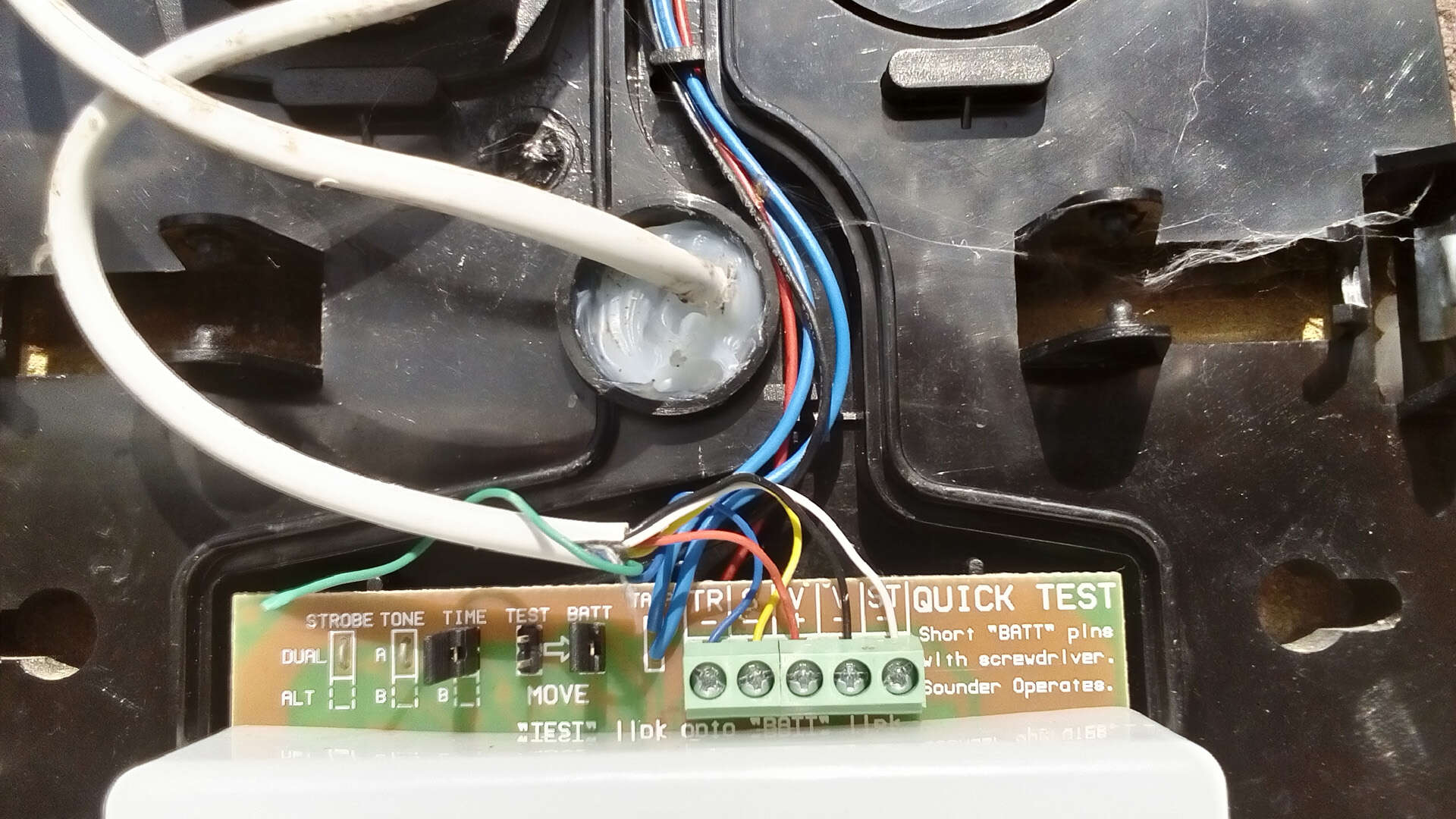
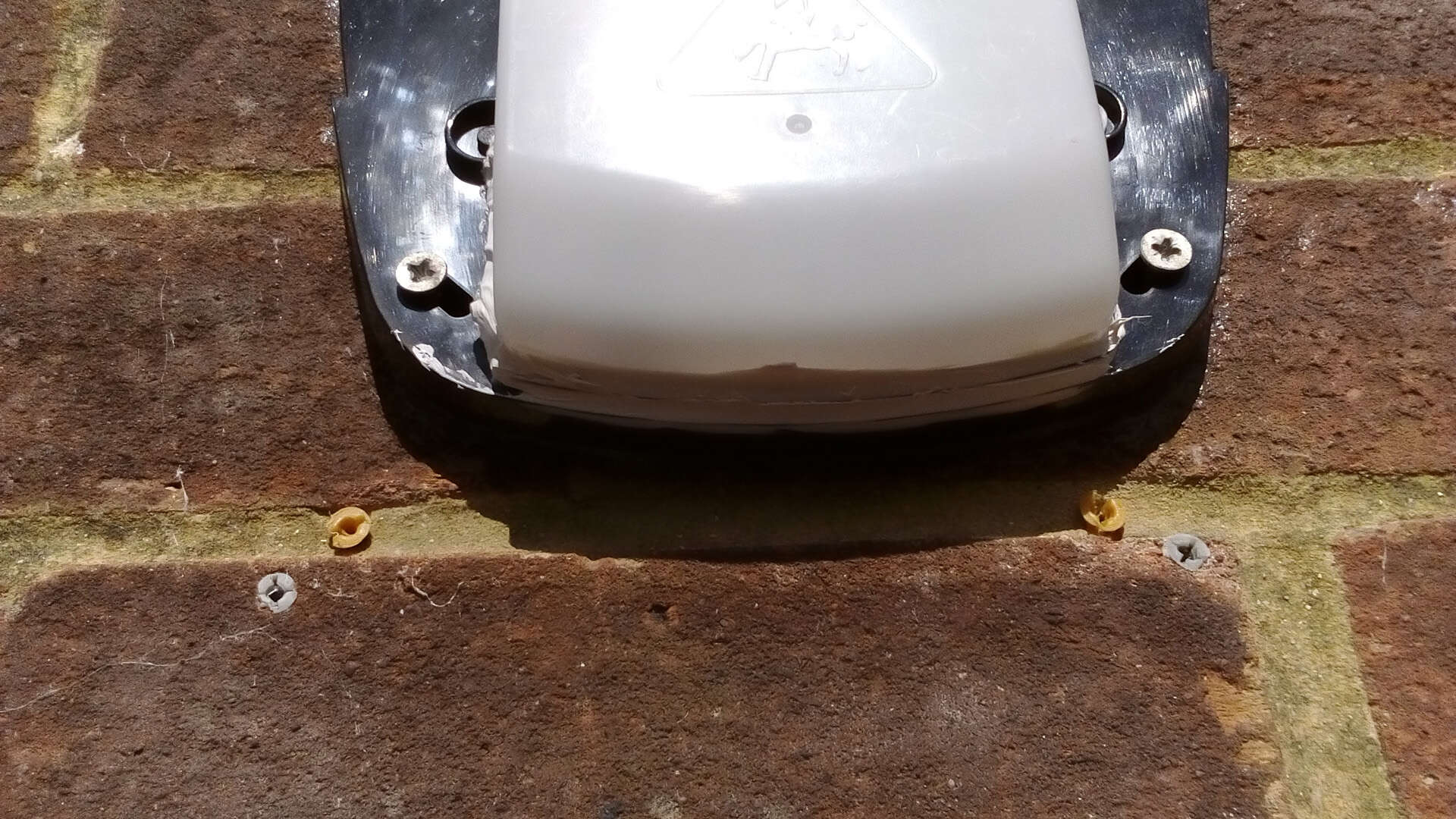
  1. I agree - previously had to apply silicon sealant around rear of box and where cable enters (picture) as water did run along this. The last two times the water has capillaried from the bottom edge into the bottom of the electronics board. I have added more sealant today (picture). Just wanted to thank all respondents for the info on this. I have ordered a new Texecom Odyssey 4 to replace this with.
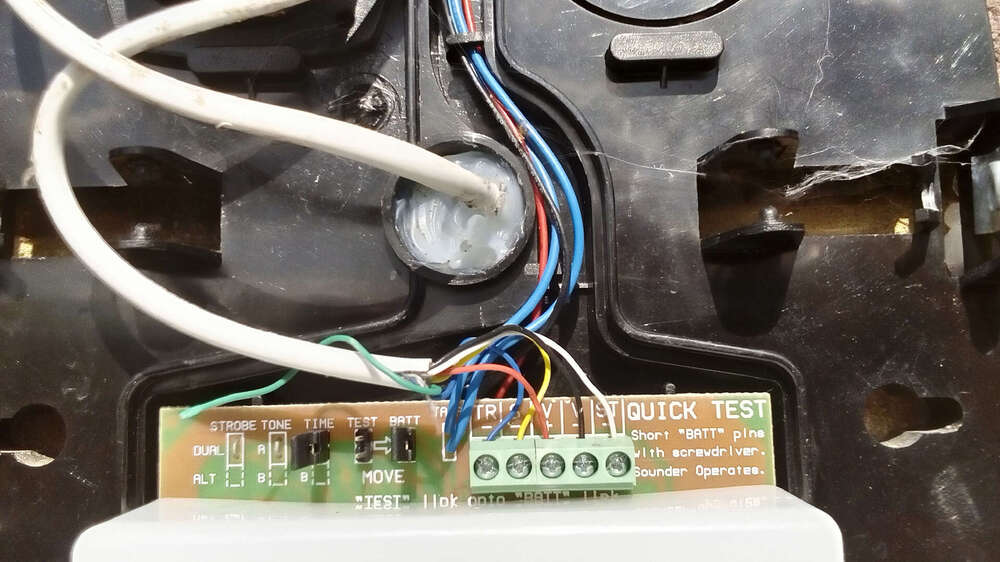
  2. In my case it was 23.00 last night in the heavy rain up aladder trying to stop the AG6 sounder screeching. Not the first time - I have taken many steps with acrylic sealent on this box and it beggars belief how it gets in there - but it does! Thanks for the alternative makes suggested (Texecom, Elmdedne, SAB). IK
Important Information

By using this site, you agree to our Terms of Use.

Account

Navigation

Search

Search

Configure browser push notifications

Chrome (Android)
  1. Tap the lock icon next to the address bar.
  2. Tap Permissions → Notifications.
  3. Adjust your preference.
Chrome (Desktop)
  1. Click the padlock icon in the address bar.
  2. Select Site settings.
  3. Find Notifications and adjust your preference.