Skip to content
View in the app

A better way to browse. Learn more.

Security Installer Community

A full-screen app on your home screen with push notifications, badges and more.

To install this app on iOS and iPadOS
  1. Tap the Share icon in Safari
  2. Scroll the menu and tap Add to Home Screen.
  3. Tap Add in the top-right corner.
To install this app on Android
  1. Tap the 3-dot menu (⋮) in the top-right corner of the browser.
  2. Tap Add to Home screen or Install app.
  3. Confirm by tapping Install.

neoalarms

Newbie
  • Joined

  • Last visited

Everything posted by neoalarms

  1. I never said it would install itself I came here hopefully looking for some help, If i somehow have come across as some kind of Alarm Ludite then I can only apologise
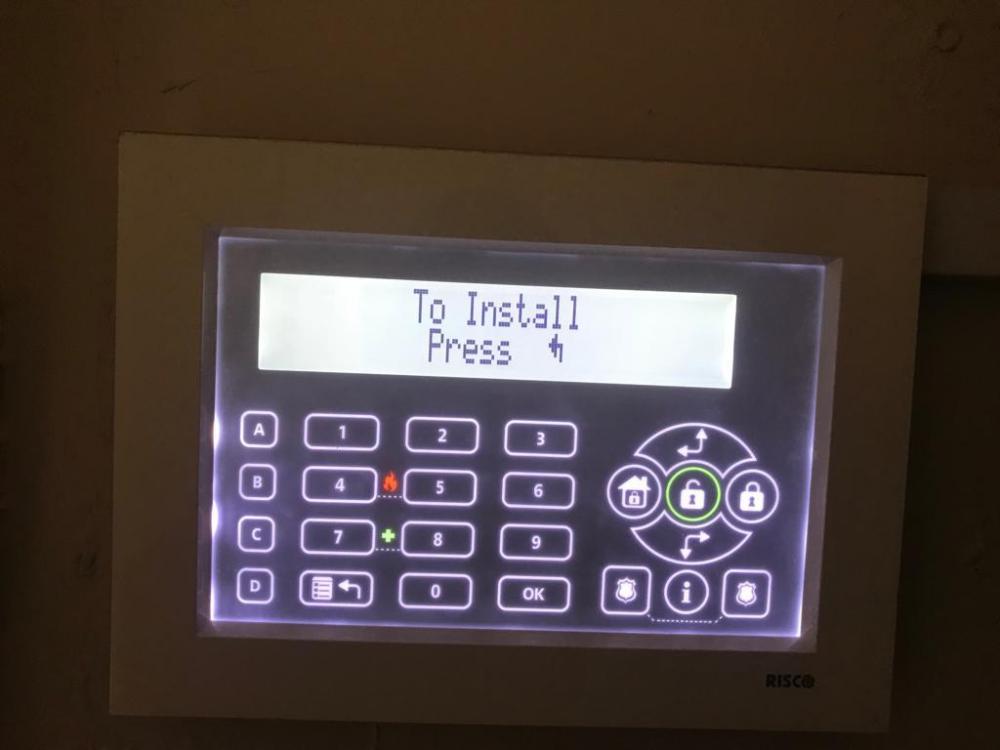
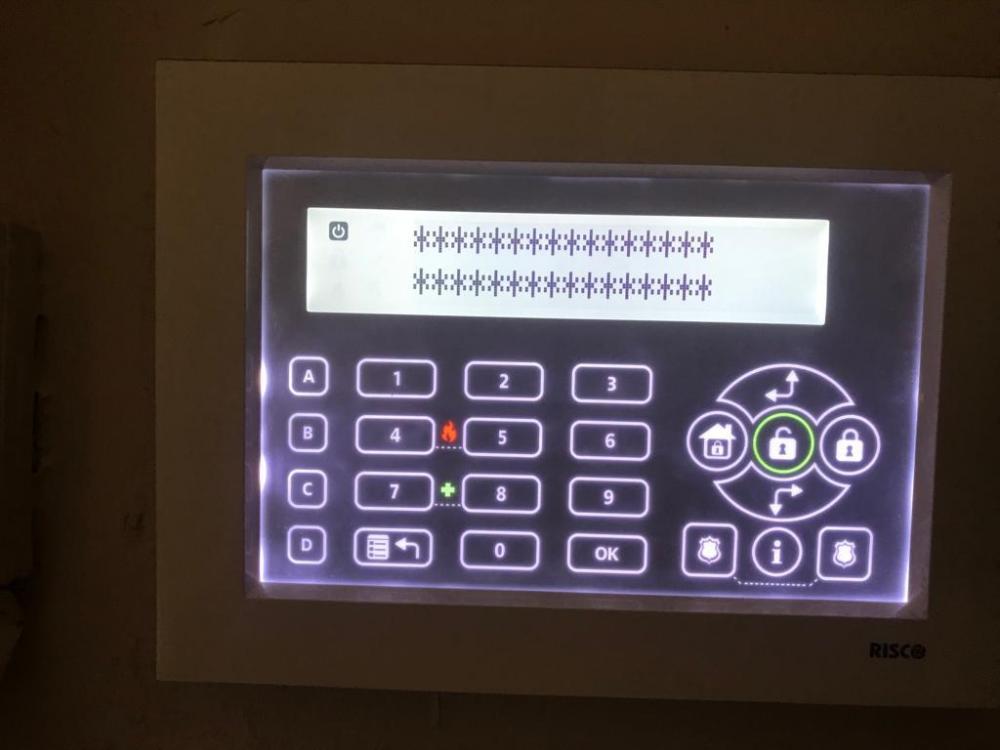
  2. Someone fitted a Risco alarm for me a while back and it was working fine but then we started having problems with it and we just left it off for a year or so. I thought I'd try to fix it recently and i powered it down totally and starting it up again it is stuck on a screen with ****. A couple of photos are below. I am not an expert but I can re-wire etc if I need to just not sure what the issue below is. If someone could help would be great.
Important Information

By using this site, you agree to our Terms of Use.

Account

Navigation

Search

Search

Configure browser push notifications

Chrome (Android)
  1. Tap the lock icon next to the address bar.
  2. Tap Permissions → Notifications.
  3. Adjust your preference.
Chrome (Desktop)
  1. Click the padlock icon in the address bar.
  2. Select Site settings.
  3. Find Notifications and adjust your preference.