

Skip to content
View in the app

A better way to browse. Learn more.

Security Installer Community

A full-screen app on your home screen with push notifications, badges and more.

To install this app on iOS and iPadOS
  1. Tap the Share icon in Safari
  2. Scroll the menu and tap Add to Home Screen.
  3. Tap Add in the top-right corner.
To install this app on Android
  1. Tap the 3-dot menu (⋮) in the top-right corner of the browser.
  2. Tap Add to Home screen or Install app.
  3. Confirm by tapping Install.

Al the Scot

Newbie
  • Joined

  • Last visited

Everything posted by Al the Scot

  1. Replaced both 1amp fuses which appeared to clear the fault, however system went back to factory settings so having to programme entry/exit zones, walk through zones etc. thanks
  2. I will wait until morning to remove cover in case alarm goes off. I will check fuse then and age of battery as I think I put a date on it when last replaced. thank you
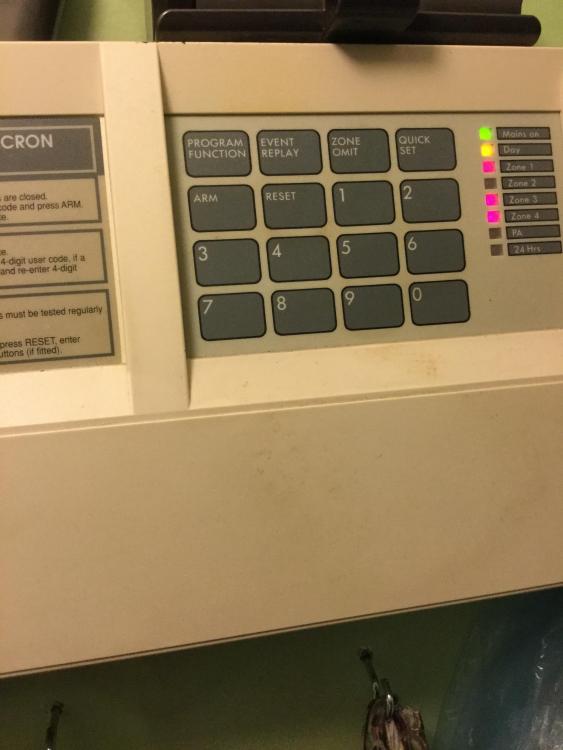
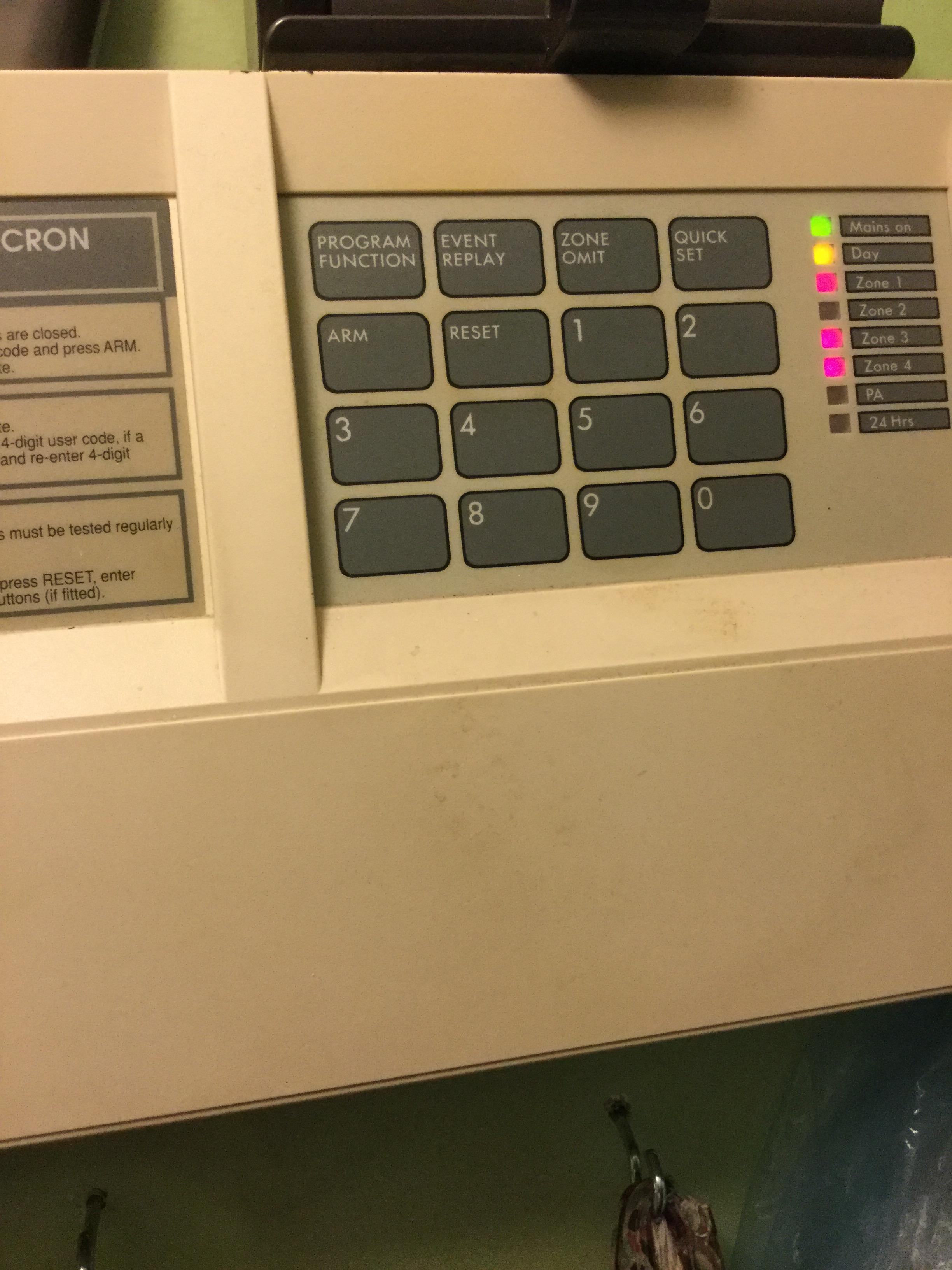
  3. Hi There I have an old DIY A1 Omnicron alarm. Set the alarm as usual and left house (zone 2 deliberately omitted). On return confronted by the following image with 3 zones all illuminated and key pad non responsive. Unable to press keypad and no tones sounding. Any advise much appreciated. thanks Allan
Important Information

By using this site, you agree to our Terms of Use.

Account

Navigation

Search

Search

Configure browser push notifications

Chrome (Android)
  1. Tap the lock icon next to the address bar.
  2. Tap Permissions → Notifications.
  3. Adjust your preference.
Chrome (Desktop)
  1. Click the padlock icon in the address bar.
  2. Select Site settings.
  3. Find Notifications and adjust your preference.