


_2d2230.png)
_5a42ce.png)
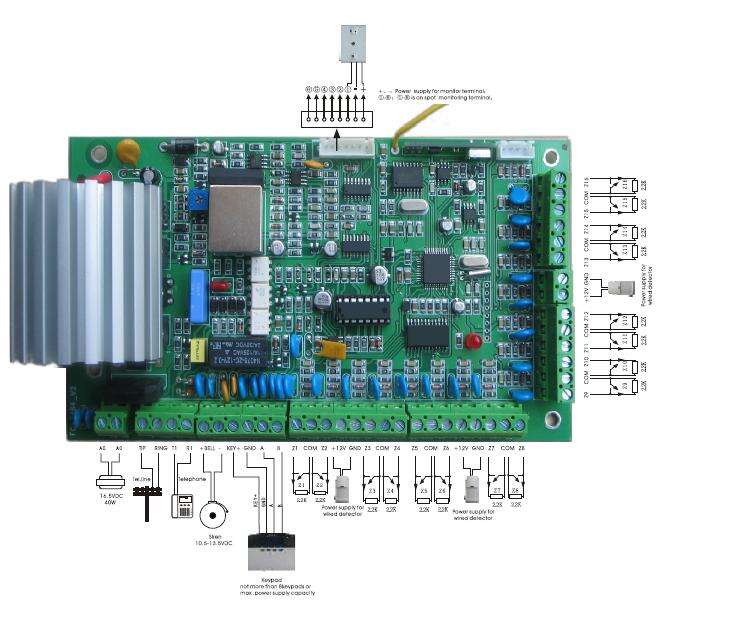


Remote telephone programming alarm control panel

By alarmsystem
- 3,078 views
- View alarmsystem's images
FC-7664 Telephone remote programming alarm host
Security Service Remote Programming Alarm Control Panel
1. It is office or small business security monitored alarm control panel.
2. It supports remote programming via telephone with voice prompt.
3. 16 wired 24 wireless and 24 keypad zones or expansion bus zones.
4. 4 partition for independent control by assigned remotes, keypads and phone No.
5. Can connect with alarm linkage output.
6. With door bell zone function.
7. With zone module expansion of medical, fire, emergency etc.
8. Keypad zone name can be edited.
9. User code authority can be set for certain zone.
10. 150 pcs records of alarm events.
11. Siren time, sensor inspection, force alarming etc. can be set.
12. System Maintenance of battery test, communication test, walk test of detection range etc.
Recommended Comments
Create an account or sign in to comment