


_2d2230.png)
_5a42ce.png)

Bradders1664
Newbie
-
Joined
-
Last visited
-
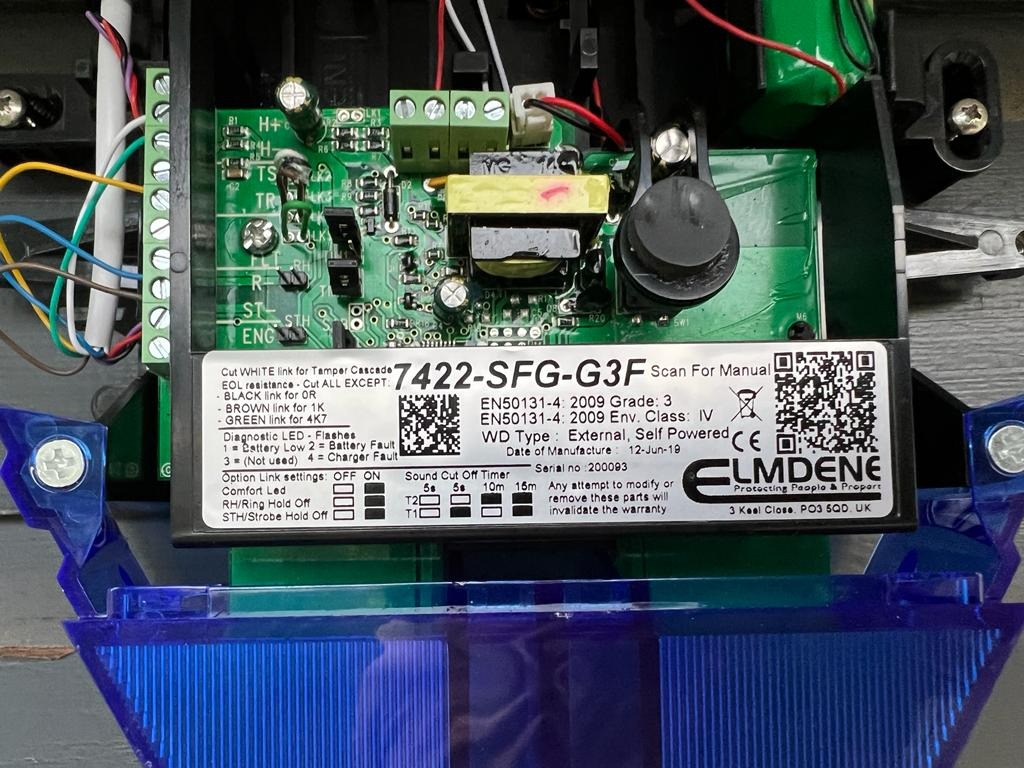
Hi all Thanks for your responses. My gut-feel was zero ohm but the 1k ohm standard for the Galaxy panels was causing me to consider 1k ohm. I'll go with zero ohm ? The 8 core alarm cable is from TLC-Direct btw.
-
Bradders1664 joined the communityHello I am installing an ADT/Elmdene bell box (external sounder) in a Honeywell Galaxy 3-48C panel. I'm fine on the wiring but the bell box has EOL tamper resistors in it and need to cut the right link to ensure the EOL resistance is correct for the unit to function correctly. Anyone know what is the right resistance is for the Galaxy system? Options are 0, 1k or 4k7 ohms. There is also a tamper cascade link. The instructions from Elmdene and Honeywell don't mention the resistance for the bell box nor the tamper cascade. Thanks in advance, Rich
Important Information
By using this site, you agree to our Terms of Use.