Skip to content
View in the app

A better way to browse. Learn more.

Security Installer Community

A full-screen app on your home screen with push notifications, badges and more.

To install this app on iOS and iPadOS
  1. Tap the Share icon in Safari
  2. Scroll the menu and tap Add to Home Screen.
  3. Tap Add in the top-right corner.
To install this app on Android
  1. Tap the 3-dot menu (⋮) in the top-right corner of the browser.
  2. Tap Add to Home screen or Install app.
  3. Confirm by tapping Install.

RS1973

Newbie
  • Joined

  • Last visited

  1. Looks like it’s a new handset then. Thanks again for your help ??
  2. Thanks for your advice. I did look at replacement handsets but they aren’t cheap either. I was hoping for a cheaper option or if anyone knew why a regular cable won’t work.
  3. RS1973 joined the community
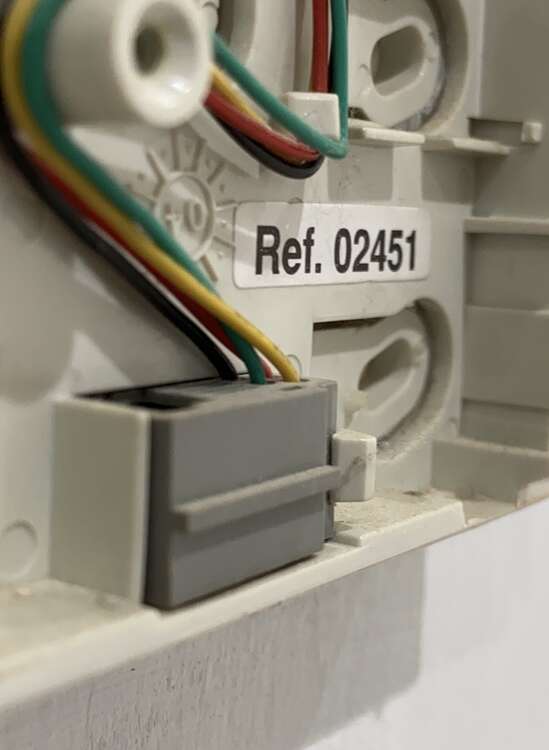
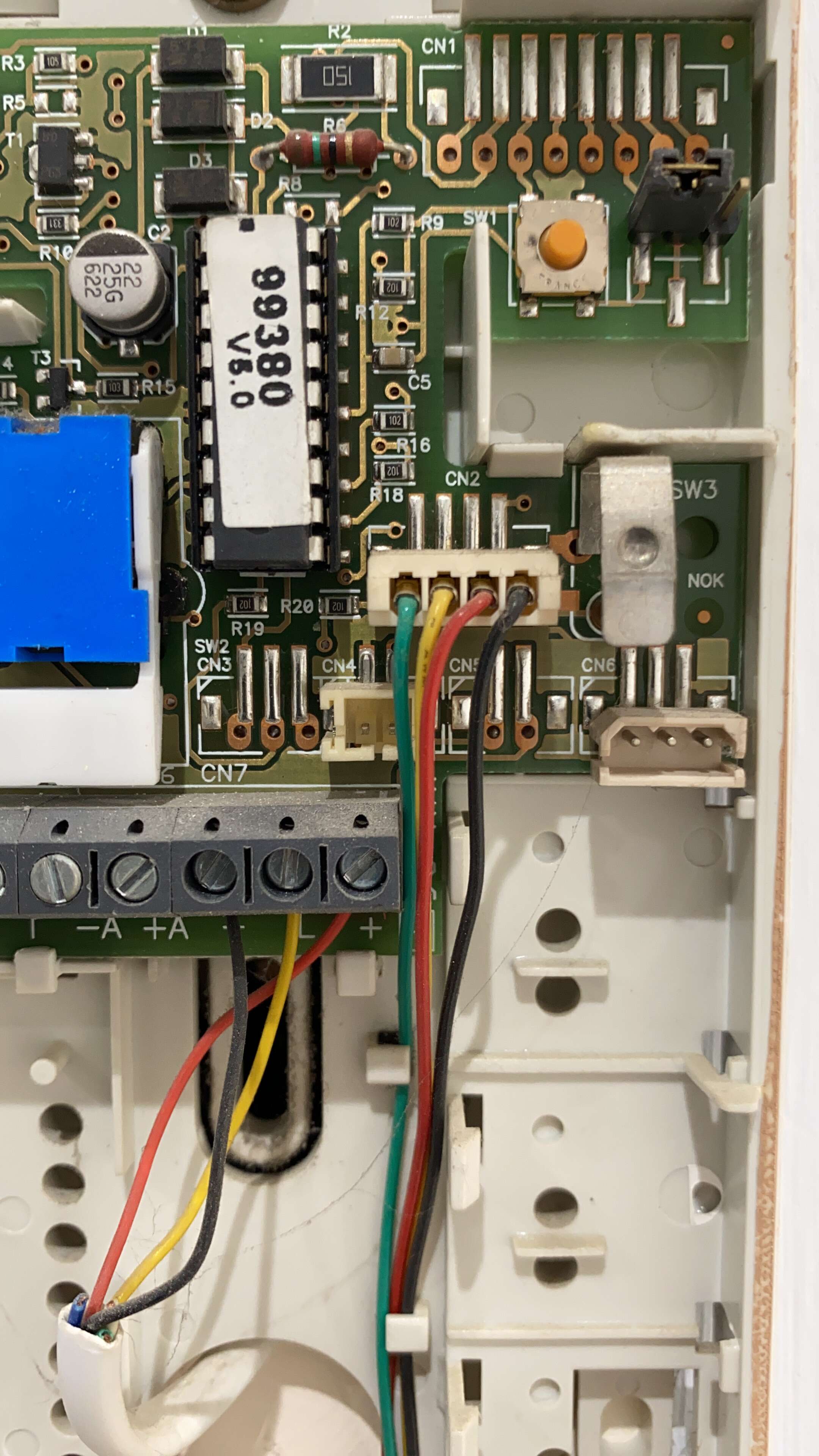
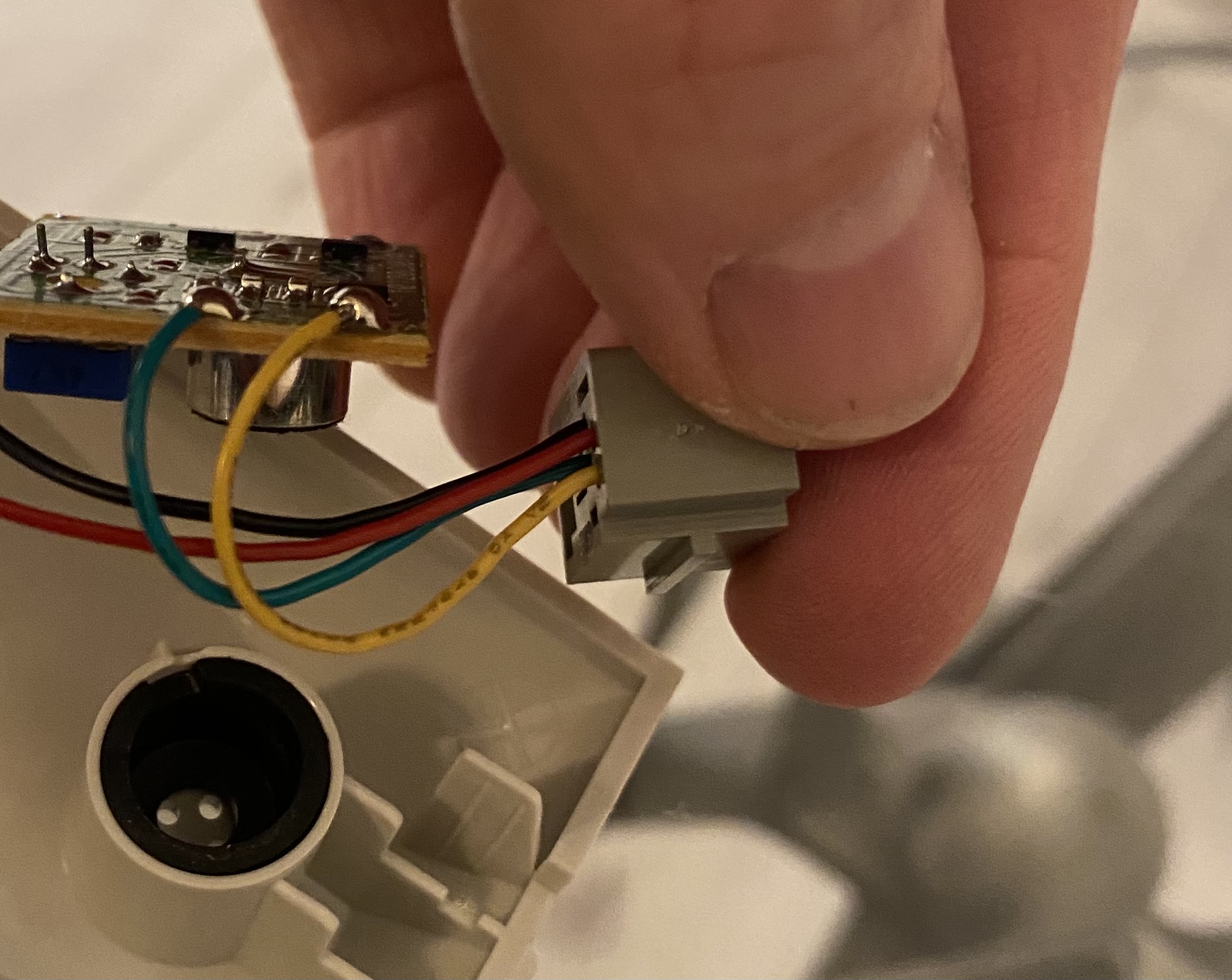
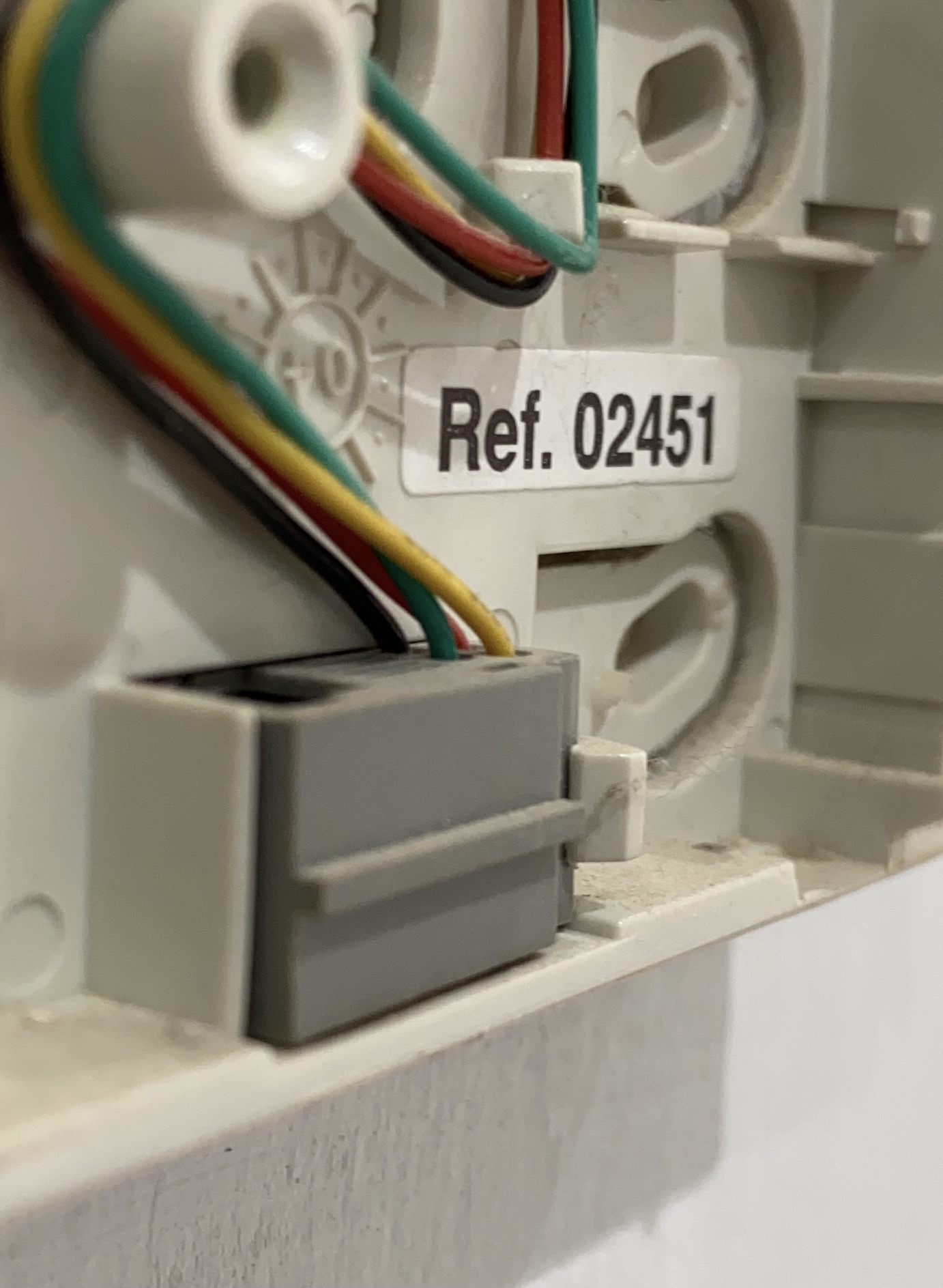
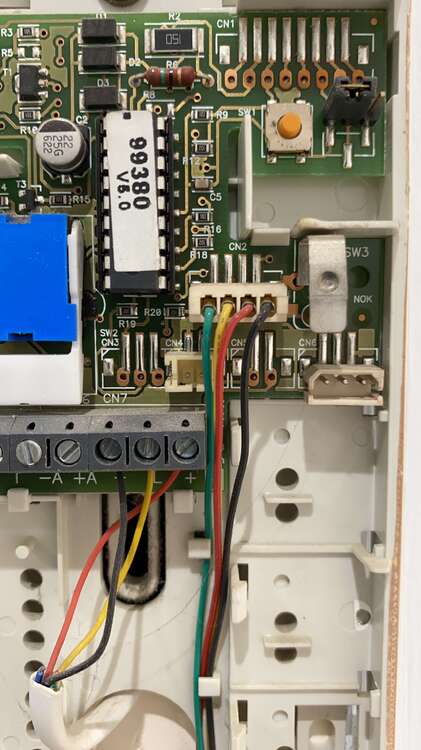
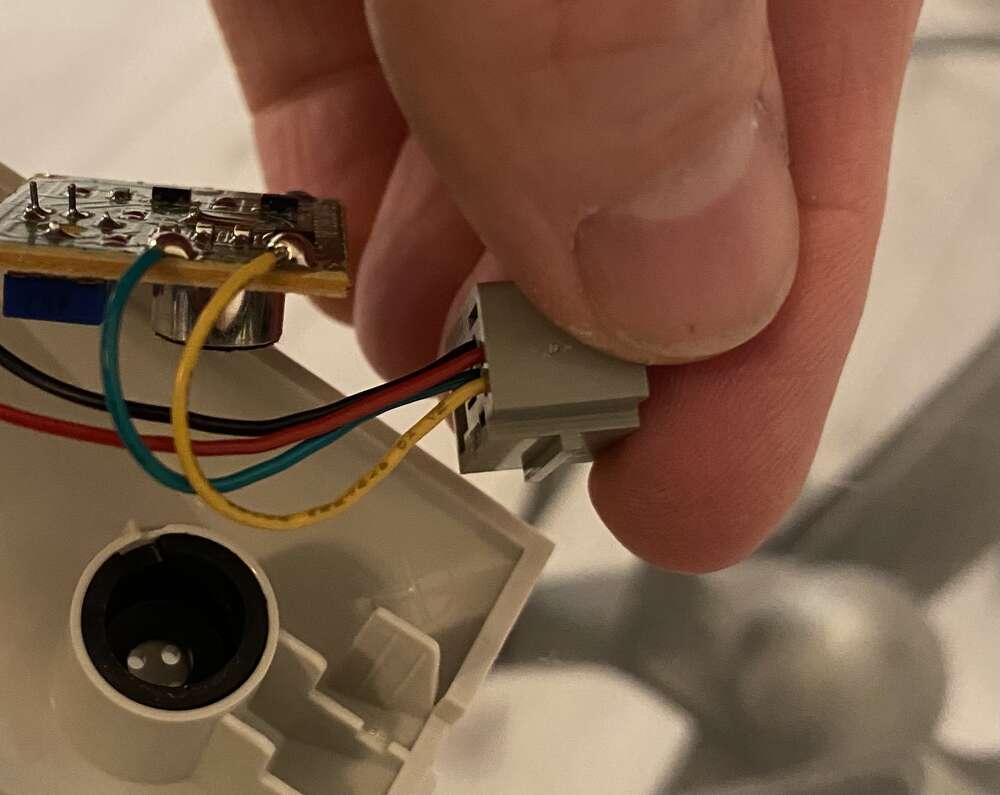
  4. Hi all i need to replace the handset cable for my a FERMAX intercom. I thought I could plug in a regular RJ10 but no joy. Any ideas why this is? I cannot get a FERMAX cable for 3 weeks and it’s £18 and about 3 metres long!!! Any ideas or solutions are greatly appreciated. I suspect the yellow abs green are switched but it’s not my area. Cheers
Important Information

By using this site, you agree to our Terms of Use.

Account

Navigation

Search

Search

Configure browser push notifications

Chrome (Android)
  1. Tap the lock icon next to the address bar.
  2. Tap Permissions → Notifications.
  3. Adjust your preference.
Chrome (Desktop)
  1. Click the padlock icon in the address bar.
  2. Select Site settings.
  3. Find Notifications and adjust your preference.