_2d2230.png)
_5a42ce.png)

techfreak
Newbie
-
Joined
-
Last visited
-
Hi Yeti You're right. I'll get a pro in to sort it. Cheers
-
No idea? So I’m guessing probably not? I did read something about checking the pulse count setting on the PIR and setting this to 3? Would that help?
-
Thanks for the replies everyone. SWB - this sounds exactly like what's happening. It's not the entry or exit tones - that changes with the volume control but it's the full alarm that's triggering. Any way to fix this ?
-
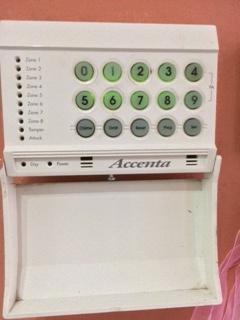
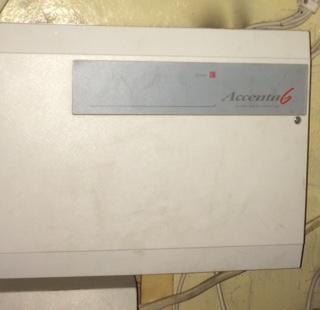
Hi all I have an Accenta 6 system, as pictured, works fine but when the alarm goes off - for example when walking in the house or walking downstairs in the morning it's extremely loud. So loud i've had neighbours at the bottom of the street ask me where that sound is coming from! I've looked in the big box and there's a volume control button in there but turning it does nothing - sound stays the same. I've turned it every which way. Am I missing something? Thank you