

Skip to content
View in the app

A better way to browse. Learn more.

Security Installer Community

A full-screen app on your home screen with push notifications, badges and more.

To install this app on iOS and iPadOS
  1. Tap the Share icon in Safari
  2. Scroll the menu and tap Add to Home Screen.
  3. Tap Add in the top-right corner.
To install this app on Android
  1. Tap the 3-dot menu (⋮) in the top-right corner of the browser.
  2. Tap Add to Home screen or Install app.
  3. Confirm by tapping Install.

dave clarke

Newbie
  • Joined

  • Last visited

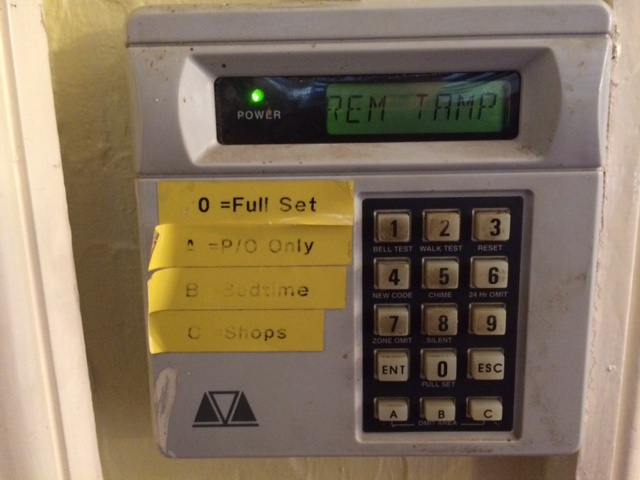
  1. Everyone, it's a TS700 Menvier, you guys have been a major help!! Have downloaded manual, but now "Rem Tamp" error on display not listed and wont reset, any ideas again - Sorry to be a pain in the Ass!!
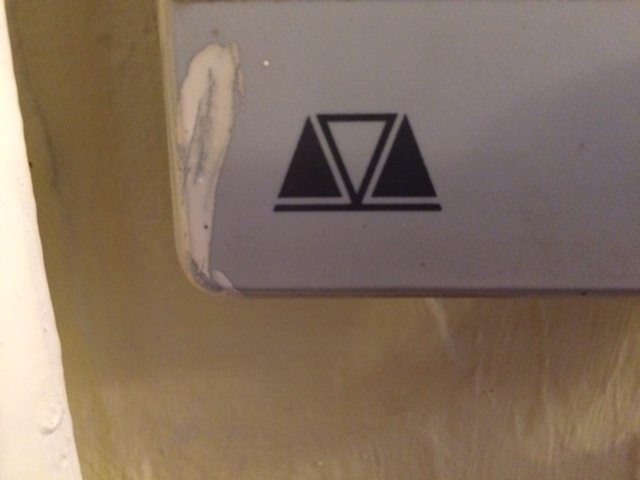
  2. Hi Guys, Anyone tell me the brand and model of this unit we have installed?? Trying to get a user manual and trying to get a spare keypad. Took back off it and wont resent, as display is now saying "Rem Tamp", which must mean it needs to be reset, but how???? - Any help would be greatly appreciated guys Thanks Dave
Important Information

By using this site, you agree to our Terms of Use.

Account

Navigation

Search

Search

Configure browser push notifications

Chrome (Android)
  1. Tap the lock icon next to the address bar.
  2. Tap Permissions → Notifications.
  3. Adjust your preference.
Chrome (Desktop)
  1. Click the padlock icon in the address bar.
  2. Select Site settings.
  3. Find Notifications and adjust your preference.