Skip to content
View in the app

A better way to browse. Learn more.

Security Installer Community

A full-screen app on your home screen with push notifications, badges and more.

To install this app on iOS and iPadOS
  1. Tap the Share icon in Safari
  2. Scroll the menu and tap Add to Home Screen.
  3. Tap Add in the top-right corner.
To install this app on Android
  1. Tap the 3-dot menu (⋮) in the top-right corner of the browser.
  2. Tap Add to Home screen or Install app.
  3. Confirm by tapping Install.

David Andrews

Member
  • Joined

  • Last visited

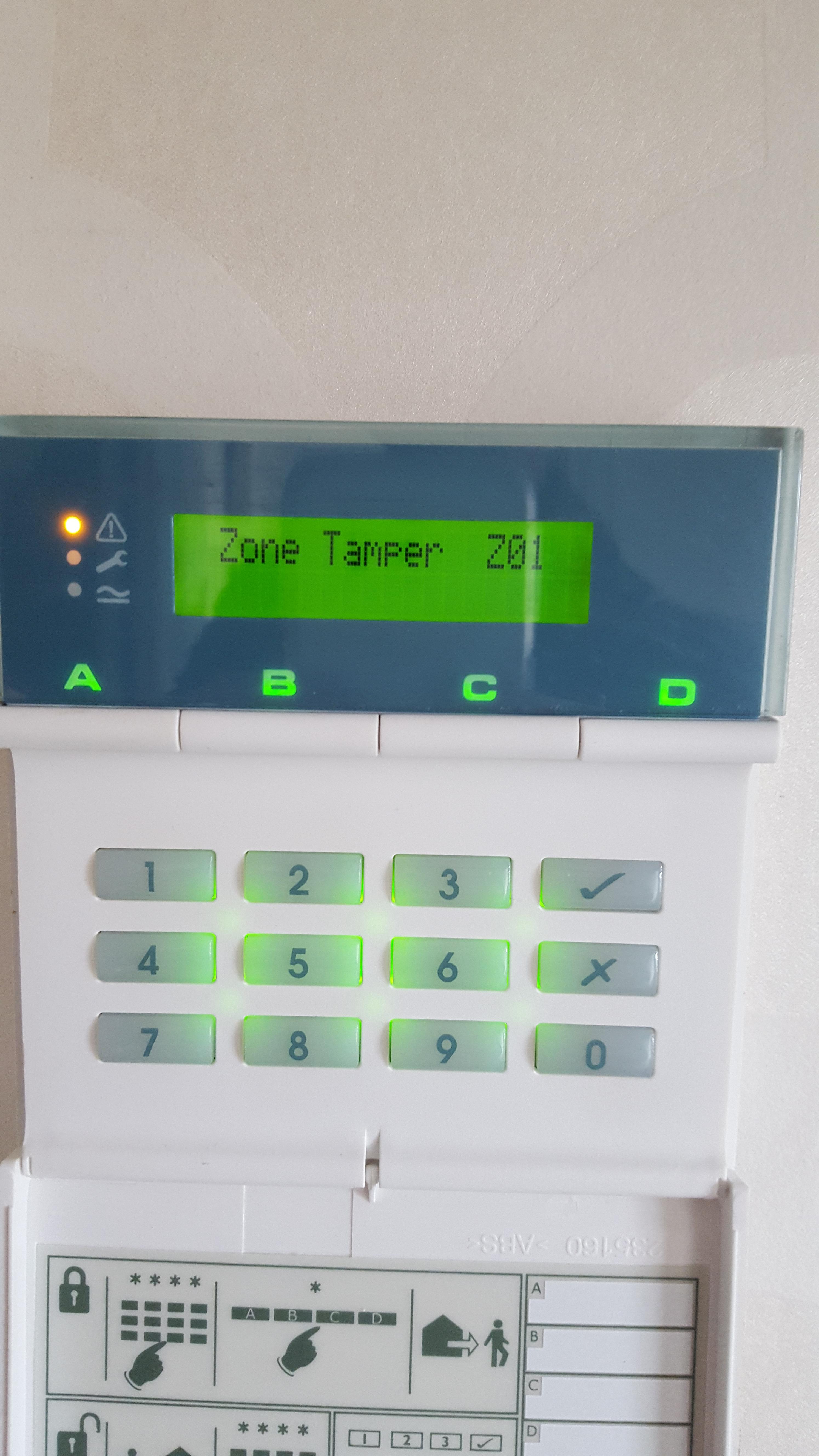
  1. I tried the option 21 as said above and that has now cleared it but Ive now got this tamper error:
  2. it was crisp white inside, but yellow on the outside!
  3. Replaced with scantronic PIR
  4. yes those PIR's have all been changed apart from the one in the lounge. Installed about 1992 I think.
  5. The unit they replaced it with is the newer scantronic one with a flip down lid. The PIR's have all been replaced minus the one in the study, which ive just replaced with a new one. Can you advise what EOL wiring is please. thanks again. The hallway has just a PIR not contacts. thanks
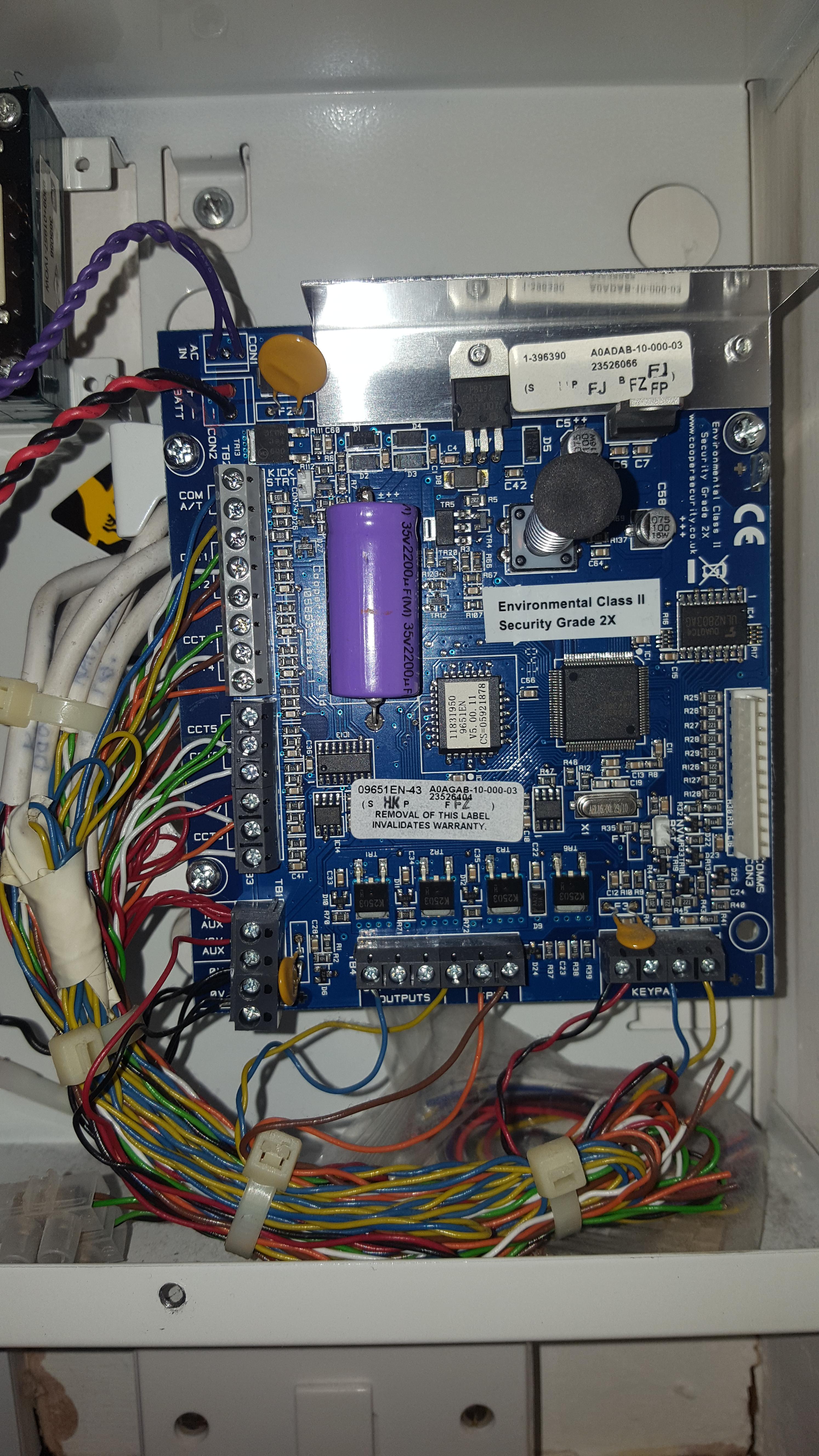
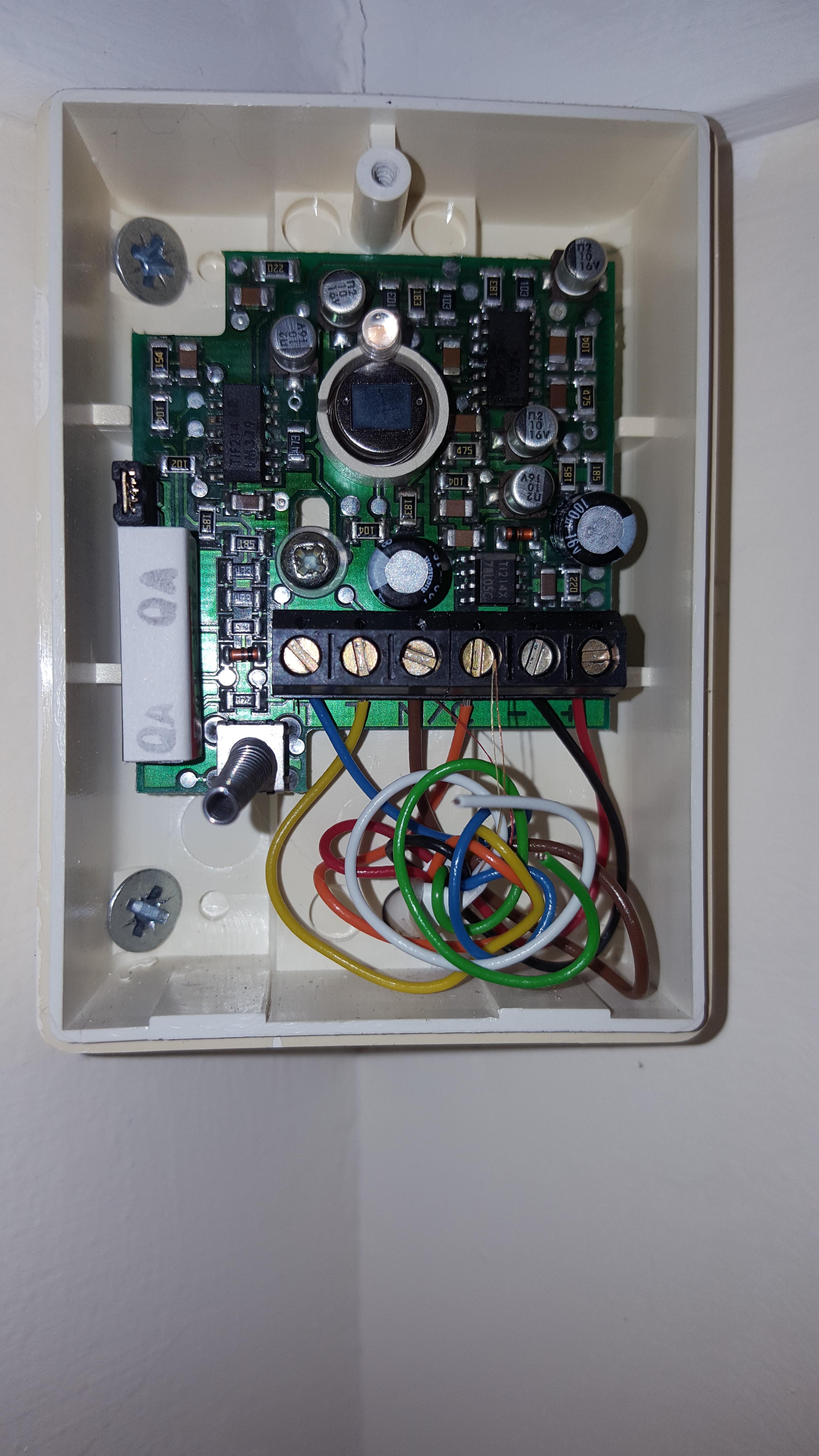
  6. pic above is of one of the PIR's When you walked into the hall from coming in it would go off instead of having a delay. Also when she was out it would go off and say the PIR in lounge had been triggered. Also on other occasions it wouldnt let her turn it off when she came in. The keypad was changed a while ago by local alarm company but problems still keep happening that's why I changed the control panel. thanks
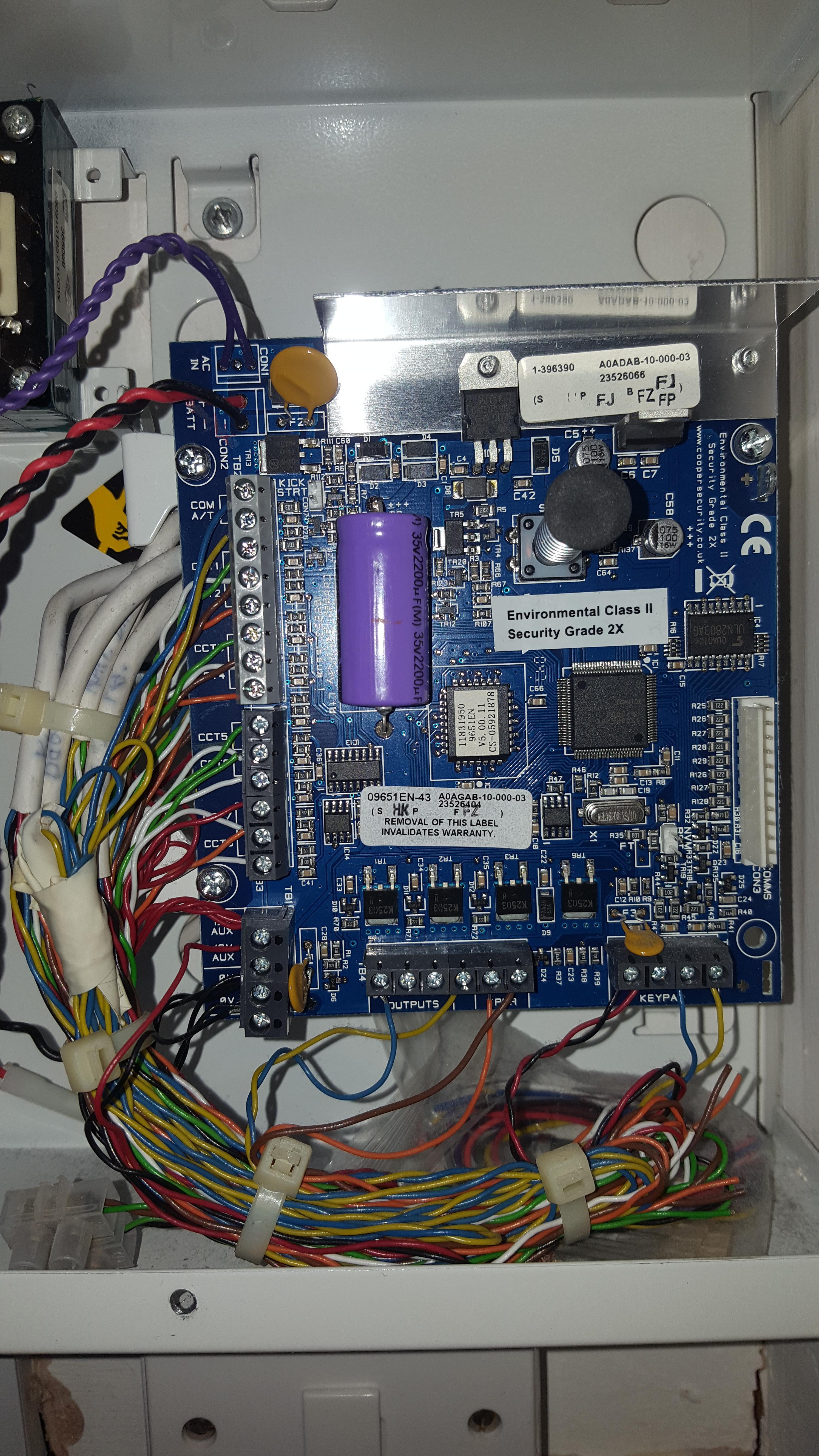
  7. This is of the old unit, i havent a picture to hand of the new one. Il try and take one tomorrow. Thanks in advance.
  8. This is of the old unit, i havent a picture to hand of the new one. Il try and take one tomorrow. Thanks in advance.
  9. Hope someone can help. My elderly mother had a scantronic alarm and it kept going off randomly. I changed the control panal for a like for like (9651PD) and wired everything up as before taking care with the wiring. Once I now exit out the installer menu i get the error ' COM A/T' Can anyone offer any advice on what this is or how to clear it? thanks

Important Information

By using this site, you agree to our Terms of Use.

Account

Navigation

Search

Search

Configure browser push notifications

Chrome (Android)
  1. Tap the lock icon next to the address bar.
  2. Tap Permissions → Notifications.
  3. Adjust your preference.
Chrome (Desktop)
  1. Click the padlock icon in the address bar.
  2. Select Site settings.
  3. Find Notifications and adjust your preference.