


_2d2230.png)
_5a42ce.png)
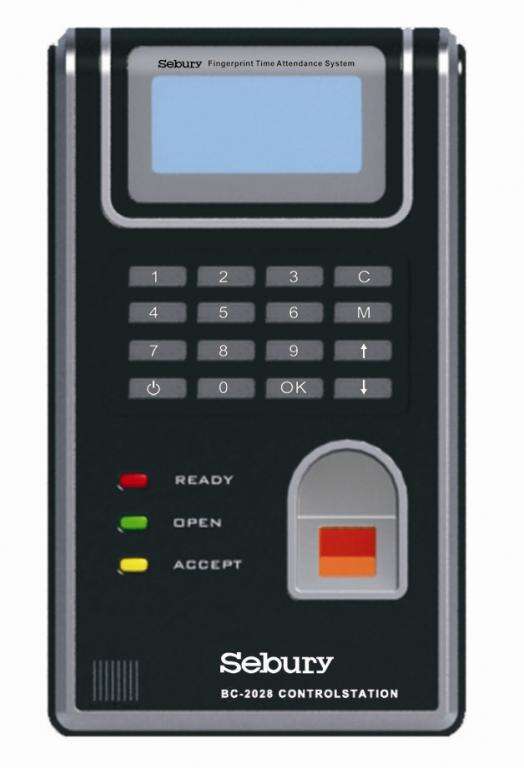


BC2028

By azul007
- 1,891 views
- View azul007's images
BC-2028 is a widely used Access Control in the office. Choosing a lot of stable original parts, strictly follow the national security product standards .
BC-2028 is suitable for the entrances and exits of office, factories ,hotels ,school ,etc .All input /output are using anti-jamming protection and over-voltage/circuit protection. The product experiences the strict degradation test before leaving the factory, The greatest fecture of BC-2028 is easy to install, with multi-functional & elegant design.
# Widely used time and attendance in the office
# Choosing a lot of stable original parts, strictly follow the national security product standards
# Suitable for the entrances and exits of office, factories, hotels and schools
# All input/output are using anti-jamming protection and overvoltage/circuit protection
# The product experiences the strict degradation test before leaving the factory
# The greatest feature of BC-2028 is easy to install, with multifunctional and elegant design
# Supports TCP/IP & RS485
# Memory capacity: 3,000
# Offline capacity: 80,000
# Verification mode: 1:1 or 1:N and 1:1:N
# five access ways: fingerprint, card, pin, fingerprint + card and fingerprint + pin
# Identification speed: ≤2 seconds
# FRR:≤0.01%
# FAR: ≤0.0001%
# Power: 12V DC
# Stay current: 50mA
# Work current: 250mA
# Temperature operating: -10 to 45 degrees Celsius
# Humidity operating: 20 to 80%
# Access control: supports standalone work
# Languages: English, Chinese Traditional, Chinese Simple, Korean and French
# Keyboard and display: LCD with Chinese and English character and figure keypad
# Size: 185 x 100 x 33mm
Recommended Comments
Create an account or sign in to comment